A unified support and feedback tool is a centralized platform that aggregates data from multiple customer touchpoints into one authoritative source for consistent analysis and automated action. The industry term for this concept is a "unified Voice of Customer" (VoC) platform, though SaaS teams increasingly use it to cover both support ticket management and feedback collection under one roof. For product teams and customer support professionals, the difference between a unified system and a stack of disconnected tools is the difference between proactive issue resolution and endless firefighting. This article breaks down how these platforms work, what AI does inside them, and how to implement one without creating another data silo.
What is a unified support and feedback tool, and how does it work?
A unified support and feedback tool replaces fragmented dashboards and manual exports by pulling all customer data into a single, normalized view. Support tickets, NPS and CSAT surveys, social media mentions, app store reviews, and product analytics all flow into one system. The platform then applies normalization and deduplication rules so the same complaint reported via email and via in-app chat does not count as two separate issues.

The core challenge is taxonomy governance. Without a shared vocabulary for categorizing feedback, the same bug gets labeled "login error" by one agent and "authentication failure" by another. A well-configured unified system enforces consistent tagging across every channel, which makes trend analysis reliable. Teams that skip this step end up with noisy data that no AI model can interpret accurately.
Once data is clean and categorized, AI analysis surfaces patterns that would take a human analyst days to find. The system identifies which issues affect the most customers, which correlate with churn, and which are one-off edge cases. That prioritization is what separates a unified feedback management tool from a simple aggregator.
- Support tickets: Captures structured issue reports with metadata like plan tier, browser, and session ID
- NPS and CSAT surveys: Adds sentiment scores tied to specific product moments
- Social media and app reviews: Brings in unsolicited feedback that users never submit through official channels
- Product analytics: Connects behavioral data to reported problems, showing what users did before they complained
- Session replays: Provides visual context for bug reports, eliminating ambiguous descriptions
Pro Tip: Set up your taxonomy before you connect any data source. Retroactively cleaning thousands of mislabeled tickets costs far more time than defining categories upfront.
How does AI power automation inside these platforms?
AI is the engine that makes a unified support platform worth the implementation effort. Without it, you have a better-organized inbox. With it, you have a system that resolves issues, routes tickets, and surfaces product insights with minimal human input.
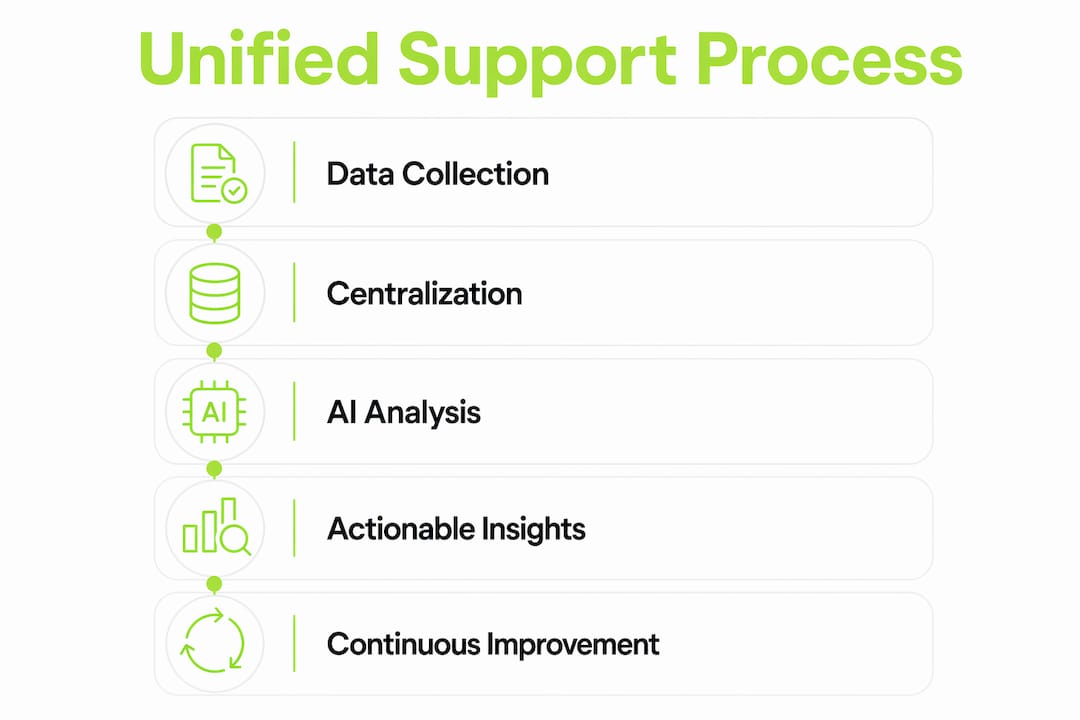
The most direct impact is on repetitive queries. AI automation resolves 80% or more of repetitive support interactions when the system is properly configured. That figure matters because most SaaS support queues are dominated by the same 10 to 20 question types. Freeing agents from those queries lets them focus on complex, high-value cases that actually require human judgment.
Precision in categorization depends on the type of AI model used. Domain-specific feedback models trained on product interaction data outperform generic large language models in identifying feature requests and classifying bug reports. A generic model might label "the export button does nothing" as a UI complaint. A feedback-native model recognizes it as a functional bug tied to a specific feature, which routes it correctly and flags it for engineering.
The next evolution is agentic workflows. Modern unified platforms can execute tasks autonomously across integrated systems, such as creating a Jira ticket, issuing a refund, or escalating to an account manager, without a human approving each step. This requires a well-built integration ecosystem, but teams that reach this stage report dramatic reductions in resolution time.
- Configure AI routing rules based on issue type, customer tier, and urgency before going live
- Train the model on your taxonomy using historical tickets so it categorizes correctly from day one
- Set up agentic triggers for the highest-volume, lowest-complexity actions first
- Monitor precision and recall weekly for the first 90 days and adjust rules where the model misfires
- Expand automation gradually to more complex workflows once baseline accuracy is confirmed
Pro Tip: Do not automate your most sensitive customer interactions first. Start with password resets and billing FAQs, then work toward refund processing once you trust the model's accuracy.
What are the real benefits for SaaS product and support teams?
The most significant benefit is the shift from reactive ticketing to systemic issue resolution. Mature organizations using unified systems stop treating every ticket as an isolated event. Instead, they identify the root cause behind clusters of complaints and fix the product, not just the conversation.
Cross-team alignment is the second major gain. When customer success, product, and engineering all look at the same data, prioritization decisions become faster and less political. A product manager can show engineering exactly how many customers hit a specific bug, what plan they are on, and what revenue is at risk. That context changes the conversation from "we'll get to it" to "we fix this sprint."
Unified systems enable teams to prioritize product development based on business impact rather than complaint volume. The shift from counting tickets to measuring revenue risk is what separates teams that use feedback strategically from those that just collect it.
Customer experience also improves because agents have full context before they respond. When a support ticket arrives with session replay data, the customer's plan tier, and a timeline of recent actions, the agent does not need to ask three clarifying questions. Resolution is faster, and the customer feels understood rather than interrogated.
- Reduced mean time to resolution because context travels with every ticket
- Better product roadmap decisions grounded in quantified customer impact
- Lower agent burnout from eliminating repetitive, low-value interactions
- Consistent KPIs shared across CS, product, and engineering teams
What challenges come with implementing a unified feedback system?
The technical challenges are real but solvable. Data normalization and deduplication require upfront investment. Mapping Zendesk tickets to NPS survey responses, for example, demands a shared customer identifier across both systems. Without that link, the AI analysis treats them as unrelated data sets and misses the connection between a low NPS score and a specific support interaction.
The cultural challenge is harder. Unification requires organizational alignment across customer success, product, and engineering. The most common mistake is treating a unified platform as a software purchase rather than an operational change. Teams that buy the tool but keep separate KPIs and separate reporting cycles do not get the benefit. They just have a more expensive silo.
Closed-loop workflows are what convert a data repository into an action engine. A feedback item becomes a Jira ticket with the customer's session data, plan tier, and reproduction steps attached. That context prevents the back-and-forth between support and engineering that slows resolution. Without closed-loop design, feedback enters the system and disappears.
Leadership trust depends on traceability. Audit trails that link AI-generated summaries back to raw customer feedback let executives drill from a trend chart down to the exact ticket or survey response that drove it. Without that capability, leadership dismisses AI insights as black-box outputs and reverts to gut decisions.
| Challenge | Best practice |
|---|---|
| Data normalization | Define a shared customer ID across all connected systems before integration |
| Taxonomy drift | Enforce a governed tag library with quarterly reviews |
| Cultural silos | Align CS, product, and engineering on shared KPIs from day one |
| Closed-loop gaps | Attach full context to every feedback-derived task automatically |
| Leadership trust | Build audit trails linking every AI insight to raw source feedback |
Key Takeaways
A unified support and feedback tool delivers value only when data governance, AI configuration, and cross-team alignment are treated as equal priorities alongside the technology itself.
| Point | Details |
|---|---|
| Single source of truth | Aggregate tickets, surveys, social, and analytics into one normalized system before applying AI. |
| AI automation impact | Properly configured AI resolves 80% or more of repetitive queries, freeing agents for complex cases. |
| Domain-specific models | Feedback-native AI models categorize bugs and feature requests more accurately than generic models. |
| Closed-loop workflows | Attaching full context to every task eliminates back-and-forth and speeds resolution significantly. |
| Cultural alignment | Shared KPIs across CS, product, and engineering are required for unification to deliver real impact. |
The part most teams get wrong about unified feedback
I have watched SaaS teams spend months selecting a unified platform and then spend zero time on taxonomy design. They connect every data source in week one, celebrate the dashboard, and then wonder why the AI keeps miscategorizing tickets three months later. The tool is not the problem. The absence of a shared vocabulary is.
The teams that get the most out of integrated support solutions treat the first 30 days as a data governance sprint, not a feature exploration phase. They define what "bug," "feature request," and "billing question" mean across every channel before they let the AI touch a single ticket. That discipline pays off in categorization accuracy that compounds over time.
The other thing I would push back on is the assumption that automation is the end goal. Automation is a byproduct of good data and good configuration. The real goal is giving your product team a clear signal about what to build next and giving your support team the context to resolve issues without playing detective. When AI-powered ticket management is built on clean, well-governed data, the productivity gains follow naturally. When it is built on noise, you automate the wrong things faster.
Start small, govern aggressively, and expand automation only after you trust the signal.
— Dizzy
How Coevy fits into your unified support workflow
SaaS teams that want to move from scattered feedback to a working unified system need a starting point that does not require a six-month implementation project.
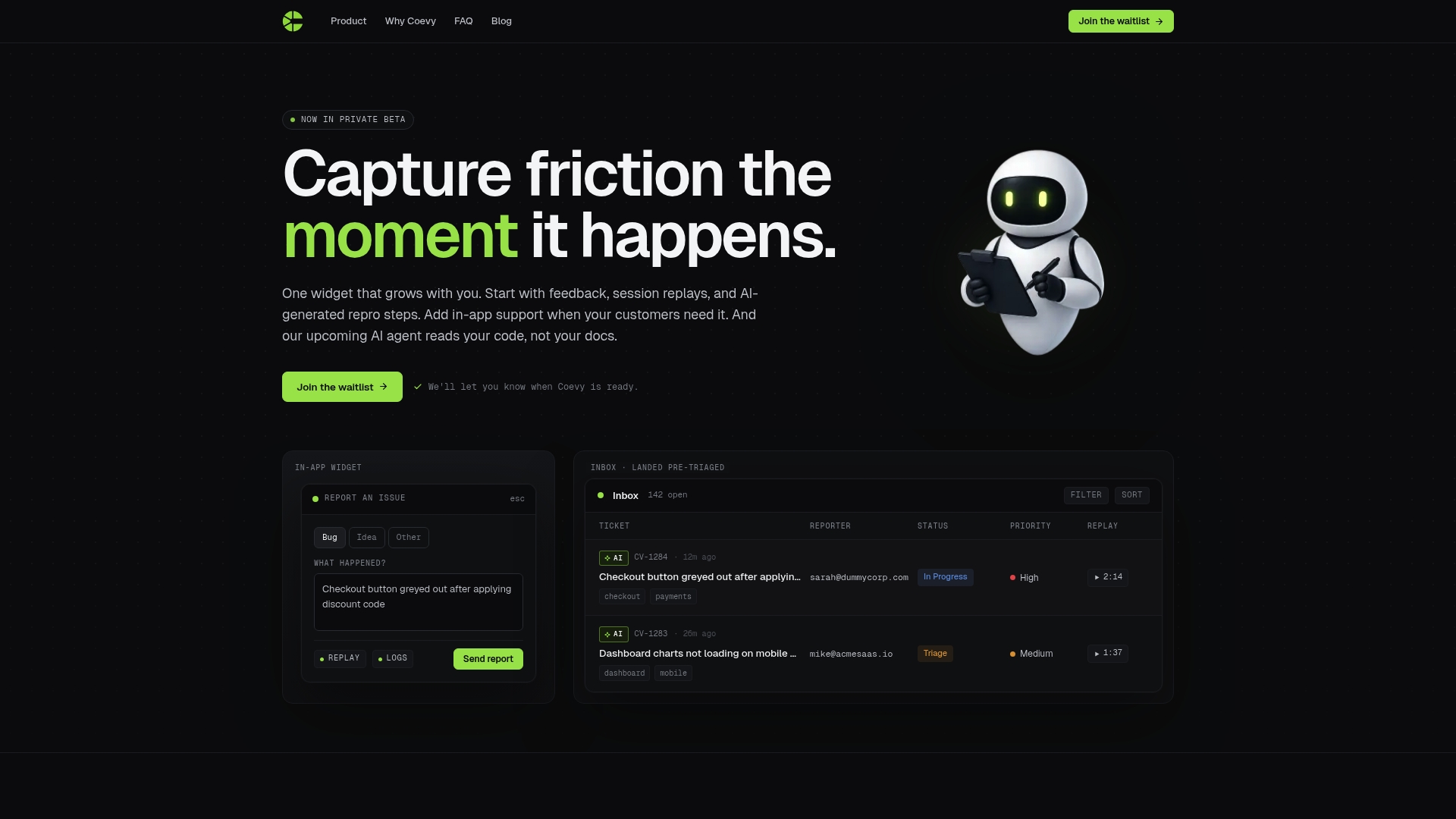
Coevy embeds directly into your web app as a widget that captures user feedback, session replays, and AI-generated bug reproduction steps at the moment an issue occurs. Every report arrives with contextual session data already attached, so your support and engineering teams skip the clarifying questions and get straight to resolution. Coevy's AI auto-tags and prioritizes incoming feedback, and its upcoming codebase-aware AI agent reads your actual source code to provide precise answers rather than generic documentation responses. The platform is GDPR-compliant with field masking and IP anonymization built in. For teams ready to build a real unified feedback system, Coevy is designed to grow with your product from first feedback widget to full AI support integration.
FAQ
What is a unified support and feedback tool?
A unified support and feedback tool is a centralized platform that aggregates support tickets, surveys, social media, and product analytics into one system for consistent analysis and automated issue resolution.
How does AI improve a unified support platform?
AI resolves repetitive queries automatically, categorizes unstructured feedback with higher accuracy using domain-specific models, and executes agentic workflows like ticket creation or refund processing without human intervention.
What data sources does a unified feedback system typically connect?
Most platforms connect support tickets, NPS and CSAT surveys, social media mentions, app store reviews, and product usage analytics into a single normalized data layer.
Why do unified feedback implementations fail?
The most common cause is treating the platform as a software purchase rather than an operational change. Without shared KPIs and taxonomy governance across CS, product, and engineering, the system becomes another data silo.
How long does it take to see results from a unified support tool?
Teams that configure AI automation correctly can achieve measurable productivity gains within 90 days, though data governance and taxonomy setup in the first 30 days determine whether those gains hold over time.