Your support team is talented. So why are they spending half their day answering the same twelve questions? Password resets, order status checks, billing FAQ lookups — these queries are predictable, low-complexity, and relentless. When you use AI to answer repetitive support questions, you free your team to focus on work that actually requires human judgment. AI customer support now resolves 70% to 80% of routine issues without human intervention, which means the infrastructure for this shift exists today. This guide walks you through preparation, deployment, common pitfalls, and how to measure results.
Table of Contents
- Key Takeaways
- What you need before using AI to answer repetitive support questions
- How to deploy AI for repetitive question automation step by step
- Common challenges when automating repetitive support questions
- Measuring success and optimizing your AI automation
- My honest take on AI for repetitive support questions
- How Coevy helps you automate support without losing control
- FAQ
Key Takeaways
| Point | Details |
|---|---|
| Start with a clean knowledge base | AI accuracy depends on well-structured, version-controlled content before you deploy anything. |
| Design escalation triggers carefully | Multi-signal escalation policies, not single failure points, prevent both over- and under-escalation. |
| Test in shadow mode first | Run AI in parallel with live agents before full deployment to catch problems without impacting customers. |
| Track the right metrics | Resolution rate, re-contact rate, and agent override rate reveal AI performance more clearly than CSAT alone. |
| AI requires continuous tuning | Expect ongoing monitoring and policy updates. A deployed AI agent is never truly finished. |
What you need before using AI to answer repetitive support questions
Most deployments that fail do so before the first line of configuration is written. The groundwork matters more than the tool you choose.
Identify which questions are actually automatable. Not every repetitive question is a good AI candidate. Password resets, shipping status inquiries, plan upgrade confirmations, and basic how-to walkthroughs are strong candidates because they follow predictable patterns with low stakes. Refund disputes, account security escalations, and emotionally charged complaints are not. Before you deploy, categorize your top 30 ticket types by volume and complexity. The ones with clear, consistent answers belong in your automation queue.
Audit your knowledge base before anything else. AI retrieval is only as accurate as the content it pulls from. Outdated articles, contradictory instructions, and orphaned pages create confident-sounding but wrong answers. High-quality, structured knowledge bases directly underpin AI support accuracy. Do a full content audit, set version control on every article, and assign ownership before flipping any AI switch.
Your pre-deployment checklist should cover:
- Escalation policy definition: Specify exactly when AI should hand off, including confidence thresholds, topic categories, and user-flagged frustration signals
- Governance controls: Audit logs and least-privilege access reduce operational risk; assign distinct non-human identities per automated action
- Platform requirements: Confirm your helpdesk supports API-level integration, webhook triggers, and human-in-the-loop approval workflows
- Staff readiness: Brief your team on what AI will handle and what it won't; agents who distrust the system will override it constantly, which creates its own noise
Pro Tip: Before going live, have three or four support agents manually review 200 recent tickets and tag them as "AI-ready," "needs human judgment," or "borderline." That tagging exercise surfaces escalation edge cases you would never think to document in advance.
Understanding what AI support agents actually do at a mechanical level helps managers set realistic expectations and avoid scope creep during rollout.
How to deploy AI for repetitive question automation step by step
With your knowledge base cleaned and escalation policies drafted, here is how to execute a deployment that actually sticks.
Build your triage agent first. Before any resolution happens, you need a classifier that reads incoming tickets and routes them correctly. Configure it to sort by intent, topic, urgency signals, and customer tier. This agent does not answer anything. It just decides who does.
Configure your resolution agent with governed access. The resolution agent should have read access to your knowledge base and, if needed, limited read access to customer account data such as subscription status. Starting with read-only operations and expanding to write operations only after proving reliability is the approach that reduces failure risk.
Set multi-tier escalation triggers. Single-threshold escalation ("escalate if confidence drops below 80%") is too blunt. Design three lanes: low-risk review for borderline cases a human should glance at within four hours, expert intervention for policy-sensitive situations, and stop-the-line for anything involving refunds above a set dollar amount, legal language, or account security. Multi-signal escalation triggers significantly reduce AI-related complaints in regulated industries.
Integrate human-in-the-loop approval gates. For any AI action that modifies account data or sends a commitment on behalf of your business, require a human to approve before execution. Approval workflows should include the operation details, session context, priority level, and a mandatory reason code if rejected. That context prevents rubber-stamping and creates a learning trail.
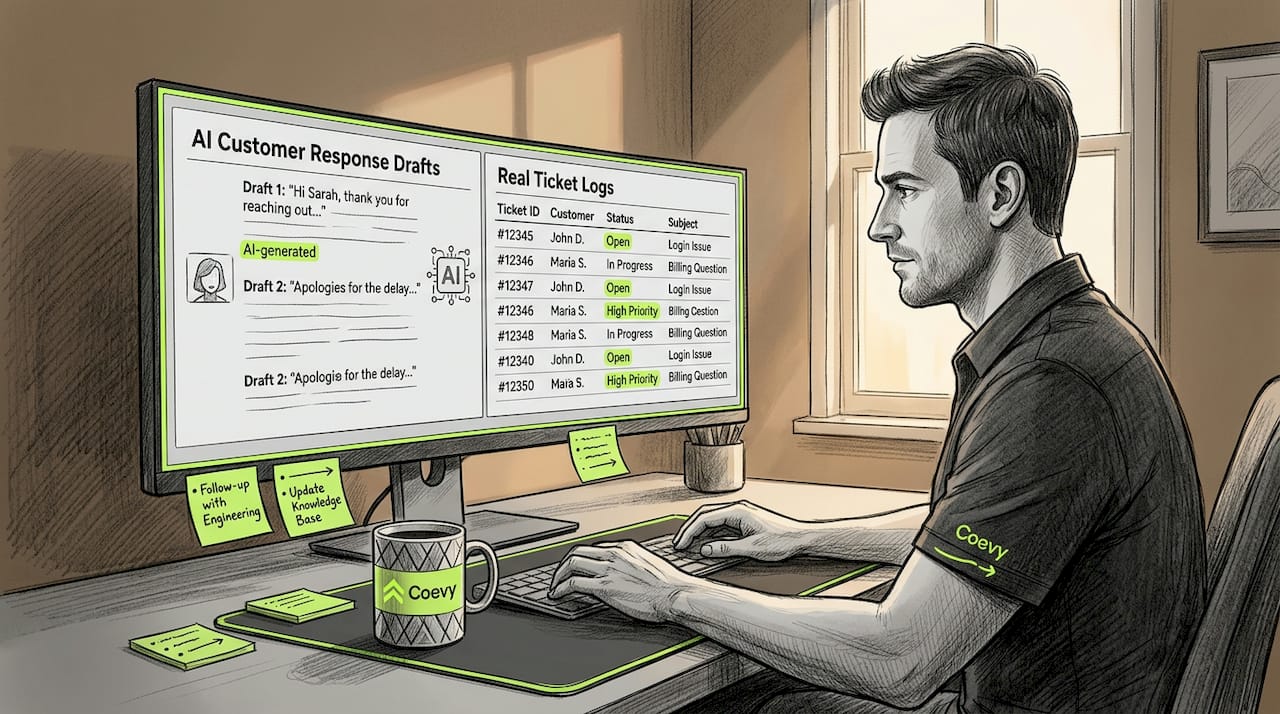
Run in shadow mode before going live. Shadow mode means the AI generates responses in the background while your agents handle tickets normally. You compare AI output against human output without any customer exposure. Shadow mode testing improves deployment success and minimizes disruption at launch.
Go live on a limited ticket segment first. Start with your three highest-volume, lowest-risk question types. Let the AI handle those exclusively for two weeks. Review every escalation and every override before expanding scope.
Here is how the deployment phases compare in terms of what your team controls vs. what the AI handles:
| Phase | AI handles | Human handles |
|---|---|---|
| Shadow mode | Generates draft responses | Reviews all responses, serves customers |
| Limited live | Resolves low-risk ticket types | Reviews escalations and overrides |
| Expanded live | Resolves 60%+ of ticket volume | Handles complex cases and approval gates |
| Optimized | Resolves 70%–80% of tickets | Monitors metrics, tunes policies |
Pro Tip: Secure your testing environment carefully. When running shadow mode across staging and production ticket streams, proxy configurations can help isolate AI testing pipelines from live customer data to prevent unintended data bleed during evaluation.
Common challenges when automating repetitive support questions
Even well-planned deployments hit friction. Here are the problems that appear most often and how to address them before they erode trust.
Over-escalation and under-escalation. Both kill the value of your automation. Over-escalation floods agents with tickets they should not have to touch, creating the very backlog you were trying to eliminate. Under-escalation lets AI attempt to resolve cases it is not equipped for, which produces bad answers and angry customers. Naive escalation design — meaning escalate only when AI explicitly fails — causes both problems. The fix is proactive signal monitoring: sentiment, topic risk, account flags, and confidence scores working together.
Knowledge base staleness. Your product changes. Your pricing changes. Your policies change. If your AI is pulling from articles that are six months old, it will confidently give customers the wrong answer. Assign a quarterly knowledge base review to a specific person, not a team, because shared accountability is no accountability.
Behavioral drift over time. AI agents do not stay static. As your retrieval corpus grows and usage patterns shift, response quality can degrade without any obvious trigger. Schedule monthly response audits on a random sample of 50 resolved tickets. Look for answers that are technically accurate but contextually unhelpful, which are often harder to catch than outright errors.
The following signals tell you something is wrong before your CSAT numbers show it:
- Spike in re-contact rate on AI-resolved tickets
- Agent override rate climbing above 20% on specific topic clusters
- Customers explicitly requesting a human within two AI turns
"Customer experience improves significantly when AI handoff agents provide detailed, accurate context to human agents." The moment of transfer is where most customer frustration is created or prevented. A handoff that includes conversation history, detected intent, and frustration signals transforms a bad experience into a smooth one.
Pro tip for human handoffs: Build a handoff summary template into your escalation flow. When the AI transfers a conversation, it should automatically populate: what the customer asked, what the AI tried, why it escalated, and the customer's apparent emotional state. Agents who receive that context resolve tickets faster and with higher satisfaction.
Measuring success and optimizing your AI automation
Tracking the right numbers separates teams that improve from teams that assume everything is fine.
| Metric | What it tells you | Target range |
|---|---|---|
| AI resolution rate | Percentage of tickets fully resolved by AI | 60%–80% at maturity |
| First contact resolution | Issues resolved without follow-up | Should improve vs. pre-AI baseline |
| Re-contact rate | Customers returning about the same issue | Below 10% on AI-resolved tickets |
| Agent override rate | How often agents reject AI responses | 5%–15% is healthy; above 20% is a signal |
| CSAT on AI tickets | Customer satisfaction for automated resolutions | Within 5 points of human-handled baseline |
Analyze escalation patterns monthly. If a specific question type is escalating at a high rate, it usually means one of three things: your knowledge base content for that topic is weak, your escalation trigger threshold is set too low, or the question type is not actually automatable. Each explanation requires a different fix.
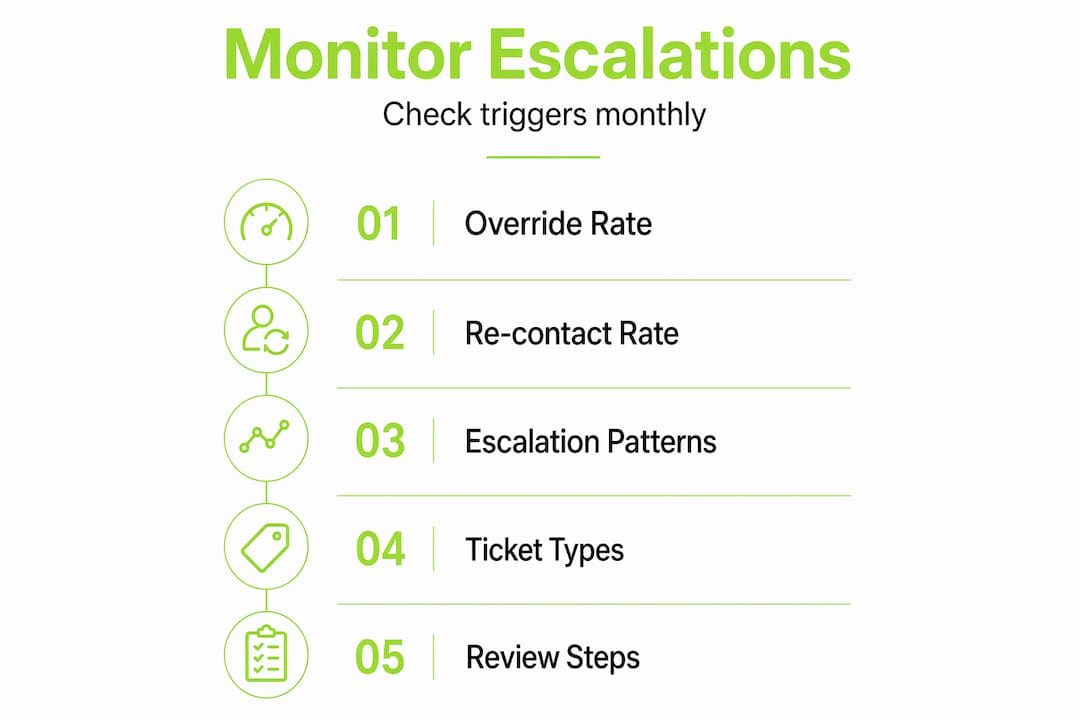
Monitoring human friction signals such as agent override rates and re-contact frequency helps identify performance problems early, before they show up in CSAT. Overchecking AI output, where agents review every single response, causes its own frustration. Clear review thresholds help agents focus energy on tickets that actually need them.
Pro Tip: Build a feedback loop where any agent override automatically flags the ticket for review. Within 48 hours, someone should categorize why the AI failed: wrong information, wrong tone, or wrong escalation decision. Those categories directly feed your next knowledge base and policy update cycle.
Scaling AI automation is not a one-time configuration exercise. Teams that treat it as a phased, evolving capability consistently outperform those that deploy and move on.
My honest take on AI for repetitive support questions
I've watched support teams deploy AI with enormous confidence and then quietly abandon it six months later. In almost every case, the failure came from two mistakes: treating escalation setup as an afterthought, and assuming the knowledge base was good enough when it clearly wasn't.
The ongoing tuning requirement is what catches most managers off guard. They budget for deployment. They do not budget for maintenance. An AI agent that goes unreviewed for 90 days is an AI agent that has quietly started giving customers subtly wrong answers, and nobody knows yet.
What I've found actually works is counterintuitive: the teams with the most successful AI automation tend to have the most involved human agents, not the least. They use AI to handle volume, but their agents are deeply engaged in reviewing escalations, updating knowledge content, and refining triggers. The AI handles throughput. Humans handle quality control. That division of labor is what makes the whole system trustworthy.
My other strong opinion: invest heavily in your human handoff experience. Most companies treat handoffs as a technical problem. They're actually a customer experience moment. A smooth handoff with full context tells the customer, "We were paying attention the whole time." A clumsy one tells them the AI was just buying time. The gap between those two outcomes is entirely within your control.
— Dizzy
How Coevy helps you automate support without losing control
Coevy is built for exactly the scenario this article describes: high ticket volume, repetitive questions, and a team that needs AI to take real load off without creating new risks.

With Coevy, you get granular human-in-the-loop controls and approval workflows built directly into the platform, so every AI action that touches customer data goes through a reviewable, auditable process. Escalation policies are configurable at the topic and risk level. Coevy's upcoming AI agent reads your actual codebase, not just documentation, which means answers are tied to what your product actually does today. And because Coevy is GDPR-compliant with field masking and IP anonymization built in, you can start automating support without a lengthy legal review cycle. If your team is ready to reduce repetitive ticket volume without sacrificing quality, Coevy is worth a close look.
FAQ
What types of questions are best for AI automation?
Password resets, order status checks, billing FAQ lookups, and basic how-to questions are strong candidates because they follow predictable patterns with consistent, low-risk answers. Questions involving refunds, account security, or emotional complaints should remain with human agents.
How do I prevent AI from giving customers wrong answers?
Maintain a well-structured knowledge base with version control and assigned ownership, and schedule quarterly content audits. Running monthly audits on a random sample of AI-resolved tickets also catches drift before it affects CSAT.
What is shadow mode and why does it matter?
Shadow mode runs AI in parallel with live agents, generating responses that are reviewed internally but never sent to customers. It is the lowest-risk way to test and tune AI behavior before full deployment, and it meaningfully improves launch success.
How do I know if my escalation triggers are set correctly?
Track your agent override rate and re-contact rate by topic. An override rate above 20% on specific question types signals that your AI is attempting cases it should escalate. A re-contact rate above 10% on AI-resolved tickets means resolutions are not actually solving the problem.
How many tickets can AI realistically handle without human help?
At maturity, well-configured AI customer support resolves 70% to 80% of routine tickets without human intervention, maintaining context across channels and escalating complex cases appropriately.