Autonomous AI customer support is defined as deploying an AI agent that handles customer inquiries end-to-end without requiring a human to review or approve each response. Solo SaaS founders and lean support teams now use this approach to cover 24/7 support without hiring additional staff. Hippo's AI representative Hannah handled over 28,000 service calls in 2026 while maintaining a 97% positive customer sentiment score. Tools like Arahi AI, Herodesk, and Coevy make it possible to use AI to answer customer questions solo with the right setup, governance, and escalation design. This guide covers everything you need to deploy, configure, and optimize that system.
What you need to use AI to answer customer questions solo
Deploying an autonomous AI support agent is not simply a matter of connecting a chatbot to your website. The AI needs structured access to your company's knowledge, your customer data, and your escalation policies before it can operate reliably without human oversight.
The technical foundation starts with a knowledge base. Your AI agent needs a curated, indexed set of approved answers drawn from your documentation, FAQs, past tickets, and product data. Retrieval-Augmented Generation (RAG) is the standard industry method for grounding AI responses in that internal data. Grounding answers with a RAG confidence threshold of approximately 0.55 minimizes hallucinations and enforces deterministic routing for queries the AI cannot confidently answer. One practical implementation of this on a legacy site took about two hours to set up and costs roughly $3 to $5 per month to operate.
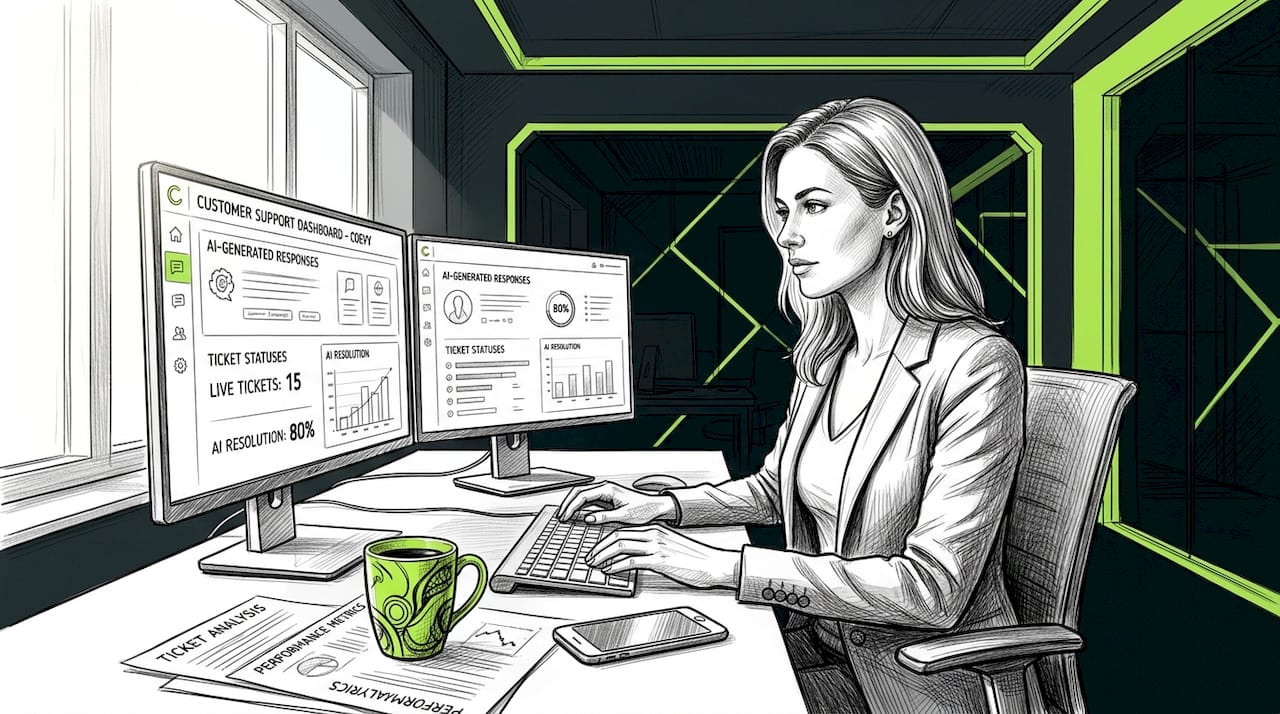
Beyond the knowledge base, a truly autonomous AI agent must be able to query your CRM, access your ticketing system, apply your refund and policy rules, and escalate with complete context without waiting for a human to intervene. Without CRM and ticketing integration, the AI can only answer generic questions. With it, the AI can look up order status, verify account details, and take action.
Comparing popular solo AI customer support tools
| Tool | Autonomous deflection rate | Key capability | Escalation mode |
|---|---|---|---|
| Arahi AI | 60–80% of repeat tickets | Brand voice training, policy enforcement | Full context handoff to helpdesk |
| Herodesk AI | 20–80% depending on complexity | Product feeds, past conversations, website data | Draft suggestions to full auto-reply |
| Hippo Hannah | Resolves 5%, accelerates 95% | Natural language, caller authentication, IVR replacement | Live agent transfer with sentiment data |

The right choice depends on your ticket volume, complexity mix, and existing helpdesk stack. Arahi AI operates natively inside many helpdesk apps, which reduces integration friction for teams already using platforms like Zendesk or Freshdesk. Herodesk suits smaller teams that want a gradual rollout from draft mode to full automation.
Pro Tip: Before selecting a tool, audit three months of your support tickets and categorize them by complexity. If more than 40% are repetitive L1 questions about billing, account access, or product features, you have enough volume to justify a solo AI deployment immediately.
How to deploy and configure an AI agent for solo support
A phased deployment reduces risk and builds internal confidence in the system before you hand over full control to the AI.
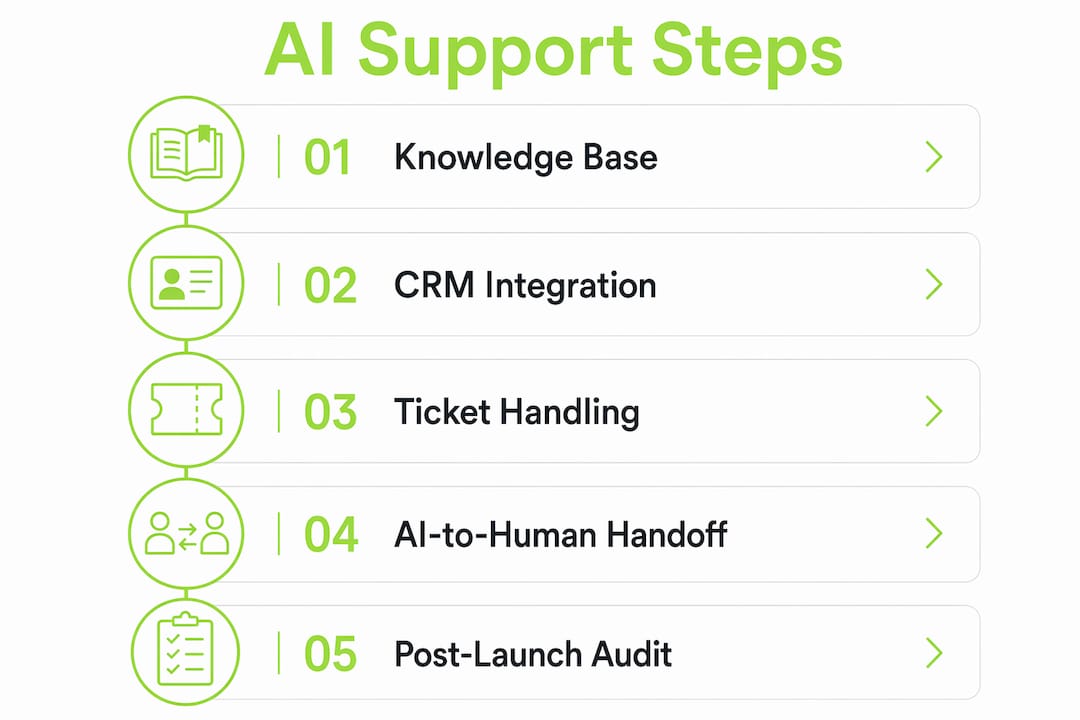
Define your scope. Identify the specific question categories the AI will own. Repetitive L1 questions such as password resets, plan details, billing inquiries, and feature explanations are the right starting point. Complex refund disputes, legal questions, and enterprise contract queries stay with humans.
Build and index your knowledge base. Pull your help documentation, product FAQs, and the top 50 resolved tickets from the past 90 days. Feed these into your RAG index. Connect the AI to your CRM and ticketing system so it can retrieve live customer data during conversations.
Configure brand voice and policy rules. Train the AI on your tone, your refund limits, and your escalation triggers. Tools like Arahi AI allow you to set explicit policy boundaries so the AI never offers a refund above a defined threshold or makes commitments outside its authority.
Run in shadow mode. Shadow mode means the AI drafts responses but does not send them. Your team reviews the drafts for one to two weeks. This surfaces gaps in your knowledge base and catches policy mismatches before they reach customers. Herodesk AI Autopilot uses this exact graduated approach, moving from suggestions to full auto-replies as confidence builds.
Monitor and tune after launch. Track confidence scores, escalation rates, customer sentiment, and resolution times weekly for the first month. Adjust your RAG index and policy rules based on what the AI gets wrong. Autonomous AI support is not a set-and-forget system. It requires active tuning, especially in the first 60 days.
Pro Tip: Set a calendar reminder for a 30-day post-launch audit. Pull every escalated ticket and look for patterns. If the same question type escalates repeatedly, that is a gap in your knowledge base, not a failure of the AI.
How to design smooth AI-to-human handoffs
The handoff is where most solo AI deployments fail. When the AI transfers a customer to a human agent without context, the customer has to repeat everything. That repetition destroys trust faster than a slow response time.
Zylos Research defines the correct approach as a transfer of working state, not just a conversation transcript. The AI must package everything the human needs to act immediately. A well-designed handoff payload includes:
- A two to three sentence human-readable summary of the issue and what the AI already tried
- Extracted entities: order IDs, account names, dates, error codes, and product versions
- The AI's confidence score and the sentiment trend across the conversation
- Constraints already applied: policies invoked, options offered, and customer responses
- Recommended next steps the human agent should take
The warm handoff pattern reduces human preparation time from 15 minutes to under one minute. That is not a marginal improvement. It means a single support agent can handle three to four times as many escalations per hour because they spend almost no time getting up to speed.
"The highest-leverage factor for solo AI autonomy is the handoff payload schema: a brief structured summary including decisions needed, entity data, and risk assessments that enable humans to resume in approximately 30 seconds." — Warm Handoff Pattern research, 2026
One detail most teams overlook is the reentry path. After a human resolves the escalated portion of a ticket, the AI should be able to resume the workflow based on the human's decision. Without this, the workflow deadlocks and the customer gets a disjointed experience. Build the reentry path into your system design from day one, not as an afterthought.
Escalation triggers should be explicit and documented. The four most reliable triggers are: sentiment degradation over two or more consecutive messages, confidence score falling below your defined threshold, the customer explicitly requesting a human, and query types flagged as out-of-scope during configuration.
What are the best practices and pitfalls to avoid
The most common mistake in solo AI support deployments is treating the AI as a cost-cutting tool rather than a customer experience tool. Gartner-aligned research warns that by 2030, generative AI cost per resolution may exceed $3, potentially above offshore human agent costs. That means governance and value-based metrics matter more than raw deflection rates.
Practical best practices that hold up in production:
- Start narrow, then expand. Begin with your highest-volume, lowest-complexity question category. Prove the system works there before adding new topics.
- Set hard limits in writing. Define what the AI cannot do: no refunds above a set dollar amount, no commitments about roadmap features, no legal or compliance advice. These boundaries prevent expensive mistakes.
- Ground everything in approved sources. Never let the AI answer from general knowledge. Every response must trace back to your indexed internal data. This is non-negotiable for accuracy.
- Track cost per resolution. Measure what each AI-resolved ticket actually costs, including infrastructure, tooling, and the time your team spends on tuning. Compare it against your human resolution cost quarterly.
- Audit escalations monthly. Escalated tickets are your most valuable feedback signal. They tell you exactly where your AI knowledge base is incomplete.
For SaaS founders building on a tight budget, affordable support tool options exist that combine AI deflection with human escalation at a cost that scales with your ticket volume rather than your headcount.
The governance piece is where solo founders most often cut corners. Delight.ai frames autonomous agents as end-to-end owners that execute workflows with approval gates, which is a fundamentally different design philosophy than a simple FAQ deflection bot. If you build your system with that ownership model in mind, you get a more reliable and auditable deployment from the start.
Pairing your AI support layer with an AI-powered CRM like Alano.ai gives the AI agent live customer context during conversations, which directly improves resolution accuracy and reduces unnecessary escalations.
Key takeaways
Autonomous AI customer support works when you combine a grounded knowledge base, explicit policy rules, and a structured handoff payload that lets humans resume any escalation in under 30 seconds.
| Point | Details |
|---|---|
| RAG grounding is non-negotiable | Set a confidence threshold around 0.55 to prevent hallucinations and enforce accurate routing. |
| Shadow mode before full automation | Run draft-only mode for one to two weeks to catch knowledge gaps before they reach customers. |
| Handoff payload drives success | Pass summaries, entities, sentiment, and next steps so human agents act in under 30 seconds. |
| Governance beats pure deflection | Track cost per resolution and set hard policy limits to avoid runaway AI costs by 2030. |
| Start narrow, then expand | Prove the system on your top L1 question category before adding complexity. |
Why the handoff is the only metric that actually matters
I have reviewed a lot of solo AI support deployments, and the ones that fail share one trait: the founders obsessed over deflection rates and ignored the handoff. A 70% deflection rate sounds impressive until you realize the 30% that escalated all had to repeat themselves to a human agent who had zero context. That experience erases the goodwill the AI built in the first message.
The teams that get this right treat the handoff payload as a product artifact, not a technical detail. They write a schema for it, they test it, and they iterate on it the same way they would iterate on a feature. The AI-to-human handoff design is where your support system either earns or loses customer trust at scale.
My other observation is that solo founders underestimate how much the knowledge base quality determines everything downstream. The AI is only as good as what you feed it. A well-structured, regularly updated RAG index with your actual policies, your actual product behavior, and your actual resolved tickets will outperform any AI model running on generic documentation. Spend two hours building the index properly before you spend two minutes configuring the AI.
The future of solo AI support by mid-decade is not about replacing humans. It is about designing systems where humans only touch the tickets that genuinely need them, and where every escalation arrives pre-packaged for a fast, confident resolution. That is a better job for your support team and a better experience for your customers.
— Dizzy
How Coevy helps you build solo AI support that actually works
Coevy is built specifically for SaaS founders who need AI-powered support that grows with their product rather than requiring a dedicated support team to manage it.
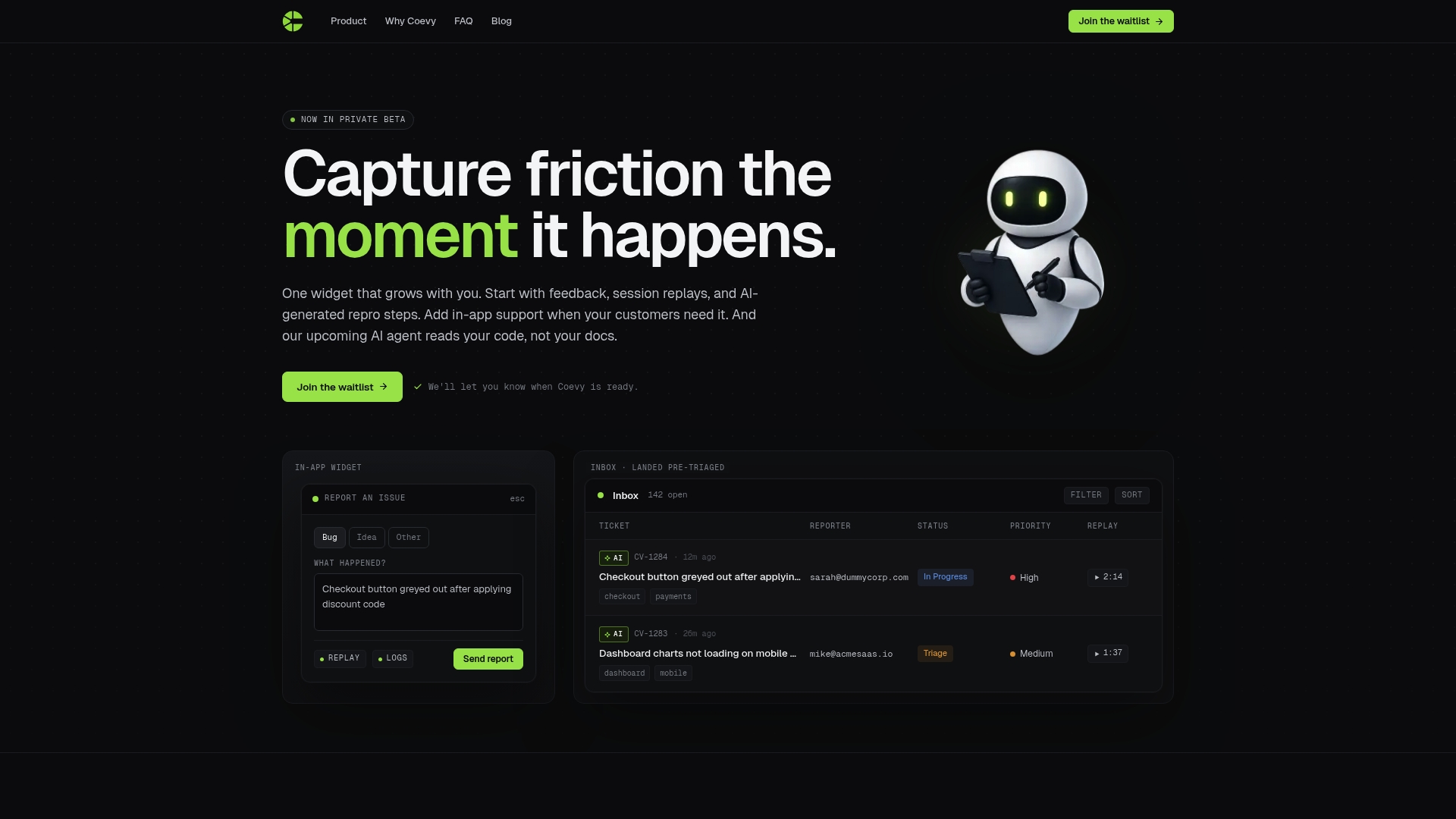
Coevy's platform combines the features this guide covers: RAG-grounded AI responses tied to your actual codebase, shadow mode for safe rollout, structured escalation with full context transfer, and auto-tagging that keeps your ticket queue organized without manual triage. Unlike tools that rely on generic documentation, Coevy reads your source code directly, which means the AI answers questions about your product with the accuracy of a senior engineer. If you are ready to start building your solo AI support system, Coevy is designed to get you there without the overhead.
FAQ
What does it mean to use AI to answer customer questions solo?
It means deploying an autonomous AI agent that handles customer inquiries end-to-end without requiring human review of each response. The AI resolves routine questions, applies your policies, and escalates complex cases with full context.
How many support tickets can AI handle autonomously?
Deflection rates vary by tool and ticket complexity. Arahi AI deflects 60 to 80% of repeat tickets, while Herodesk handles 20 to 80% depending on the complexity of incoming questions.
What is a RAG index and why does it matter for solo AI support?
RAG stands for Retrieval-Augmented Generation. It grounds AI answers in your approved internal data rather than general knowledge, which prevents hallucinations and keeps responses accurate and on-brand.
When should the AI escalate to a human agent?
The AI should escalate when its confidence score drops below your defined threshold, when customer sentiment degrades across multiple messages, when the customer requests a human, or when the query falls outside the AI's configured scope.
Is solo AI customer support cost-effective long-term?
It depends on governance. Research projects that AI cost per resolution could exceed $3 by 2030. Tracking cost per resolution and measuring value per interaction, not just deflection rate, keeps the economics sustainable.