Most lean team managers assume AI's job is to handle the boring stuff. Answer tickets, generate boilerplate code, draft documentation. That framing is not wrong, but it is dangerously incomplete. The real role of AI support in lean teams is reshaping how decisions get made, how work flows across the system, and how less experienced team members contribute at a level previously reserved for seniors. Get this distinction right, and AI becomes a force multiplier. Miss it, and you end up with faster individuals creating bigger bottlenecks.
Table of Contents
- Key Takeaways
- The role of AI support in lean teams: what the numbers say
- Pitfalls that catch lean teams off guard
- Best practices for integrating AI into lean workflows
- AI tools and use cases that lean teams are actually using
- My take on what most teams get wrong
- How Coevy helps lean teams capture friction before it compounds
- FAQ
Key Takeaways
| Point | Details |
|---|---|
| AI reshapes flow, not just speed | Focus AI adoption on system-level workflow improvements rather than individual task acceleration. |
| Skill floor rises with AI | Less experienced team members contribute more meaningfully when AI handles knowledge gaps in real time. |
| Social cohesion needs protection | Intentional human interaction practices must be built alongside AI automation to prevent team disengagement. |
| Team norms prevent fragmentation | Explicit sharing practices for AI-generated insights keep collective intelligence intact across the team. |
| Codebase-aware AI beats docs-based AI | AI tools that read actual source code deliver more accurate support than those relying on static documentation. |
The role of AI support in lean teams: what the numbers say
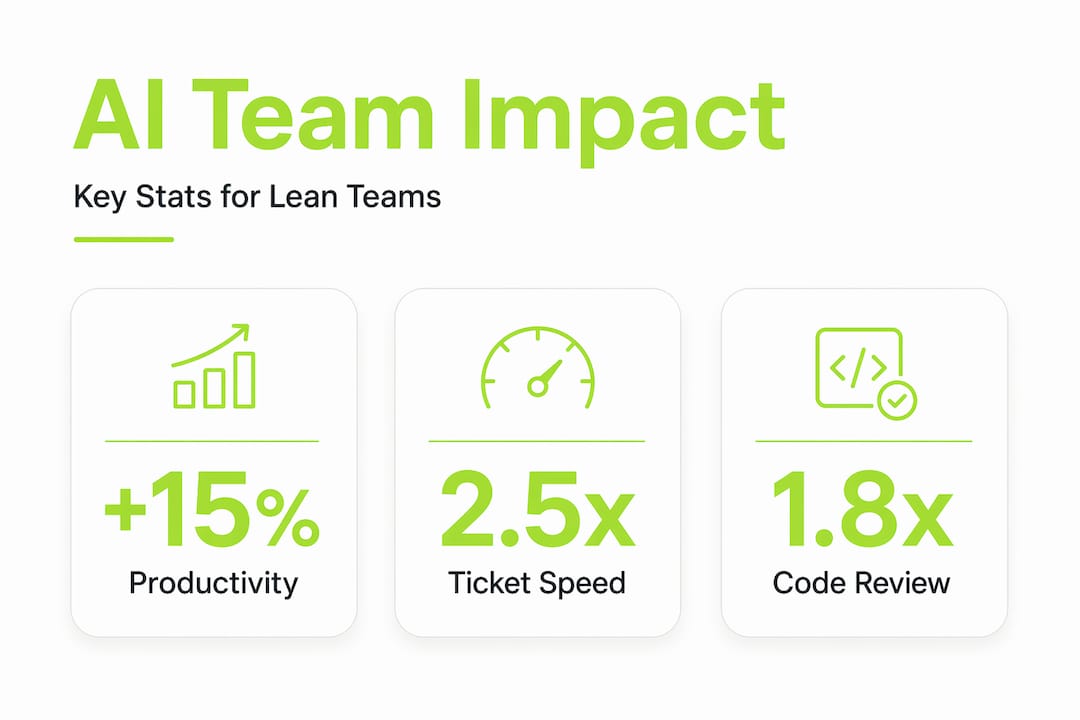
The productivity case for AI in lean software teams is real, but the details matter more than the headline numbers. AI-assisted teams achieve 26 to 32% gains in pull request merges per developer per week, with cycle time reductions up to 26%. What makes that finding genuinely interesting is the distribution: P50 engineers (your median performers) see 1.8x throughput gains, while P90 engineers see 1.4x gains. AI lifts the middle of your team more than it lifts your stars.
That pattern holds beyond code. AI raises overall team productivity by an average of 15%, with a disproportionate impact on less experienced workers. For lean teams running with minimal headcount, that is not a marginal improvement. It means a junior developer or support analyst can operate closer to mid-level capacity without years of accumulated context.

The efficiency gains extend into support workflows too. Lean teams with AI-connected support systems report 40% efficiency gains in handling Level 1 and Level 2 inquiries, with measurable operational improvements within three to six months. Automated ticket routing and work order triggers eliminate the manual triage work that consumes hours every week.
Here is where the benefits of AI in teams get concrete for a lean software lead:
- Repetitive triage disappears. AI classifies, routes, and tags incoming issues without human review, freeing your team for work that requires judgment.
- Knowledge gaps close faster. A junior team member can query an AI trained on your codebase and get a contextually accurate answer instead of waiting for a senior to become available.
- Review cycles compress. AI-generated reproduction steps and session context attached to bug reports mean engineers spend less time recreating issues and more time fixing them.
- Documentation stays current. Generative AI drafts changelogs, release notes, and internal wikis in real time, reducing the lag between shipping and documenting.
Pro Tip: Track cycle time per ticket type before and after AI adoption. If Level 1 resolution time drops but Level 2 backlog grows, your AI is routing correctly but your escalation path needs attention.
Pitfalls that catch lean teams off guard
Here is the uncomfortable truth about AI in lean management: local optimization is the enemy of flow. When AI speeds up individual tasks without addressing the system around those tasks, you create new bottlenecks that are harder to see than the ones you eliminated.
Local optimization with AI leads to bottlenecks and increased cognitive load, negating speed gains and causing flow inefficiencies. The clearest example in software teams: AI-generated code passes syntax checks and looks clean, but senior engineers spend more effort catching subtle architectural and security issues that the AI missed. You saved two hours of boilerplate writing and added three hours of architectural review. That is not a win.
The social dimension is equally underappreciated. AI can erode social cohesion by removing the informal "bugging" interactions that keep teams connected. When developers stop turning to each other for quick questions because they ask the AI instead, you lose the ambient knowledge transfer that makes lean teams resilient. Reduced informal communication directly increases the risk of disengagement and attrition.
"The risk isn't that AI makes your team less capable. The risk is that AI makes your team less connected, and you don't notice until someone leaves."
Watch for these specific failure modes when implementing AI in lean methodologies:
- Overproduction of AI suggestions. AI tools generate output continuously. Without clear norms, teams gold-plate features based on AI recommendations rather than actual user need.
- Cognitive load from verification. Reviewing AI-generated code, content, or decisions adds a new mental tax. For small teams, this can exceed the time saved.
- Invisible knowledge loss. When AI handles tasks that previously required team discussion, the reasoning behind decisions stops being shared. Future team members inherit outputs without context.
- False confidence in AI outputs. Overreliance on AI-generated outputs risks cognitive deskilling. Teams that stop questioning AI recommendations lose the expertise needed to catch errors.
Best practices for integrating AI into lean workflows
The teams that get AI adoption right treat it as a workflow design problem, not a tooling problem. The question is not "which AI tool should we use?" It is "how does this AI change the flow of work across our whole system, and what do we need to redesign?"
Here is a practical sequence for lean teams and technology integration that actually holds up:
- Map your current value stream first. Before adding any AI tool, document where work waits, where errors occur, and where your team spends time on low-judgment tasks. AI should target those specific points, not be applied broadly.
- Define what AI decides vs. what humans decide. Abandoning decision-making by consensus in favor of systems that leverage AI speed and human judgment in an orchestrated manner is critical. Write this down explicitly for your team.
- Set team norms for AI-generated insights. AI designed for individuals often fragments team discussions. Establish explicit practices: which AI outputs get shared in standup, which go into documentation, and which stay in individual workflows.
- Build human checkpoints into AI workflows. Successful AI adoption requires embedding human judgment and correction as natural parts of AI interaction models. A review gate is not a sign of distrust in AI. It is good workflow design.
- Involve your team in shaping the tools. Organizations succeed with AI by involving workers in participatory design, building trust, and allowing experimentation. Top-down AI mandates consistently underperform.
Pro Tip: Schedule a monthly "AI retro" separate from your sprint retro. Ask the team: where did AI help us? Where did it slow us down? Where did it create work we didn't expect? That data shapes your adoption better than any vendor benchmark.
Here is a comparison that lean team leads find useful when evaluating AI tools for team efficiency:
| Dimension | Individual-focused AI tools | Team-workflow AI tools |
|---|---|---|
| Output sharing | Stays in personal context | Feeds shared knowledge base |
| Decision support | Speeds individual choices | Surfaces options for team review |
| Knowledge retention | Implicit, often lost | Documented, searchable |
| Bottleneck risk | High (local optimization) | Lower (system-aware design) |
| Best fit | Solo contributors | Lean teams with shared workflows |
AI tools and use cases that lean teams are actually using
How AI supports lean processes looks different depending on where you apply it. The most effective lean teams and technology pairings target specific workflow friction points rather than deploying AI everywhere at once.
Support automation is the fastest win. AI tools for team efficiency in support contexts handle Level 1 and Level 2 inquiry routing, auto-tag tickets by category and severity, and generate suggested responses based on historical resolution data. Teams using AI-first support approaches report significant reductions in mean time to resolution without adding headcount.
Code and test generation is where lean software leads see the biggest throughput impact, though it comes with the review burden described earlier. The teams that manage this well use AI for test scaffolding and boilerplate, then apply human review specifically to logic, architecture, and security. Pairing AI code generation with reliable AI output testing practices reduces the architectural review burden considerably.
Knowledge management is the underrated use case. AI tools that index your codebase, ticket history, and documentation can answer "why was this decision made?" questions that would otherwise require interrupting a senior engineer. That single capability has an outsized impact on lean teams where knowledge concentration in one or two people is a constant risk.
| Use case | AI capability | Lean team benefit |
|---|---|---|
| Ticket triage | Auto-classification and routing | Eliminates manual triage time |
| Bug reproduction | Session replay plus AI steps | Reduces engineer context-switching |
| Code review prep | Syntax and pattern checking | Focuses human review on architecture |
| Knowledge retrieval | Codebase-aware Q&A | Reduces senior engineer interruptions |
| Feedback analysis | Auto-tagging and prioritization | Surfaces user pain points faster |
Understanding how AI support roles shift team responsibilities is worth reading before you commit to any specific tooling approach.
My take on what most teams get wrong
I've watched lean teams adopt AI with genuine enthusiasm and then quietly walk it back six months later. The pattern is almost always the same. They measured speed. They did not measure flow.
In my experience, the first sign of trouble is when senior engineers start complaining about review quality, not volume. They are not reviewing more tickets. They are reviewing tickets that look fine on the surface but have subtle problems underneath. That is the cognitive load tax showing up, and it is invisible in your velocity metrics.
What I've learned is that AI changes the leadership role more than most managers expect. You are no longer the person who knows the most. You are the person who designs the system that decides what AI handles and what humans handle. That is a harder job, not an easier one. It requires you to think about your team's collective intelligence as something to protect, not just your individual throughput as something to increase.
The teams I've seen get this right create explicit space for human conversation that AI cannot replace. They protect standup from becoming a status report on what the AI did. They keep retrospectives human. They treat informal Slack threads and whiteboard sessions as load-bearing parts of their culture, not inefficiencies to be automated away.
My advice: before you add another AI tool, ask whether your team has enough shared context to use it well. If the answer is no, fix the context problem first.
— Dizzy
How Coevy helps lean teams capture friction before it compounds
Lean teams move fast, which means friction compounds faster too. A bug that takes three days to reproduce, a feedback loop that requires five back-and-forth messages, a support ticket missing the session context that would have made it a five-minute fix. These are the moments where lean teams lose the efficiency they worked to build.

Coevy is built specifically for this problem. Its embedded widget captures session replays, auto-generates bug reproduction steps, and attaches contextual data to every ticket the moment it is created. The AI auto-tagging and prioritization features mean your team sees the right issues first, without manual sorting. And Coevy's upcoming codebase-aware AI agent goes further than documentation-based tools by reading your actual source code to deliver accurate, context-specific answers. If you are running a lean team that needs AI support to scale without scaling headcount, Coevy is worth a close look.
FAQ
What is the primary role of AI support in lean teams?
AI support in lean teams goes beyond task automation. Its primary role is improving system-level workflow efficiency, raising the skill floor for less experienced team members, and reducing the manual triage and context-switching that slows delivery.
How does AI affect team dynamics in lean environments?
AI can reduce informal communication between team members, which risks eroding social cohesion and knowledge sharing. Lean teams need intentional practices to preserve human interaction alongside AI automation.
What is the biggest mistake lean teams make when adopting AI?
The most common mistake is optimizing individual tasks with AI without addressing the overall workflow. This creates local speed gains that generate new bottlenecks elsewhere, particularly in code review and escalation paths.
How do you measure whether AI is actually helping a lean team?
Track cycle time per work type, not just individual output volume. If AI speeds up ticket creation but slows resolution, or speeds up code generation but extends review time, the system is not improving even if individual metrics look good.
Which AI tools work best for lean software teams?
The most effective AI tools for lean software teams are those designed for shared workflows rather than individual use. Look for tools with auto-tagging, codebase-aware assistance, session context capture, and team-level knowledge sharing rather than purely individual productivity features.