Session data is defined as the complete record of a user's interactions, technical environment, and behavioral sequence within a software application during a single visit. When attached to support tickets, this context directly reduces resolution time, cuts escalations, and raises first-contact resolution rates. Teams that integrate unified session and account data have seen resolution time drop from 8.3 hours to 2.2 hours, a 73% reduction. That result is not an outlier. It reflects what happens when agents stop asking customers to repeat themselves and start working from complete information. Understanding how session data improves ticket resolution is the difference between a support team that reacts and one that diagnoses.
How session data improves ticket resolution workflows
Session data, in the support context, refers to three distinct layers of information: behavioral context, technical context, and account context. Each layer answers a different question an agent would otherwise need to ask.
Behavioral context captures what the user actually did. Session replay technology records click paths, scroll depth, form interactions, and navigation sequences. This lets agents see the exact steps that preceded an error, without asking the customer to reproduce it. Session replay cuts the time engineers spend manually replicating bugs from days to minutes.
Technical context covers the environment behind the behavior. This includes:
- Console errors and JavaScript exceptions logged at the moment of failure
- Network requests and HTTP response codes that reveal API failures
- Browser version, operating system, and device type
- Performance metrics such as page load time and memory usage
Account context ties the session to the customer's history. Billing status, subscription tier, prior ticket history, and product configuration all shape how an agent should respond. A customer on a legacy plan hitting a known configuration bug needs a different answer than a new user making a setup error.
When all three layers arrive together in a single ticket view, agents diagnose rather than investigate. The combination eliminates the most common source of delay: asking the customer to describe what already happened.

How does integrating session data reduce resolution time?
The mechanism is straightforward. Agents who see full context at ticket open do not need to gather it. That removes the back-and-forth that inflates handle time and frustrates customers.
Unified support views eliminate context switching. When session data, account history, and technical logs appear in one interface, agents stay focused on diagnosis. Centralized customer context prevents agents from improvising with incomplete information, which is the leading cause of inconsistent resolutions.
Persistent agent memory accelerates returning customer interactions. AI-driven memory that stores prior session summaries reduces handle time for returning customers by 39%. Returning customers save an average of 7 minutes per session because agents already know their configuration, history, and prior issues.
Real-time context delivery matches the conversation flow. Session data delivered at ticket creation, not retrieved on request, means agents respond to the customer's current state rather than a stale description. This alignment between context and conversation is what drives first-contact resolution from 34% to 62%.
Automated deduplication reduces collision and wasted effort. AI-driven deduplication using session signatures merges duplicate tickets before multiple agents work the same issue. This prevents collision, preserves agent capacity, and gives the assigned agent a complete timeline rather than a fragment.
Structured escalation handoffs preserve context across tiers. When session recordings attach automatically to tickets, escalation handoffs carry full documentation. The receiving engineer does not start from zero. Automatic session linkage also supports audit compliance and feeds the knowledge base with reproducible issue records.
Pro Tip: Configure your ticketing system to auto-populate session ID, device details, and technician assignment immediately after session end. Manual copy-paste at this step is the single biggest source of incomplete records and audit risk.
What challenges arise when using session data for tickets?
Session data creates problems when teams treat more data as better data. The most common failure is context overload. Agents presented with 40 fields of session metadata spend more time reading than resolving. The fix is relevance ranking: surface the three to five data points most predictive of the issue type, and collapse the rest behind an expandable view.
Attribution errors are the second major risk. AI systems that pull from session memory without checking timestamps can drag stale context into a current conversation. Proper metadata attribution in AI prompts reduces inaccurate recommendations by 60%. Every memory retrieval step should include a recency check before the data reaches the agent.
Manual ticket-to-session linkage fails consistently at scale. When agents must copy session IDs by hand, records become incomplete. Frictionless integration that writes session data to ticket fields automatically is not a convenience feature. It is a compliance requirement for teams operating under GDPR or SOC 2 audit standards.
- Context overload: Limit visible session fields to the highest-signal data points per ticket category.
- Attribution errors: Build a recency and relevance check into every AI memory retrieval prompt.
- Manual linkage failures: Automate session-to-ticket field population at session close, without exception.
- Privacy exposure: Apply field masking to PII within session recordings before they attach to tickets. GDPR-compliant platforms like Coevy include IP anonymization and field masking as default settings, not optional add-ons.
Pro Tip: Run a quarterly audit of your session-to-ticket linkage rate. If more than 5% of tickets lack an attached session ID, your automation has a gap that is silently degrading resolution quality.
Practical steps to implement session data for better ticket resolution
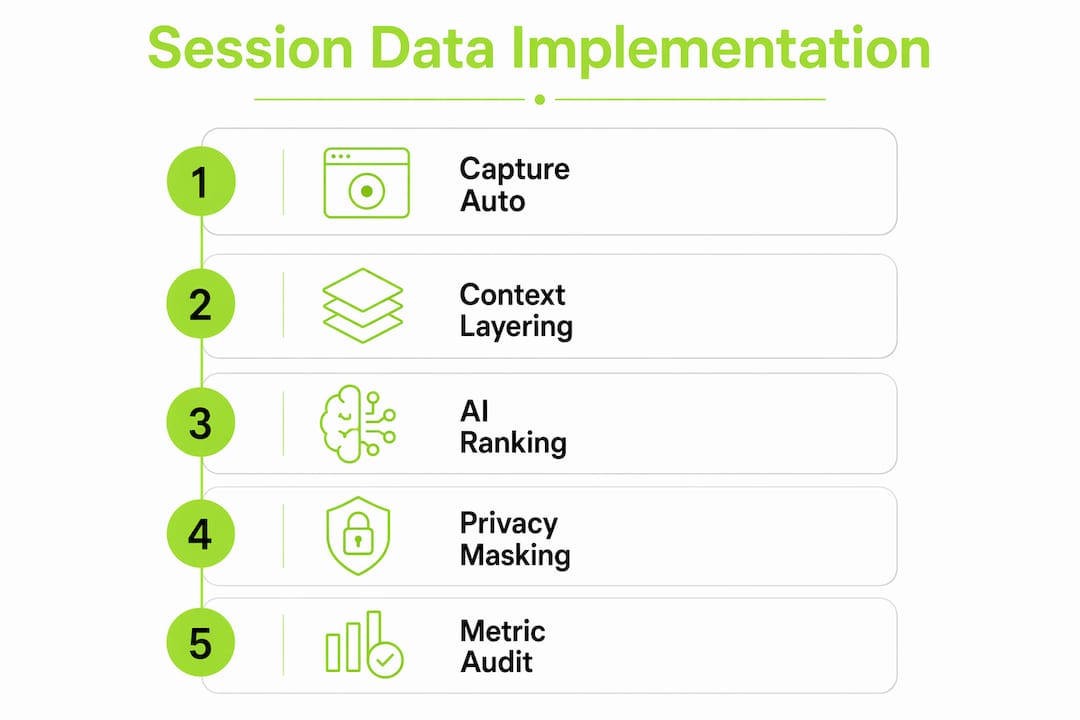
Implementation succeeds when it follows a defined sequence rather than a piecemeal rollout.
Automate session capture at the source. Embed a widget or SDK that captures behavioral, technical, and account context at the moment a user triggers a support action. Coevy's integrated widget does this without requiring users to describe their environment. The session attaches to the ticket before the agent sees it.
Use AI for relevance ranking, not raw data delivery. Feed session data through an AI layer that scores each field for relevance to the ticket category. An agent handling a billing dispute does not need console logs. An engineer debugging a crash does not need subscription tier. Ranked context improves agent speed and reduces cognitive load.
Train agents on session data interpretation, not just access. Agents who understand what a 4xx network error means, or why a specific console exception matters, resolve tickets faster than agents who see the same data but cannot read it. A 90-minute training session on reading session summaries pays back in reduced escalations within the first week.
Measure impact with three core metrics. Track average resolution time, first-contact resolution rate, and escalation rate before and after integration. These three numbers tell you whether session data is working. Session replay integration has cut complex bug investigation from 3–6 days to 15–30 minutes in documented cases. That kind of shift shows up immediately in resolution time metrics.
The table below maps each implementation step to the metric it most directly affects.
| Implementation step | Primary metric improved |
|---|---|
| Automated session capture at ticket creation | Average resolution time |
| AI relevance ranking of session fields | First-contact resolution rate |
| Agent training on session data interpretation | Escalation rate |
| Deduplication with session signatures | Ticket collision and agent capacity |
| Frictionless session-to-ticket linkage | Audit compliance and knowledge base quality |
Pro Tip: Use AI-powered ticket management tools that include built-in session context ranking. Building this layer from scratch adds months to your implementation timeline.
What I've learned from watching teams misuse session data
The teams that fail with session data almost always fail the same way. They capture everything, surface everything, and then wonder why agents ignore the data entirely. Context overload is not a data problem. It is a design problem. The session data is correct. The presentation is wrong.
The teams that succeed treat session data as a diagnostic tool, not a documentation tool. They ask: "What does the agent need to know in the first 30 seconds?" Everything else gets collapsed or hidden. That single design decision changes adoption rates more than any training program.
I've also noticed that frictionless integration drives adoption faster than any internal mandate. When agents see that session context appears automatically, without any action on their part, they start trusting it. When they have to retrieve it manually, they skip it under pressure. The technology has to do the work, not the agent.
The emerging trend worth watching is AI that reads actual source code rather than documentation. Coevy's upcoming AI agent takes this approach, connecting session errors directly to the relevant code paths rather than generic knowledge base articles. That shift from documentation-based AI to codebase-aware AI will change what "resolution" means for engineering-adjacent support teams.
— Dizzy
Coevy puts session context directly inside every ticket
Support teams that want faster resolutions need context at ticket open, not after three follow-up messages. Coevy captures session replays, console logs, network requests, and account context automatically, then attaches them to every ticket the moment it is created.
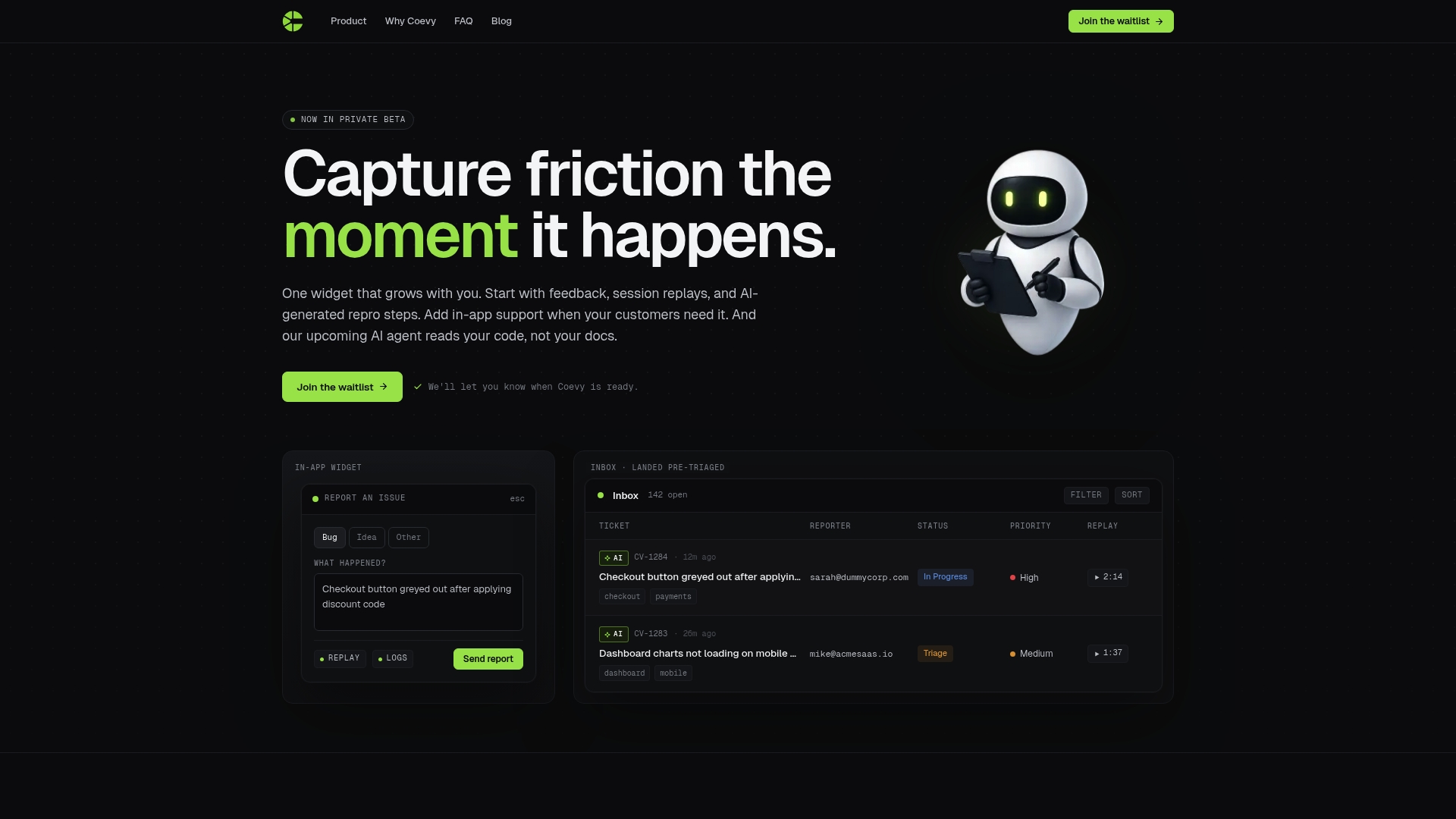
No manual copy-paste. No missing session IDs. No agents asking customers to describe what already happened on screen. Coevy's GDPR-compliant platform includes field masking and IP anonymization by default, so privacy compliance does not slow down your workflow. Teams that want smarter ticket management built around real session context can explore Coevy's full platform to see how automatic session capture changes resolution speed from day one.
FAQ
What is session data in customer support?
Session data is the record of a user's actions, technical environment, and account state during a single application visit. Support teams use it to diagnose issues without asking customers to repeat or reproduce the problem.
How does session data reduce ticket resolution time?
Unified session and account data reduces average resolution time by 73% by giving agents complete context at ticket open. Agents diagnose immediately rather than spending time gathering information through follow-up questions.
What session data types matter most for ticket resolution?
Behavioral data (session replay), technical data (console errors, network logs), and account data (billing status, prior tickets) are the three most valuable types. Together they give agents a full picture of what happened and why.
How do teams avoid privacy issues with session data?
Teams apply field masking to PII within session recordings and use IP anonymization before data attaches to tickets. GDPR-compliant platforms handle this automatically, removing the compliance burden from individual agents.
What metrics should teams track after implementing session data?
Track average resolution time, first-contact resolution rate, and escalation rate. These three metrics directly reflect whether session context is reaching agents in a usable form and improving their ability to resolve tickets on the first contact.
Key Takeaways
Session data improves ticket resolution by delivering unified behavioral, technical, and account context at ticket creation, which removes the back-and-forth that inflates handle time and drives escalations.
| Point | Details |
|---|---|
| Context at ticket open | Attaching session data automatically cuts average resolution time by 73% versus reactive information gathering. |
| Three data layers matter | Behavioral, technical, and account context together give agents a complete diagnostic picture from the start. |
| Automation prevents gaps | Frictionless session-to-ticket linkage eliminates incomplete records and audit risk caused by manual processes. |
| AI relevance ranking is required | Surfacing only the highest-signal session fields prevents context overload and keeps agents focused on diagnosis. |
| Measure three core metrics | Resolution time, first-contact resolution rate, and escalation rate reveal whether session data integration is working. |