You can launch in-app support without an engineering team today. No-code AI support agents, combined with embeddable scripts and plain-English configuration dashboards, put full deployment control in the hands of product managers and founders. The industry term for this category is "no-code AI support agents," and it covers everything from self-service chat widgets to AI-powered ticket deflection. Simple deployments avoid engineering time entirely, while more complex custom integrations may need 1–3 engineering days at most. For early-stage SaaS teams, that distinction matters enormously.
What does it take to launch in-app support without engineering resources?
The short answer: an existing helpdesk, organized documentation, and a no-code AI platform with pre-built integrations. Most early-stage teams already have two of those three. The third takes an afternoon to set up.
Baseline requirements
Before you configure anything, confirm you have these three components in place:
- A helpdesk or ticketing system. Platforms like Zendesk or Freshdesk work out of the box with most no-code AI agents. Your historical tickets become training data.
- A knowledge base. This can be a Notion doc, a Confluence space, or even a structured FAQ page. The AI agent reads it to generate answers.
- A no-code AI support platform. These platforms offer pre-built connectors to your helpdesk and knowledge base, so no custom API work is required.
| Tool category | Role in your support stack | Engineering required? |
|---|---|---|
| Helpdesk (e.g., Zendesk) | Ticket routing and history | None |
| Knowledge base (e.g., Notion) | Answer source for AI | None |
| No-code AI agent platform | Connects and responds | None for basic launch |
| Embeddable JS widget | Surfaces chat in your app | Paste one script tag |
Pro Tip: Audit your knowledge base before connecting it. Outdated or contradictory articles will confuse the AI agent and produce wrong answers from day one.
No-code AI agents configure behavior through conversation-like dashboards, with no JSON or config files involved. That single design decision is what makes non-technical ownership possible. The clearest value is the plain-English interface: you type what you want the agent to do, and it does it.
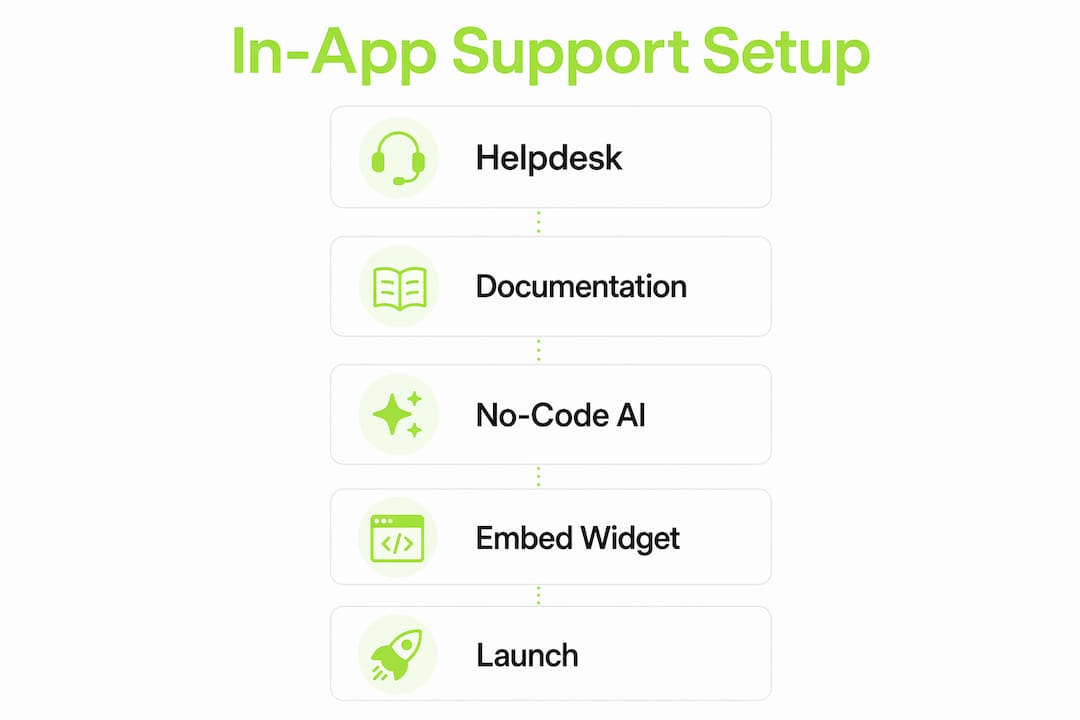
Embedding the agent into your app requires a 1–5 line JavaScript snippet. You paste it into your app's HTML head. No redeploy, no impact on web vitals, no ticket to your engineering team.
How to implement in-app support step by step
Self-building AI tools cut deployment time from six months to two weeks. The process below follows that two-week arc, broken into five concrete steps.
Connect your helpdesk and knowledge sources. Use the platform's one-click integrations to link Zendesk, Freshdesk, or your knowledge base. This takes under 30 minutes. The AI agent immediately indexes your existing content.
Import historical tickets to calibrate tone. Most no-code platforms let you bulk-import past support tickets. The agent learns your product's language, common failure points, and the tone your team uses. This step separates a generic bot from one that sounds like your company.
Configure agent behavior in plain English. Open the behavior dashboard and write instructions the way you would brief a new support hire. Specify escalation rules ("hand off to a human if the user mentions billing"), set the agent's name, and define what topics it should decline to answer.
Run shadow mode before going live. Shadow mode processes real incoming queries and generates draft responses without sending them to users. Your support team reviews those drafts to catch gaps and wrong answers. Shadow mode with historical tickets is the single most effective accuracy check available before live deployment.
Roll out gradually. Start with 10–20% of your user base. Monitor deflection rates and escalation frequency for 48–72 hours. Expand to full traffic only after the numbers look stable.
Pro Tip: Set a hard escalation rule for any query containing the words "cancel," "refund," or "legal." These topics carry too much risk for an AI agent to handle unsupervised in the first month.
The entire process, from connecting your helpdesk to a live widget in your app, fits inside two weeks without writing a single line of custom code. That timeline is not theoretical. It reflects what AI-first support teams are achieving right now with self-building AI architectures.

Common mistakes when launching in-app support solo
Most problems that appear after launch trace back to decisions made before launch. Knowing the failure patterns in advance saves you from a painful first week.
- Data access scope misconfiguration. If your AI agent can read more data than it needs, you create a privacy risk. Scope it to the knowledge base and ticket history only. Nothing else.
- Skipping the shadow mode phase. Teams that go straight to live deployment discover coverage gaps in front of real users. That erodes trust fast.
- Stale knowledge sources. An AI agent is only as accurate as the documents it reads. If your knowledge base has not been updated in three months, your agent will confidently give wrong answers.
- No escalation path defined. Users who hit a wall and cannot reach a human will churn. Define at least one escalation route before you flip the switch.
"Engage an engineer briefly to review data-access scopes before launch. One hour of their time prevents data leaks that would take weeks to remediate." Source
A brief pre-launch security review of data scopes, roughly one hour of an engineer's time, is the one moment where minimal engineering involvement pays the highest return. This is not a blocker. It is a checkpoint. You schedule it, they review it, and you move on.
The other common mistake is treating the launch as a finish line. Your knowledge base needs a monthly review cycle. Set a calendar reminder. Assign ownership to one person on your support team. The agent improves only when its source material improves.
How to measure success and scale without adding engineering work
No-code AI agents resolve 80–95% of routine queries automatically. That number is your north star metric. If your deflection rate sits below 60% after the first two weeks, your knowledge base has gaps that need filling before you scale.
Key metrics to track
- Ticket deflection rate. The percentage of queries the agent resolves without human involvement. Target: above 80% for routine inquiries.
- Escalation rate. How often the agent hands off to a human. A rising escalation rate signals new query types your knowledge base does not cover yet.
- Resolution time. How quickly users get a complete answer. Behavioral context in AI support reduces resolution times by giving the agent information about what the user was doing before they asked for help.
- User satisfaction score. A simple thumbs up or down after each interaction. Track the trend weekly, not daily.
| Metric | Healthy benchmark | Action if below benchmark |
|---|---|---|
| Ticket deflection rate | 80–95% | Expand knowledge base coverage |
| Escalation rate | Under 20% | Review unanswered query logs |
| Resolution time | Under 2 minutes | Add behavioral context signals |
| User satisfaction | Above 4 out of 5 | Audit escalation and tone settings |
Cost is the other dimension worth tracking. Entry-level no-code AI support starts at around $49 per month. A human virtual assistant with equivalent capacity costs approximately $2,000 per month. That gap funds a lot of product development. As your user base grows, AI support scales without adding headcount or engineering sprints.
The scaling playbook is straightforward. After 30 days of stable deflection rates, expand the agent's topic coverage. Add product update announcements, onboarding guidance, and billing FAQ content to the knowledge base. Each addition increases deflection without touching your codebase. After 90 days, review whether behavioral data from your app, such as which features users visit before asking for help, can be piped into the agent for contextual answers. That integration may require a brief engineering session, but it is optional, not required.
Key takeaways
Founders and product managers can own the full in-app support lifecycle without engineering involvement by combining a no-code AI agent, an organized knowledge base, and a phased rollout starting in shadow mode.
| Point | Details |
|---|---|
| No-code tools remove the engineering dependency | Plain-English dashboards and one-click integrations let support teams deploy without writing code. |
| Shadow mode prevents live errors | Running the agent on historical tickets before launch catches coverage gaps before users see them. |
| Deflection rate is the primary KPI | Target 80–95% for routine queries; gaps below that threshold point to knowledge base holes. |
| Cost savings are immediate | No-code AI support starts near $49 per month versus $2,000 for equivalent human capacity. |
| One security checkpoint is worth it | A one-hour engineer review of data scopes before launch protects user privacy and prevents data leaks. |
Why support teams should own this, not engineering
The conventional wisdom says that anything touching your app requires an engineering ticket. That assumption costs early-stage teams months they cannot afford to lose. I have watched founders spend six months scoping a support integration that a product manager could have shipped in two weeks with the right no-code tool.
The real shift is organizational, not technical. When support teams own the configuration, they iterate faster. They know which queries are failing. They update the knowledge base the same day a product change ships. Engineers do not have that context, and they should not need to. Giving support teams direct control over their tools produces better outcomes than routing every change through a sprint cycle.
The one place I would push back on full non-technical ownership is the pre-launch security review. Skipping it is a false economy. One hour of an engineer's time reviewing data scopes is not a dependency. It is a professional standard. After that checkpoint, the support team should run everything independently.
The future of no-code AI support is moving toward agents that read your actual codebase, not just your documentation. That is where tools like Coevy's codebase-aware AI are heading. When an agent understands your source code, it stops giving generic answers and starts giving accurate ones. For early-stage teams, that capability changes what "self-service support" actually means.
— Dizzy
Coevy fits where your support gaps actually live
Most in-app support tools answer questions. Coevy captures the moment before the question gets asked.

Coevy's embedded widget records session replays, collects user feedback, and attaches contextual data to every issue automatically. When a user hits a bug or a confusing flow, Coevy captures exactly what happened, so your team spends less time reproducing problems and more time fixing them. For teams without a dedicated engineering resource, that context is the difference between a resolved ticket and a three-day back-and-forth. Explore Coevy to see how it fits into a no-code support setup from day one.
FAQ
Can I launch in-app support with no coding at all?
Yes. Embedding a support widget requires pasting a short JavaScript snippet into your app's HTML. No custom code, no redeploy, and no engineering ticket is needed for a basic launch.
How long does it take to deploy a no-code AI support agent?
Most teams complete the full process, from connecting a helpdesk to a live in-app widget, in two weeks. Self-building AI architectures are specifically designed for that timeline.
What is shadow mode in AI support deployment?
Shadow mode runs the AI agent against real queries and generates draft responses without sending them to users. Support teams review those drafts to identify gaps before going live.
How much does no-code in-app support cost?
Entry-level no-code AI support platforms start at around $49 per month. That compares to approximately $2,000 per month for a human virtual assistant with equivalent capacity.
Do I ever need an engineer for a no-code support launch?
One brief engineering session, roughly one hour, is recommended to review data-access scopes before launch. After that checkpoint, the support team manages everything independently.