An in-app feedback SDK is a software toolkit that lets developers embed feedback collection directly inside mobile and web applications for immediate, contextual user input. Unlike email surveys sent hours after a session ends, a feedback SDK captures what users think at the exact moment they experience friction, confusion, or delight. Tools like Zonka Feedback, Mopinion, and Survicate have built entire product lines around this model. Understanding what is in-app feedback SDK explained correctly means recognizing it as both a technical integration and a product strategy decision. The difference between a well-timed in-app prompt and a post-session survey is the difference between signal and noise.
What is an in-app feedback SDK and how does it work?
An in-app feedback SDK is a prebuilt library that developers add to an application to collect user feedback without building a custom UI from scratch. The standard industry term is "feedback SDK," though product teams often call it an in-app feedback widget or embedded feedback tool. Either way, the core function is the same: capture user input inside the app, attach context automatically, and send structured data to a dashboard.

SDKs support multiple feedback types including surveys, star ratings, screenshot annotations, and free-text responses. That range matters because different moments in a user session call for different input types. A one-tap rating works after a completed task. A screenshot-annotated bug report works when something breaks.

Core technical components
A feedback SDK typically includes four functional layers:
- Event listeners: Detect specific user actions such as completing a checkout, reaching an error screen, or spending more than 60 seconds on a single page.
- UI rendering layer: Displays the feedback prompt natively inside the app without launching a browser or external window.
- Metadata capture: Records device model, OS version, screen resolution, and user cohort data automatically alongside every response.
- Data transport: Sends structured feedback payloads to a backend or third-party dashboard via API.
iOS SDKs embed native surveys without requiring a custom UI build, and they capture device details like OS version and screen size automatically with each response. That automatic metadata capture is what separates a feedback SDK from a simple form embed.
Platform support and installation
SDK-based surveys support multiple platforms including React Native and Flutter, in addition to native iOS and Android. Mopinion also lists Unity compatibility, which matters for game and interactive app teams. Installation typically happens through dependency managers like CocoaPods for iOS or Gradle for Android, though manual integration is available for teams with stricter build pipelines.
Pro Tip: Test your SDK integration in a staging environment with real device profiles before shipping to production. Metadata fields like screen resolution behave differently across device families, and catching mismatches early saves debugging time later.
What are the advantages of in-app SDK feedback vs. traditional surveys?
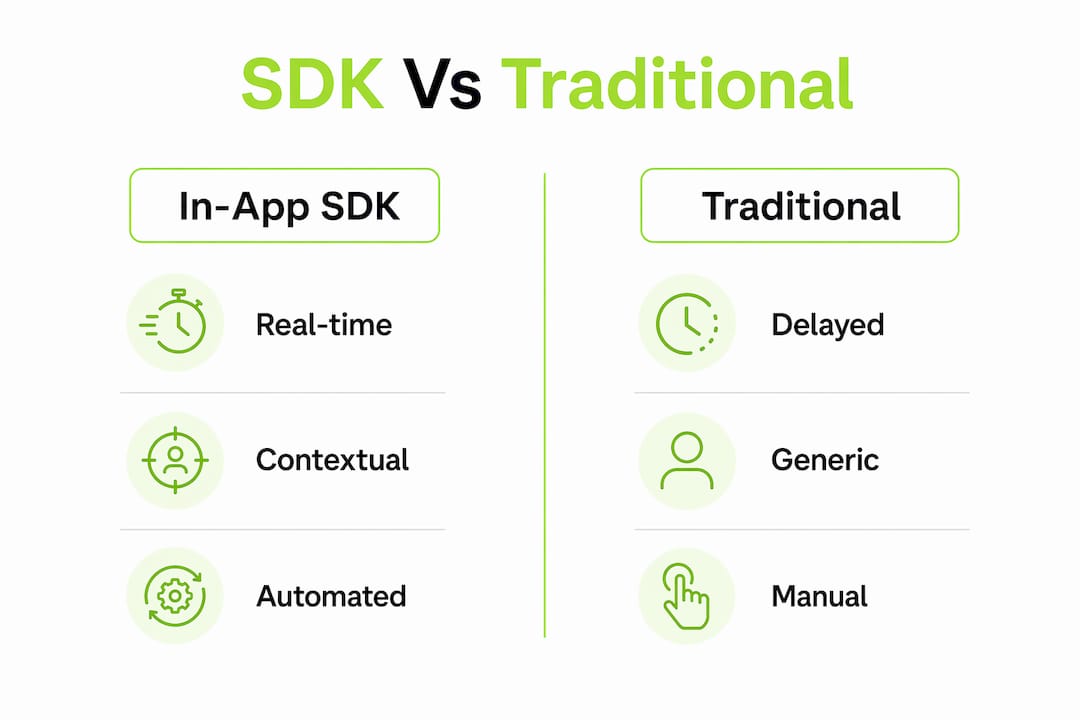
In-app feedback SDKs produce higher-quality data than email or post-session surveys because they capture reactions before memory fades. Recall bias is a documented problem in survey research. When users answer questions 24 hours after an event, they reconstruct what happened rather than report it. An SDK eliminates that gap entirely.
| Factor | In-app feedback SDK | Traditional survey |
|---|---|---|
| Timing | Triggered at the moment of the user action | Sent hours or days after the session |
| Context | Includes device data, session state, and screenshots | Relies on user recall and self-report |
| Response rate | Higher due to in-moment prompting | Lower due to email fatigue and delay |
| Data richness | Metadata, cohort tags, and annotations included | Text and ratings only |
| UI impact | Targeted prompts at specific events | Separate email or external link |
Capturing intent and friction in the moment through timed and targeted feedback produces the highest-signal user insights available to product teams. That signal quality directly affects how confidently a PM can prioritize a bug fix or a new feature.
The richer data profile also changes what product managers can do with results. When a response arrives tagged with OS version 17.4, device model iPhone 15 Pro, and a screenshot of the broken checkout flow, the engineering team can reproduce the issue in minutes. A survey response that says "checkout was broken" tells you almost nothing by comparison.
Pro Tip: Avoid triggering feedback prompts on app open. Response rates drop sharply when prompts appear before users have done anything meaningful. Trigger after a completed action instead.
What is in-app feedback versus survey feedback?
Survey feedback is a structured set of questions delivered outside the app experience, typically via email, SMS, or a web link, after a user interaction has ended. In-app feedback is collected inside the application during or immediately after the relevant action. The distinction sounds simple, but it changes everything about data quality and user engagement.
The key differences come down to four dimensions:
- Timing: In-app feedback fires during the session. Survey feedback fires after it, often with a delay of hours or days.
- Context: In-app SDKs attach session state automatically. Surveys depend entirely on what the user chooses to describe.
- Engagement: Users respond to in-app prompts at higher rates because the prompt is relevant to what they just did.
- Depth: Conversational prompts follow up user answers in real time to uncover deeper insights, something a static survey cannot do.
Traditional surveys still have a place. Net Promoter Score (NPS) campaigns, quarterly satisfaction studies, and post-cancellation interviews all work well as standalone email surveys. The mistake is using surveys as the primary channel for capturing in-session friction. That is where SDKs win decisively.
The comparison between in-app feedback tools and survey platforms shows that the two methods complement each other best when teams use SDKs for real-time friction capture and surveys for periodic relationship measurement. Treating them as substitutes misses the point of both.
How to use a feedback SDK effectively in your product
Effective SDK implementation starts before a single line of code is written. Product managers and developers need to agree on which user moments justify a feedback prompt. Not every screen deserves one.
- Map your critical user moments. Identify three to five points in your app where user success or failure has the highest product impact. Post-onboarding, post-checkout, and first use of a core feature are common starting points.
- Choose your trigger logic. Use event-based triggers rather than time-based ones. Triggering after a user completes a specific action produces far better responses than triggering after 30 seconds on a screen.
- Limit prompt frequency. Fewer, well-timed feedback channels outperform many poorly timed ones. Set a suppression window so users who just responded do not see another prompt for at least seven days.
- Use metadata to segment responses. Device, OS, and user cohort metadata arrives automatically with each SDK response. Build your dashboard filters around these fields from day one so you can slice feedback by platform, plan tier, or user tenure.
- Close the feedback loop. Feedback data has no value if it sits unread. Connect your SDK output to your issue tracker or product backlog. Coevy's AI tagging for product feedback automates this step by categorizing incoming responses and routing them to the right team without manual triage.
The customer feedback loop only works when feedback collection, analysis, and action happen in a connected cycle. An SDK handles the collection layer. The rest depends on your team's process.
Pro Tip: Use conversational AI within feedback prompts to ask follow-up questions automatically. A user who rates checkout a 2 out of 5 can be asked "What went wrong?" in the same prompt flow, turning a single data point into a full diagnostic.
Key Takeaways
An in-app feedback SDK captures higher-quality user insights than traditional surveys because it collects responses in context, with automatic metadata, at the exact moment a user experiences friction or success.
| Point | Details |
|---|---|
| SDK definition | A prebuilt library that embeds feedback collection inside an app without a custom UI build. |
| Metadata advantage | Device model, OS version, and cohort data attach automatically to every SDK response. |
| Timing beats volume | Fewer well-timed prompts produce better data than many poorly timed feedback channels. |
| SDK vs. survey | Use SDKs for real-time friction capture and surveys for periodic relationship measurement. |
| Closing the loop | Connect SDK output to your issue tracker or backlog so feedback drives actual product changes. |
The case for fewer, smarter feedback moments
The biggest mistake I see product teams make with feedback SDKs is treating them like a broadcast channel. They add prompts to every screen, set aggressive trigger frequencies, and then wonder why response rates collapse after the first two weeks. Users learn to dismiss prompts the same way they learned to ignore cookie banners. Once that habit forms, it is nearly impossible to reverse.
The teams that get the most value from in-app feedback SDKs share one trait: they are ruthlessly selective about when they ask. They pick two or three moments in the user journey where the answer to "how did that go?" actually changes a product decision. Everything else stays silent.
The rise of conversational AI inside feedback prompts is the most interesting development in this space right now. Static microsurveys are being replaced by short, adaptive conversations that follow up on low scores automatically. A user who marks onboarding as confusing gets asked which step felt unclear. That follow-up question, triggered by the SDK in real time, produces the kind of qualitative depth that used to require a user interview. The benefits of in-app feedback collection compound significantly when you add that conversational layer on top of structured ratings.
My honest advice: start with one trigger, one question, and one clear action you will take based on the answer. Prove the loop works before you scale it.
— Dizzy
How Coevy captures user friction at the right moment
Product teams that want real-time feedback without building a custom SDK from scratch have a direct path forward with Coevy.

Coevy embeds a feedback widget directly into your web app, capturing user input alongside session replays and AI-generated bug reproduction steps. Every response arrives with contextual session data attached, so your team spends less time asking "can you reproduce that?" and more time fixing the actual problem. Coevy's AI auto-tagging routes incoming feedback to the right team automatically, and its GDPR-compliant design includes field masking and IP anonymization out of the box. See how Coevy works and put real-time feedback collection inside your product today.
FAQ
What is an in-app feedback SDK?
An in-app feedback SDK is a prebuilt software library that developers integrate into a mobile or web app to collect user feedback directly inside the application. It captures responses alongside automatic metadata like device model, OS version, and session state.
How does in-app feedback differ from a survey?
In-app feedback fires during or immediately after a user action inside the app, while surveys are typically sent via email after the session ends. In-app SDKs produce higher-quality data because they eliminate recall bias and attach contextual metadata automatically.
What platforms do feedback SDKs support?
Most feedback SDKs support iOS, Android, React Native, and Flutter. Some, like Mopinion, also support Unity for game and interactive app teams.
How do I avoid annoying users with feedback prompts?
Set event-based triggers tied to completed actions rather than time-based triggers on app open. Apply a suppression window of at least seven days so users who responded recently do not receive another prompt immediately.
What metadata does a feedback SDK capture automatically?
A feedback SDK captures device model, OS version, screen resolution, and user cohort data with each response. Zonka Feedback's sendDeviceDetails feature is a documented example of this automatic metadata collection.