Support queues fill up fast. The same questions about password resets, billing cycles, and feature access get asked dozens of times a day, and your team burns hours answering them. When you use an AI agent to handle user questions, you stop absorbing that repetitive load manually. This guide walks you through what AI agents actually are, what it takes to set one up properly, how to measure whether it's working, and what separates deployments that stick from ones that quietly get abandoned after two months.
Table of Contents
- Key Takeaways
- How to use an AI agent to handle user questions
- What you need before going live
- Setting up your AI agent step by step
- Monitoring and optimizing after launch
- Real-world examples and best practices
- My honest take on where AI agents fall short
- See how Coevy handles this natively
- FAQ
Key Takeaways
| Point | Details |
|---|---|
| AI agents go beyond chatbots | Unlike basic chatbots, AI agents act autonomously across systems, pulling CRM data and creating tickets within a single conversation. |
| Prep your data first | Clean, structured data from your knowledge base, CRM, and past tickets is the foundation before any AI agent goes live. |
| Build in human escalation | Always define clear triggers for handing off complex cases to human agents to prevent costly automated errors. |
| Monitor First Contact Resolution | Track FCR, response times, and escalation rates to verify performance and guide iterative improvement. |
| Context preservation matters | Centralized conversation orchestration prevents users from repeating themselves across channels and directly impacts satisfaction. |
How to use an AI agent to handle user questions
The phrase "AI agent" gets used loosely, so let's be precise. An AI agent is a software system that uses natural language processing and machine learning to understand user intent, make decisions, and take actions, often without a human approving each step. That last part is what separates it from the older generation of support bots.
A traditional AI chatbot for user inquiries follows a decision tree. It matches keywords to scripted answers and fails the moment a user phrases something slightly differently. An AI agent does something more interesting. It interprets meaning, queries connected systems, and executes multi-step workflows. As virtual agents can demonstrate, they pull CRM data, create tickets, and send emails autonomously within a single conversation. That is a fundamentally different capability.
Here is what a capable AI agent can handle beyond basic Q&A:
- Account lookups and password resets without human involvement
- Order status updates pulled directly from your fulfillment system
- Routing tickets to the right team based on issue type and priority
- Sending follow-up emails after a conversation closes
- Flagging sentiment changes that suggest a user is about to churn
Integration depth is what distinguishes useful AI agents from generic chatbots. Without access to your internal data and workflows, an agent gives users the same generic answers they could have found on Google.
What you need before going live
Skipping this section is the number one reason AI agent deployments fail. You cannot configure what you have not defined, and you cannot train on data that does not exist.
| Prerequisite | What to prepare | Why it matters |
|---|---|---|
| Knowledge base | Documented answers to your top 50 questions | Gives the agent accurate source material |
| CRM integration | API access to customer records | Enables personalized, context-aware responses |
| Past support tickets | 6 to 12 months of resolved tickets | Reveals actual user intents and language patterns |
| Escalation workflow | Defined triggers for human handoff | Prevents the agent from mishandling sensitive cases |
| Channel inventory | List of all touchpoints (chat, email, SMS) | Scopes the deployment and prevents coverage gaps |
Once your data sources are in order, map your integration points. Where does your user ask questions? In-app chat, email support, a help portal? Each channel needs to feed into a centralized conversation layer. Cross-channel context preservation through a centralized orchestrator prevents users from repeating themselves when they switch from chat to a phone call.
Pro Tip: Before selecting a platform, export 30 days of your most common support tickets and categorize them by intent. The categories you end up with become your starting intents. This exercise usually reveals that four or five question types account for 60% of your volume.
For selecting a platform, you have two broad paths. You can use a pre-built AI-driven user support platform with connectors to your existing stack, or you can build a custom agent if your workflows are unusually complex. Most teams are better served starting with a pre-built solution and customizing from there.
Setting up your AI agent step by step
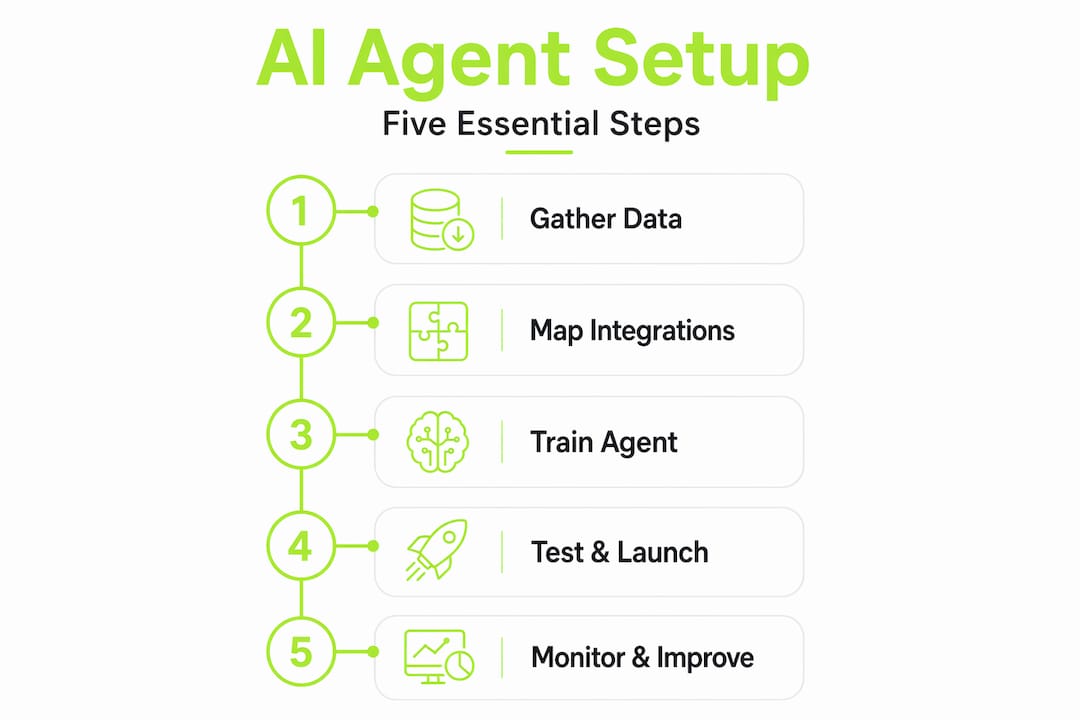
Clarity at setup time saves hours of troubleshooting later. Work through these steps in sequence rather than jumping ahead.
Define your intents. List the specific questions and requests your agent will handle. "What is my account balance?" and "How do I cancel my subscription?" are intents. Be granular. Vague intents produce vague responses.
Build your training data. Feed the agent real examples of how users phrase each intent. Pull these directly from your historical tickets. Include variations, typos, and informal language. The goal is to teach the agent how real users actually write, not how your documentation team writes.
Connect your data sources. Integrate the agent with your CRM, knowledge base, and any product databases it needs to answer questions accurately. Workspace agents reduce fragmented data by gathering context from multiple systems intelligently, which means your agent answers with actual account information rather than generic instructions.
Configure autonomous actions and decision triggers. Decide which actions the agent can take without approval, like resetting a password or sending a confirmation email, and which require a human sign-off. For sensitive actions like financial changes or outbound emails, human-in-the-loop approval prevents destructive errors.
Set escalation rules. Define the exact conditions under which a conversation transfers to a human agent. Triggered escalation based on sentiment, repeated failed attempts, or specific keywords is more reliable than leaving it to the agent's judgment alone. Clear triggers and playbooks are what allow agents to act autonomously yet safely.
Test in a controlled environment. Run the agent against a sample of real historical conversations before exposing it to live users. Score its responses against what your team would have said. Fix gaps before they reach a paying customer.
Pro Tip: Design your AI agent to handle long-running workflows using checkpoints and state machines so it can pause, wait for a user response, and resume without losing context. Without this, multi-turn conversations break down.
Monitoring and optimizing after launch

Getting an AI agent live is the beginning, not the finish line. Performance drifts without active oversight.
The metrics that tell you the most are:
- First Contact Resolution (FCR): The percentage of conversations the agent resolves without any human involvement. This is your primary health indicator.
- Escalation rate: How often the agent sends a conversation to a human. A high rate means the agent is either under-trained or the scope was defined too broadly.
- Average response time: AI agents should be responding in seconds. If latency is high, the bottleneck is usually in the integration layer, not the model itself.
- Containment rate: The percentage of users who complete their interaction without asking to speak to a human. Distinct from FCR because a user might resolve their issue without the agent fully "solving" it.
- User satisfaction score (CSAT): Collect this immediately after an agent-handled conversation. Declining CSAT alongside high FCR signals that users are getting answers but not the right ones.
AI agents can resolve around 80% of inquiries at first contact when properly configured. If your FCR is significantly below that benchmark, the most common causes are incomplete training data, missing integrations, or intents that are defined too broadly.
For ongoing optimization, build a feedback loop directly into the agent's workflow. Flag conversations where the user rephrased the same question twice or where escalation happened immediately. These are your training opportunities. Review them weekly in the first month, then monthly once performance stabilizes.
Real-world examples and best practices
When companies successfully handle queries with AI, the results look less dramatic than the marketing promises and more impressive in aggregate. A SaaS company with 15,000 active users might see its support team stop spending 60% of their time on password resets and plan questions, and instead spend that time on the cases that actually require judgment.
A few patterns show up consistently in successful deployments:
- Start narrow, then expand. The teams that succeed start by deploying the agent on their top three intents, prove the results, and then add more scope. Trying to handle everything on day one is how you end up with a confused agent and frustrated users.
- Personalize from the first message. Users accept AI-driven user support far more readily when the agent knows who they are. Pulling a user's plan tier, recent activity, or open tickets from your CRM before the conversation starts changes the tone entirely.
- Response time is a competitive advantage. Businesses responding to leads within five minutes convert up to 10 times more opportunities than slower responders. AI agents make sub-60-second responses the default rather than the exception.
- Treat handoffs as a product feature. The moment a conversation transfers to a human agent should feel smooth, not abrupt. Pass the full conversation history, the user's account context, and the reason for escalation. The human agent should never have to ask the user to repeat themselves.
The most effective AI agents complement humans by handling routine queries and escalating nuanced cases cleanly. You can read more about how this dynamic is playing out in SaaS teams specifically in this breakdown of AI reshaping support staffing.
You can also look at retail service automation patterns to understand how trigger design translates across industries. The underlying logic of "if this intent, then this action" applies whether you are supporting shoppers or software users.
My honest take on where AI agents fall short
I've watched enough AI agent deployments go sideways to have some opinions that the vendor decks won't share with you.
The biggest failure mode I've seen is context collapse in long conversations. An agent can handle the first three turns beautifully and then completely lose the thread by turn seven. This happens when the implementation doesn't properly manage state across the conversation. It's a solvable problem, but most teams don't discover it until real users start complaining about feeling like they're "talking to something that forgot everything."
The second issue is what I'd call the confidence calibration problem. AI agents trained on large but generic knowledge bases are often wrong with complete confidence. A user asks a product-specific question, the agent retrieves something adjacent from the knowledge base, and delivers an incorrect answer without flagging any uncertainty. When you connect the agent to your actual codebase and product data rather than just documentation, accuracy improves dramatically. That is the direction I think support tooling needs to go universally.
My broader take: AI agents are teammates in the making. The teams that will win are the ones treating AI agent performance with the same rigor they apply to human agent training. That means weekly reviews, intent refinement cycles, and genuinely caring about CSAT even when the agent is handling the conversation. The teams that set it and forget it will find their satisfaction scores quietly declining six months in.
— Dizzy
See how Coevy handles this natively
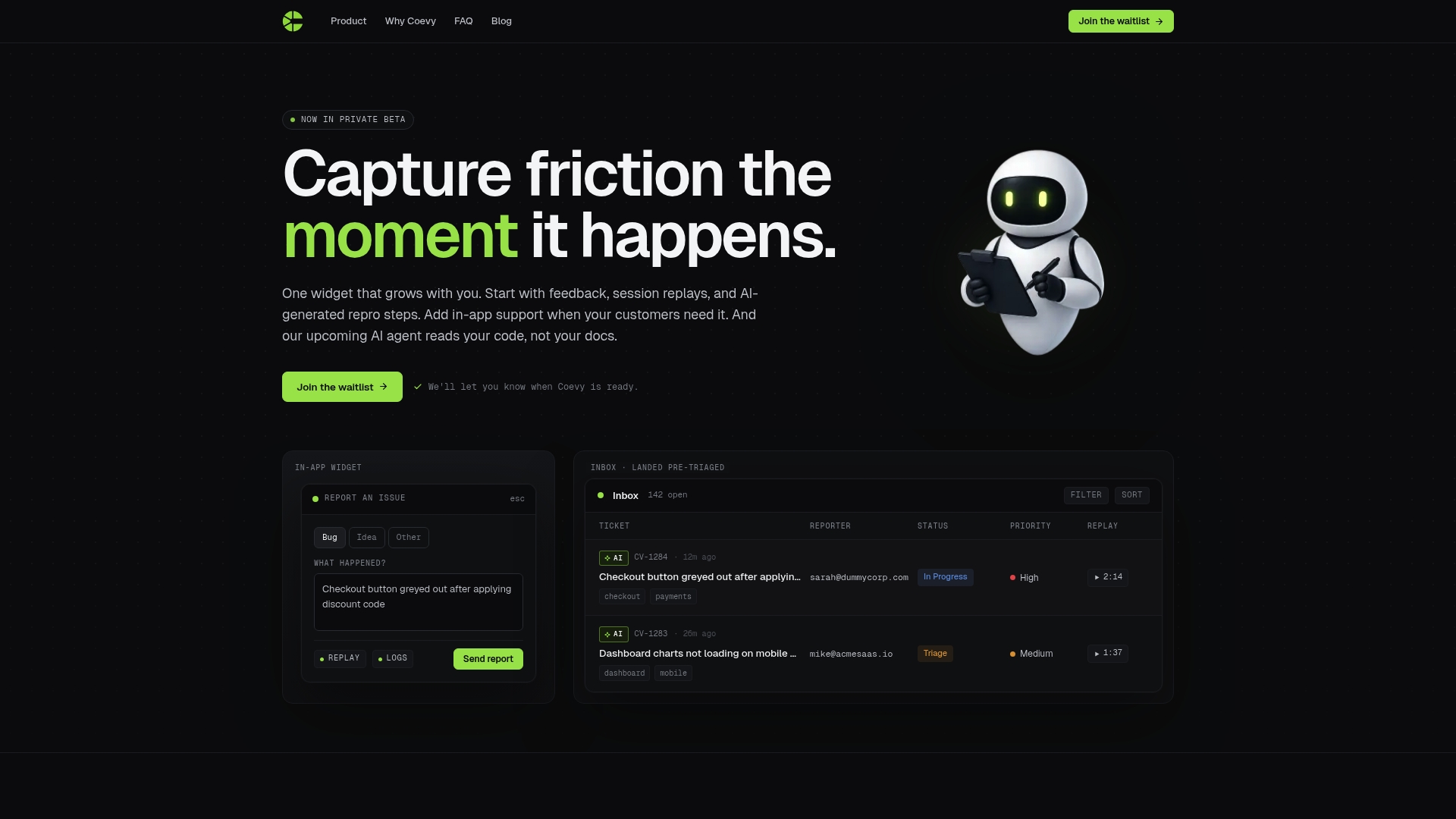
Most AI agent platforms answer questions from documentation. Coevy's approach goes further. Its upcoming AI agent reads your actual codebase, which means it gives answers tied to how your product actually works, not how someone described it in a help article written 18 months ago. For SaaS teams, that difference shows up immediately in accuracy and user trust.
Coevy also unifies feedback collection, session replays, and AI-powered support in a single widget, so the context your agent needs already exists in the platform. You're not stitching together five tools to get one coherent picture of a user's issue.
If you're building toward AI-first customer support and want infrastructure that scales with your product, explore Coevy and see what codebase-aware AI support looks like in practice.
FAQ
What is the difference between an AI chatbot and an AI agent?
An AI chatbot handles predefined tasks in a single channel using scripted responses. An AI agent acts autonomously across multiple systems, pulling data and executing actions like creating tickets or sending emails within one conversation.
How many user questions can an AI agent handle independently?
AI agents handle roughly 80% of inquiries at first contact when trained on the right data. The remaining 20% typically involve nuanced, high-stakes, or emotionally sensitive cases that benefit from human involvement.
What data do I need to set up an AI agent for support?
You need a documented knowledge base, historical support tickets, CRM integration for customer context, and clearly defined escalation workflows. Without structured data and connected systems, the agent defaults to generic answers.
How do I know if my AI agent is actually performing well?
Track First Contact Resolution, escalation rate, average response time, and CSAT scores. If FCR is below 60%, the most likely causes are incomplete training data or intents that are scoped too broadly.
When should an AI agent hand off to a human agent?
Escalation should trigger on repeated failed attempts to resolve an intent, detected negative sentiment, explicit user requests for human help, and any action involving financial changes or account deletions where human-in-the-loop approval is required.