AI autonomous support, the industry term for systems that resolve customer inquiries without human involvement, now handles 60 to 80% of Tier 1 support volume without a single human touchpoint. For solo founders and small support teams managing hundreds or thousands of users, this changes the math entirely. Tools like Intercom Fin, Tidio AI, and Freshdesk Freddy have moved well beyond scripted chatbots. They triage, draft, send, and even execute backend actions. Understanding how AI handles support queries solo, and where it still needs you, is the difference between a system that scales and one that breaks trust.
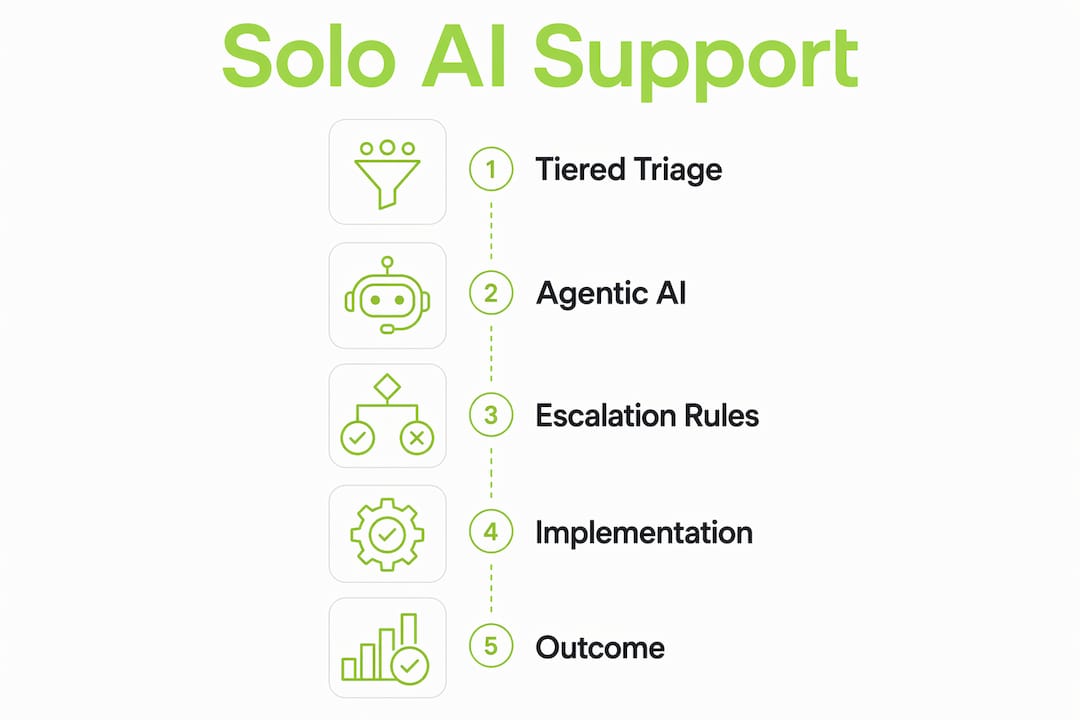
How AI handles support queries solo through tiered triage
The core mechanism behind autonomous query handling is a three-tier triage system that sorts every incoming ticket by complexity before a single word of response is written. This is not a simple keyword filter. It is a routing layer that reads sentiment, urgency, and query type simultaneously.
Here is how the three tiers break down in practice:
- Tier 1 (fully autonomous, ~30 to 40% of volume): Password resets, order status checks, plan upgrade questions, and FAQ lookups. AI reads the query, matches it to a knowledge base entry, and sends a response in under 10 seconds. That speed matters because 64% of customers prefer automated responses at that pace for routine questions.
- Tier 2 (draft and review, ~25 to 50% of volume): Billing clarifications, feature requests, and moderate troubleshooting. AI drafts a response, flags it for human review, and waits. You edit or approve before it sends. This keeps your voice in the conversation without requiring you to write from scratch.
- Tier 3 (human only, ~10 to 20% of volume): Complaints, legal mentions, refund disputes, and anything with high emotional charge. AI routes these directly to you with a summary and suggested context. It does not attempt a response.
Sentiment detection drives the routing decision at every tier. If a message contains frustration signals, repeated contact history, or billing keywords, the system bumps it up a tier regardless of the surface question. This prevents the most common failure mode in AI support: sending a cheerful automated reply to an angry customer.
Pro Tip: Set your sentiment threshold conservatively at first. It is far better to over-route to Tier 3 in week one than to auto-send a tone-deaf reply that damages a customer relationship you spent months building.

What can agentic AI actually do beyond answering questions?
Most people picture AI support as a talking FAQ. Agentic AI is a different category entirely. It functions as an orchestration layer that connects your support interface to CRM systems, ERPs, billing platforms, and order management tools, then executes multi-step workflows without waiting for a human to click anything.
| Capability | Talking FAQ chatbot | Agentic AI |
|---|---|---|
| Answer knowledge base questions | Yes | Yes |
| Validate order status in real time | No | Yes |
| Issue refunds or credits automatically | No | Yes |
| Update CRM records after resolution | No | Yes |
| Schedule callbacks or follow-up tasks | No | Yes |
| Reduce hallucination risk via API validation | No | Yes (with callable functions) |
The practical result is significant. Organizations using agentic AI automate over 2,000 workflow-heavy requests per quarter, reaching roughly 80% automated resolution for routine support. That is not a chatbot deflecting tickets. That is a system closing them.
The technical reason agentic AI outperforms basic chatbots comes down to how it treats APIs. Rather than searching training data and generating a plausible-sounding answer, a well-built agentic system calls discrete backend functions with strict input validation. The answer it returns is deterministic, pulled from live data, not inferred from patterns. This is why hallucination rates drop sharply when you move from a documentation-trained chatbot to a properly integrated agentic layer.
Pro Tip: When evaluating AI support tools, ask one question: can it write back to my systems, or can it only read from them? Read-only tools are Tier 1 assistants at best. Write-enabled tools with API integrations are the ones that actually close tickets.
What escalation rules keep solo AI support from going wrong?
Running AI support without clear escalation rules is the fastest way to destroy customer trust at scale. The kill switch principle is non-negotiable: you need a single toggle that disables auto-send across all tiers instantly, without requiring a developer. Billing disputes, legal language, and repeat contacts are the three triggers that should always route to human review, regardless of AI confidence score.
Here is a practical escalation framework for solo operators:
- Billing and payment mentions: Any ticket containing words like "charge," "refund," "invoice," or "cancel" goes to Tier 3 automatically. AI's lack of emotional intelligence makes it unreliable for complaints and billing disputes where tone and empathy determine the outcome.
- Repeat contact detection: If a user has contacted support more than twice in seven days on the same issue, the system flags it as unresolved and escalates. Auto-sending a third identical AI reply to a frustrated user is a CSAT disaster.
- Low confidence scoring: Set a confidence threshold, typically 85% or above, for auto-send. Anything below that threshold routes to Tier 2 for human review before sending.
- Complaint and sentiment signals: Negative sentiment scores above a defined threshold, profanity detection, or phrases like "this is unacceptable" trigger immediate escalation. AI de-escalation is unreliable and should not be attempted autonomously.
- Legal and compliance language: Words like "lawyer," "lawsuit," "GDPR," or "data breach" require human handling every time. No exceptions.
Avoiding the deflection-at-all-costs mindset is equally important. Some AI deployments are configured to keep users in the bot loop as long as possible to reduce ticket volume. This approach damages CSAT and retention when customers who want a human are repeatedly bounced back to an automated response. A clean handoff, offered proactively, builds more trust than a resolved ticket that felt like a fight.
Pro Tip: Audit your escalation triggers every 30 days for the first three months. Customer language evolves, and a trigger set that worked in month one may miss new complaint patterns by month three.
How to implement AI query handling solo: a step-by-step guide
Getting AI support running effectively as a solo operator takes preparation, not just a tool subscription. The quality of your knowledge base determines the quality of every AI response. Thin or outdated documentation increases hallucinations and erodes customer trust faster than no AI at all.
Follow this implementation sequence:
- Step 1: Audit your existing ticket data. Pull the last 90 days of support tickets and categorize them by query type. You will likely find that 5 to 10 query types account for 60 to 70% of your volume. These are your Tier 1 targets. Budget two to three hours for this audit.
- Step 2: Build a structured knowledge base. Write clear, specific answers for every high-volume query type. Use plain language, not internal jargon. Each article should answer one question completely. Vague or partial answers produce vague or partial AI responses.
- Step 3: Select the right tool for your stack. Match your AI tool to your existing systems. Intercom Fin works well for SaaS products already on Intercom. Tidio AI suits smaller e-commerce operations. Freshdesk Freddy integrates tightly with Freshdesk's ticketing system. The right AI tool depends on what your backend systems can connect to, not just the chatbot interface.
- Step 4: Deploy in shadow mode first. Run the AI in draft-only mode for two to four weeks. It generates responses, you review every one before sending. This phase reveals gaps in your knowledge base and calibrates your confidence thresholds before anything goes out automatically.
- Step 5: Transition to phased auto-reply. Once your QA scores consistently hit 90% or above in shadow mode, enable auto-send for Tier 1 queries only. Expand to additional query types as confidence data accumulates.
- Step 6: Build a feedback loop. Track resolution rate, CSAT score, and escalation rate weekly. Any query type with a CSAT below your baseline gets pulled back to Tier 2 for human review until you identify and fix the knowledge base gap.
The payoff from this process is measurable. Solo operators who follow a structured rollout reduce weekly support time from 12 to 18 hours down to 3 to 5 hours while managing over 1,000 active users. That is not a marginal improvement. It is the difference between support consuming your week and support running in the background.
| Implementation phase | Duration | Key output |
|---|---|---|
| Ticket audit and categorization | 2 to 3 hours | Top query types identified |
| Knowledge base build | 4 to 8 hours | Structured, searchable articles |
| Shadow mode deployment | 2 to 4 weeks | QA baseline established |
| Phased auto-reply rollout | 4 to 6 weeks | Tier 1 fully automated |
| Ongoing refinement | Monthly | Escalation triggers updated |
Key takeaways
AI handles support queries solo most effectively when tiered triage, agentic backend integration, and explicit escalation rules operate together as a single system.
| Point | Details |
|---|---|
| Tiered triage is the foundation | Sorting queries into three tiers by complexity determines what AI handles alone and what it escalates. |
| Agentic AI closes tickets, not just answers them | Backend integrations let AI validate orders, issue refunds, and update records without human input. |
| Escalation rules protect brand trust | Billing, complaints, and legal mentions must always route to human review, no exceptions. |
| Shadow mode reduces deployment risk | Running AI in draft-only mode before enabling auto-send prevents costly early errors. |
| Knowledge base quality drives accuracy | Thin or outdated documentation is the primary cause of AI hallucinations in support contexts. |
Where I've landed after watching solo AI support succeed and fail
The operators who get the most out of AI support automation are not the ones who trust it most. They are the ones who trust it precisely. There is a meaningful difference. I have seen solo founders deploy Intercom Fin or Freshdesk Freddy, watch it handle 70% of tickets in week one, and then make the mistake of expanding auto-send too fast. The result is always the same: a handful of badly handled billing disputes or complaint tickets that generate public negative reviews, and suddenly the efficiency gains feel hollow.
The staged rollout approach is not just a technical recommendation. It is a trust-building process between you and your own system. You are learning where the AI is reliable and where it is not. That knowledge is what lets you expand autonomy confidently rather than anxiously.
What I find most underappreciated is the relationship between knowledge base quality and AI performance. Most solo operators treat the knowledge base as a one-time setup task. The operators who see sustained high resolution rates treat it as a living document they audit monthly. Every new product feature, every pricing change, every policy update needs to be reflected immediately. A knowledge base that is six weeks out of date is actively generating wrong answers at scale.
The other thing worth saying plainly: AI handles the predictable 80% of queries so you can be genuinely present for the emotionally complex 20%. Trying to automate that 20% is where support systems break customer relationships. The goal is not zero human involvement. The goal is human involvement exactly where it matters.
— Dizzy
How Coevy helps solo founders automate support without losing control

Coevy is built for exactly the scenario this article describes: a solo founder or small team managing a growing SaaS product who needs AI support that scales without requiring a dedicated support hire. Coevy's integrated widget collects user feedback, attaches session replay data automatically, and uses AI-powered auto-tagging and prioritization to sort incoming issues before you ever open a ticket. Its upcoming codebase-aware AI agent reads your actual source code rather than generic documentation, which means the answers it generates are tied to how your product actually works, not how you described it in a help article. For solo operators who want to automate repetitive queries without sacrificing accuracy or trust, Coevy is worth a close look.
FAQ
What percentage of support queries can AI handle without humans?
AI agents resolve 60 to 80% of Tier 1 support volume without human assistance. The exact percentage depends on knowledge base quality and the complexity of your product's support profile.
How does AI triage decide which queries to escalate?
AI triage uses sentiment detection, confidence scoring, and keyword triggers to route queries. Billing mentions, complaint language, and low confidence scores automatically escalate to human review.
Can AI replace support agents entirely?
AI handles the predictable majority of queries but cannot replace human judgment for emotional, legal, or complex multi-system issues. The most effective model is hybrid AI support, where AI manages volume and humans handle exceptions.
What is shadow mode in AI support deployment?
Shadow mode is a deployment phase where AI drafts responses but a human reviews and sends every one. It establishes a QA baseline before auto-send is enabled, reducing the risk of early errors.
How long does it take to implement AI support solo?
A structured implementation from ticket audit to phased auto-reply takes six to ten weeks. The knowledge base build and shadow mode phase are the most time-intensive steps but also the most important for long-term accuracy.