AI auto-tagging is the process of using machine learning models to automatically assign multiple thematic labels to customer feedback, organizing raw input into structured, decision-ready clusters without manual effort. The industry term for this process is automated thematic classification, and understanding how AI auto-tagging organizes feedback themes is now a core competency for product and support teams managing feedback at scale. Single-label approaches lose more than 30% of analytical signal when feedback mentions multiple issues at once. Coevy addresses this directly with multi-label AI tagging built into its feedback capture workflow, preserving every signal that matters.
How does AI auto-tagging organize feedback themes technically?
AI auto-tagging relies on Large Language Models and natural language processing to read feedback text and assign thematic labels based on semantic meaning, not keyword matching. This distinction matters. Keyword matching fails when a user writes "the app keeps freezing when I try to export" because it misses the theme "export functionality" unless that exact phrase appears in a rule. An LLM understands the intent and maps it to the correct theme regardless of phrasing.
Multi-label classification is the technical mechanism that separates modern AI feedback categorization from older single-tag systems. 20–30% of customer feedback mentions more than one distinct theme in a single response. A comment like "login is slow and the dashboard is confusing" contains two separate signals: performance and UX clarity. A single-label system forces a choice and discards one. Multi-label classification assigns both tags, preserving the full picture.

Prompt engineering drives the quality of AI output. Structured prompts that give the AI a role, a taxonomy, and labeled examples produce far more consistent categorization than open-ended instructions. A well-designed prompt tells the model: "You are a product analyst. Assign one or more tags from this list to each piece of feedback. Here are three examples of correct tagging." That specificity is what separates production-quality tagging from unreliable experiments.
Scalability requires batch processing. AI models process 500–1,500 short comments per batch before accuracy begins to degrade. For larger datasets, splitting feedback by product area or date range maintains tagging quality across the full corpus.
Pro Tip: Split your feedback into batches by feature area before running AI tagging. A model focused on "onboarding" feedback will tag more accurately than one processing a mixed dataset of 5,000 comments at once.
Why taxonomy design determines tagging accuracy
Taxonomy design is the most critical step in any AI feedback tagging system. The AI does not invent themes. It executes the framework you give it. If that framework is vague, the output will be vague.
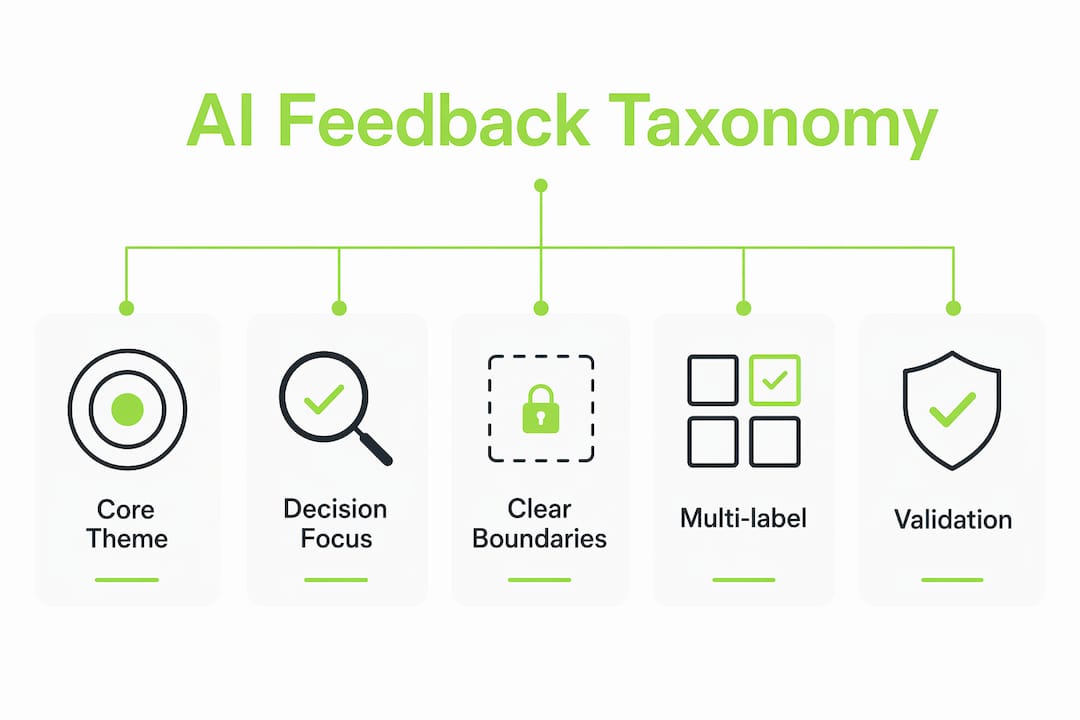
A decisions-first taxonomy starts with the questions your team needs to answer, not with the feedback itself. Before writing a single theme label, ask: "What decisions will this data inform?" If the answer is "prioritizing the Q3 roadmap," your themes should map directly to product areas and user outcomes that affect that roadmap. Themes like "general feedback" or "other" are not themes. They are signal graveyards.
Clear, mutually exclusive theme boundaries prevent the most common failure mode in AI tagging: overlapping categories that produce inconsistent results. Each theme needs an inclusion criterion ("tag this when the user describes a delay in loading any screen") and an exclusion criterion ("do not tag this for errors that prevent loading entirely, which belong to 'crashes'"). Without these boundaries, the AI will make different judgment calls on similar feedback, and your trend data will be unreliable.
Poor taxonomy design produces what researchers call "muddled insights." When themes overlap or lack clear definitions, high-frequency tags become meaningless because they capture too many different problems. A tag called "performance" that covers loading speed, export delays, and search latency tells you nothing specific enough to act on.
- Start with decisions, not data. Define what choices the tagged data must support before writing theme labels.
- Write inclusion and exclusion criteria for every theme, not just a name and a one-line description.
- Limit your initial taxonomy to 10–15 themes. More themes increase AI error rates and make trend analysis harder to read.
- Review and revise quarterly. Taxonomy should evolve as products and user language change, not remain static after the first setup.
Pro Tip: Test your taxonomy on 50 real feedback items before running it at scale. If two team members disagree on how to tag the same item, the theme definition needs sharper boundaries.
What are the benefits of AI auto-tagging for product and support teams?
The most immediate benefit is speed. AI-driven auto-coding compresses qualitative analysis timelines from weeks to under one hour for several hundred transcripts. That shift changes how teams operate. When analysis takes weeks, feedback informs the next planning cycle. When it takes an hour, feedback can inform this week's sprint.
The second benefit is signal completeness. Single-label systems force analysts to pick the "most important" theme in a multi-topic response and discard the rest. Multi-label AI tagging captures every theme, which means over 30% more analytical signal reaches your decision-making process. For support teams, this translates directly to fewer missed patterns in ticket data.
AI tagging also reduces human bias. Manual tagging is inconsistent across analysts and shifts over time as team members change. Automated theme organization applies the same taxonomy rules to every piece of feedback, producing a consistent baseline that makes trend comparisons valid across months and quarters.
The table below summarizes the primary outcomes product and support teams report after adopting AI feedback categorization:
| Benefit | What it means in practice |
|---|---|
| Faster synthesis | Analysis drops from weeks to hours, enabling real-time roadmap input |
| Multi-theme capture | Retains signals that single-label systems discard, reducing data loss |
| Consistent categorization | Same taxonomy applied uniformly, making trend data comparable over time |
| Metric-linked insights | Themes connect to NPS and churn drivers, making prioritization defensible |
| Emerging trend detection | AI surfaces new theme clusters before they become critical support volume |
Auto-tagging support tickets with AI also reduces the triage burden on support agents, freeing them to focus on resolution rather than categorization.
How to apply AI auto-tagging insights in product decisions
Tagged feedback is only useful when it connects to a specific decision. The following steps turn AI output into product action.
Define the decision goal before tagging. Every tagging run should answer a specific question: "Which themes are driving churn this quarter?" or "What friction points appear most in onboarding feedback?" Tagging without a question produces data, not insight.
Run spot-checks on 5–10% of tagged items. Merging themes that share more than 30% of the same quotes and demoting low-frequency themes keeps your taxonomy clean and your decision signals sharp. Spot-checks catch AI errors before they compound into misleading trends.
Use co-occurrence patterns, not just frequency. Frequency of tags is a starting filter; co-occurrence analysis reveals higher-priority insights. If "slow loading" and "abandoned checkout" appear together in 40% of negative reviews, that co-occurrence signals a revenue-impacting issue that frequency alone would not surface.
Layer sentiment scoring onto themes. Automated feedback analysis links theme-level sentiment to key metrics like NPS and churn drivers. A theme with high frequency but neutral sentiment is a different priority than a low-frequency theme with strongly negative sentiment.
Evolve your tags as the product changes. New features generate new language. Continuous taxonomy evolution keeps your tagging relevant and prevents old themes from absorbing feedback that belongs to new categories.
Close the loop with users. When a theme drives a product change, communicate that change to the users who raised it. This practice builds trust and increases the quality of future feedback submissions. The customer feedback loop is only complete when users see their input reflected in the product.
AI surfaces product improvement signals most effectively when teams treat tagging as an ongoing workflow, not a one-time analysis project.
Key Takeaways
AI auto-tagging organizes feedback themes accurately only when human-designed taxonomies with clear boundaries guide the model, multi-label classification captures every signal, and teams validate and evolve the system continuously.
| Point | Details |
|---|---|
| Multi-label classification is non-negotiable | Single-label systems lose over 30% of analytical signal from multi-topic feedback. |
| Taxonomy design precedes AI setup | Define themes with inclusion and exclusion criteria before feeding any data to the model. |
| Speed gains are substantial | AI compresses qualitative analysis from weeks to under one hour for hundreds of responses. |
| Co-occurrence beats frequency | Themes that appear together reveal higher-priority issues than high-frequency tags alone. |
| Taxonomy must evolve | Review and revise theme definitions quarterly to reflect product changes and new user language. |
The part most teams get wrong about AI tagging
Most teams hand their feedback to an AI and ask it to find the themes. That approach produces clusters that reflect the data's surface patterns, not the decisions the team needs to make. The AI becomes the author of your taxonomy, and your taxonomy becomes a mirror of whatever language users happened to use last month.
I have seen this play out repeatedly. A team runs an unsupervised clustering pass, gets 23 themes with names like "general usability" and "other issues," and then spends two weeks arguing about what the clusters actually mean. The analysis time savings disappear in the interpretation phase.
The teams that get real value from AI feedback tagging treat the AI as a categorization engine, not a strategy consultant. They design the taxonomy first, based on the decisions they need to make. They write explicit inclusion and exclusion criteria for every theme. Then they feed that framework to the model and let it do the labeling at scale. AI should execute a human-designed framework, not invent the framework itself.
The other mistake I see consistently is treating the first taxonomy as permanent. User language shifts. Products add features. Support ticket patterns change. A taxonomy built in january will misclassify feedback by july if no one has reviewed it. Quarterly taxonomy audits are not optional maintenance. They are the mechanism that keeps your AI output strategically relevant.
— Dizzy
How Coevy brings AI auto-tagging into your feedback workflow
Product and support teams that want to move from raw feedback to structured themes without building a custom pipeline have a direct path with Coevy.
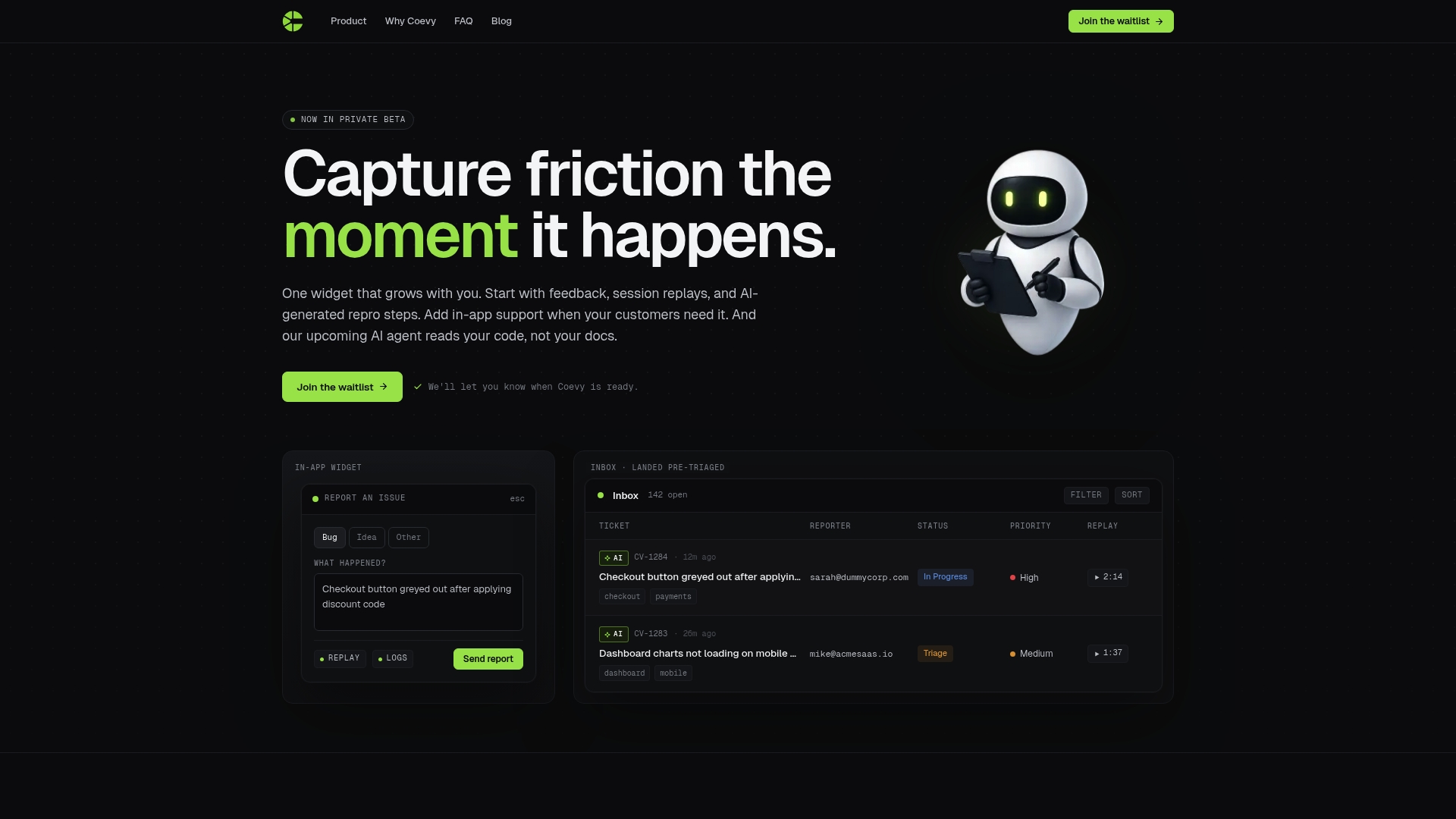
Coevy's AI feedback tagging captures user input directly inside your web app, assigns multi-label tags based on your taxonomy, and surfaces theme trends in an analytics dashboard linked to key product metrics. The platform supports GDPR-compliant data handling with field masking and IP anonymization, so your feedback pipeline stays clean on both the insight and compliance sides. Teams can start with Coevy's built-in taxonomy frameworks and evolve them as the product grows, without rebuilding the tagging system from scratch each time.
FAQ
What is AI auto-tagging in feedback analysis?
AI auto-tagging is the automated process of assigning one or more thematic labels to customer feedback using machine learning models. It replaces manual categorization and applies consistent taxonomy rules across every feedback item at scale.
Why does multi-label classification matter for feedback tagging?
20–30% of feedback responses mention more than one distinct theme. Multi-label classification captures all themes in a single response, preventing the signal loss that occurs when systems force a single-category assignment.
How do you design a taxonomy for AI feedback tagging?
Start with the decisions your team needs to make, then write 10–15 theme labels, each with clear inclusion and exclusion criteria. Review the taxonomy quarterly to reflect product changes and shifts in user language.
How fast is AI feedback categorization compared to manual analysis?
AI-driven analysis compresses timelines from weeks to under one hour for several hundred feedback items. That speed enables teams to act on feedback within the same sprint rather than the next planning cycle.
How should teams validate AI-tagged feedback themes?
Spot-check 5–10% of tagged items regularly and merge any themes that share more than 30% of the same quotes. Human refinement combined with AI tagging produces the most consistent and strategically aligned categorization results.