Centralizing customer conversations, bug tracking, and feedback inside a web app without adding vendor sprawl or slow manual triage remains a stubborn challenge for support and product teams. Most in-app customer support software either locks advanced AI automation, session replays, or direct engineering handoff features behind expensive plans, limited customization, or messy integrations that multiply costs as usage grows. This comparison breaks down pricing, AI ticket automation, and deployment models across three alternatives so you can pick the right in-app support stack for your team's scale and workflow.
Table of Contents
Coevy
At a Glance
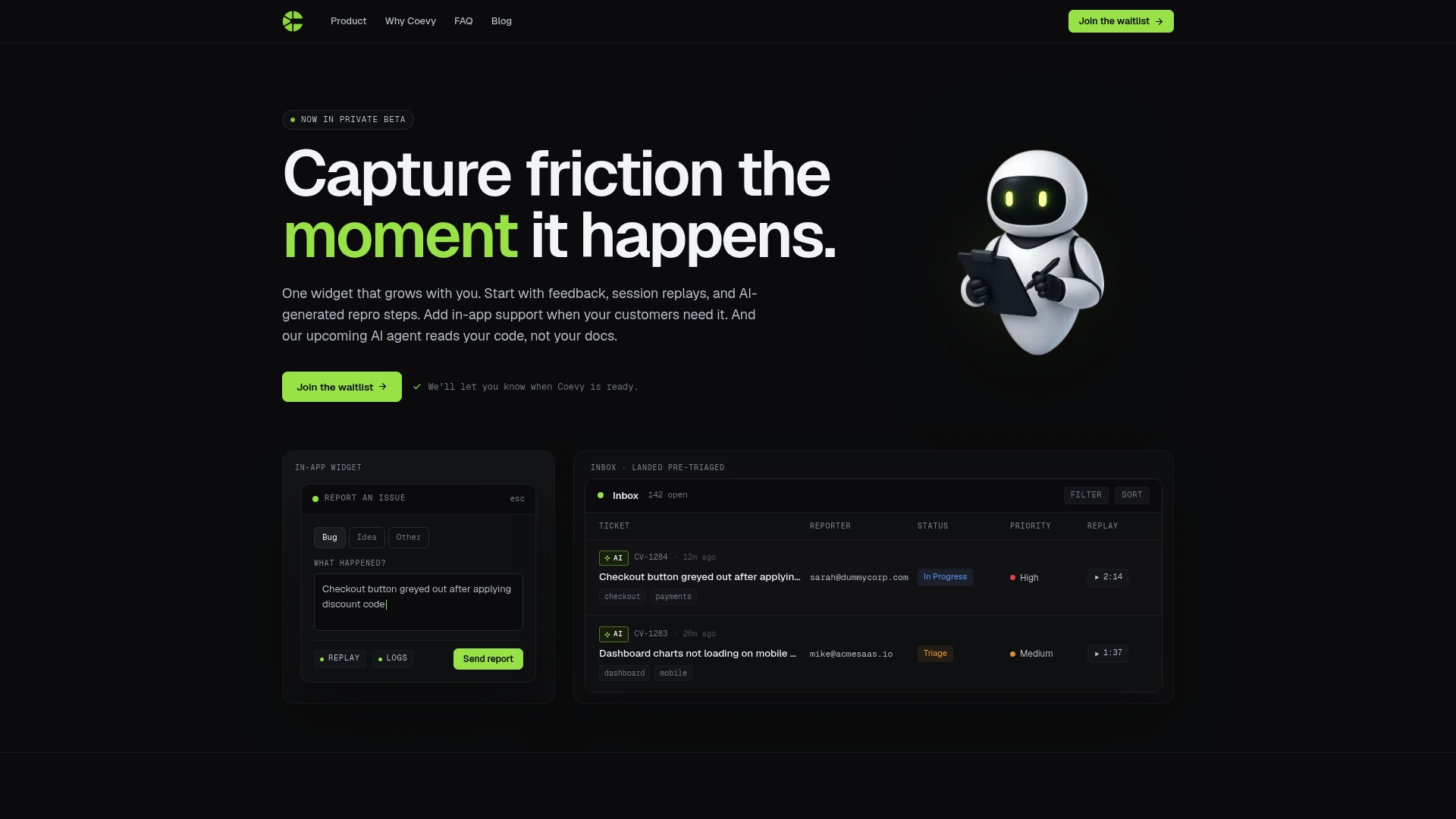
The vendor states an upcoming AI agent will read your codebase to answer support queries and help reproduce bugs from actual application code. That single capability, if delivered, ties troubleshooting to the code rather than to static docs.
Coevy is currently in private beta and combines feedback collection, session replays, and AI-generated reproduction steps in one in-app widget, so teams capture context and attach it to tickets without extra tools.
Core Features
- Feedback widget for bug reports, feature requests, and NPS collected directly inside your web app.
- Session replays with logs and contextual metadata that show what the user clicked and what failed.
- AI-generated reproduction steps that convert a replay into a structured sequence your engineers can follow.
- In-app support ticketing that keeps issues and conversation next to the session data.
- AI-powered issue triaging and tagging to prioritize work and reduce manual sorting.
Key Differentiator
An all-in-one widget that scales with your product and includes AI that reads your codebase for support. That combination shifts the source of truth from user descriptions and static runbooks to contextual traces plus code-aware assistance.
Pros
- Reduces back-and-forth by attaching replay footage and logs to every report, so engineers see the exact browser state that produced the bug.
- AI-generated reproduction steps turn noisy repro notes into actionable steps, shortening the handoff between support and engineering.
- Consolidates feedback, bug tracking, and in-app support in a single widget, cutting the number of vendor accounts you manage.
- AI-powered triaging helps prioritize tickets based on context and tags, which speeds up what your support queue surfaces every morning.
- The platform is built to scale from feedback capture to AI support, so teams can add capabilities without swapping tools.
Cons
- The product is in private beta, so features, stability, and availability are limited while Coevy finalizes the feature set.
Who It's For
Product managers, support leads, and developer teams at web-first SaaS companies that want to reduce diagnostic friction between users and engineers. Coevy fits teams that prefer embedding support flows inside the app over toggling external help desks.
Unique Value Proposition
Attaching session replays and AI-generated reproduction steps directly to in-app tickets means less context loss at handoff and fewer long bug reproduction chains. That changes the economics of fixing user-reported issues: less time spent asking for steps, more time on fixes.
This matters for teams shipping frequent front-end releases where a single mis-click or state race causes multiple support tickets across customers.
Real World Use Case
A mid-stage SaaS product uses Coevy to collect bug reports from onboarding flows. Support views the replay, reads the AI repro steps, and assigns a ticket with logs already attached. Engineers reproduce the bug in minutes rather than chasing email threads.
Pricing
Not applicable — Coevy is currently informational only about pricing while in private beta. Early access programs and pricing tiers have not been finalized.
Website: https://coevy.com
Chatwoot
At a Glance
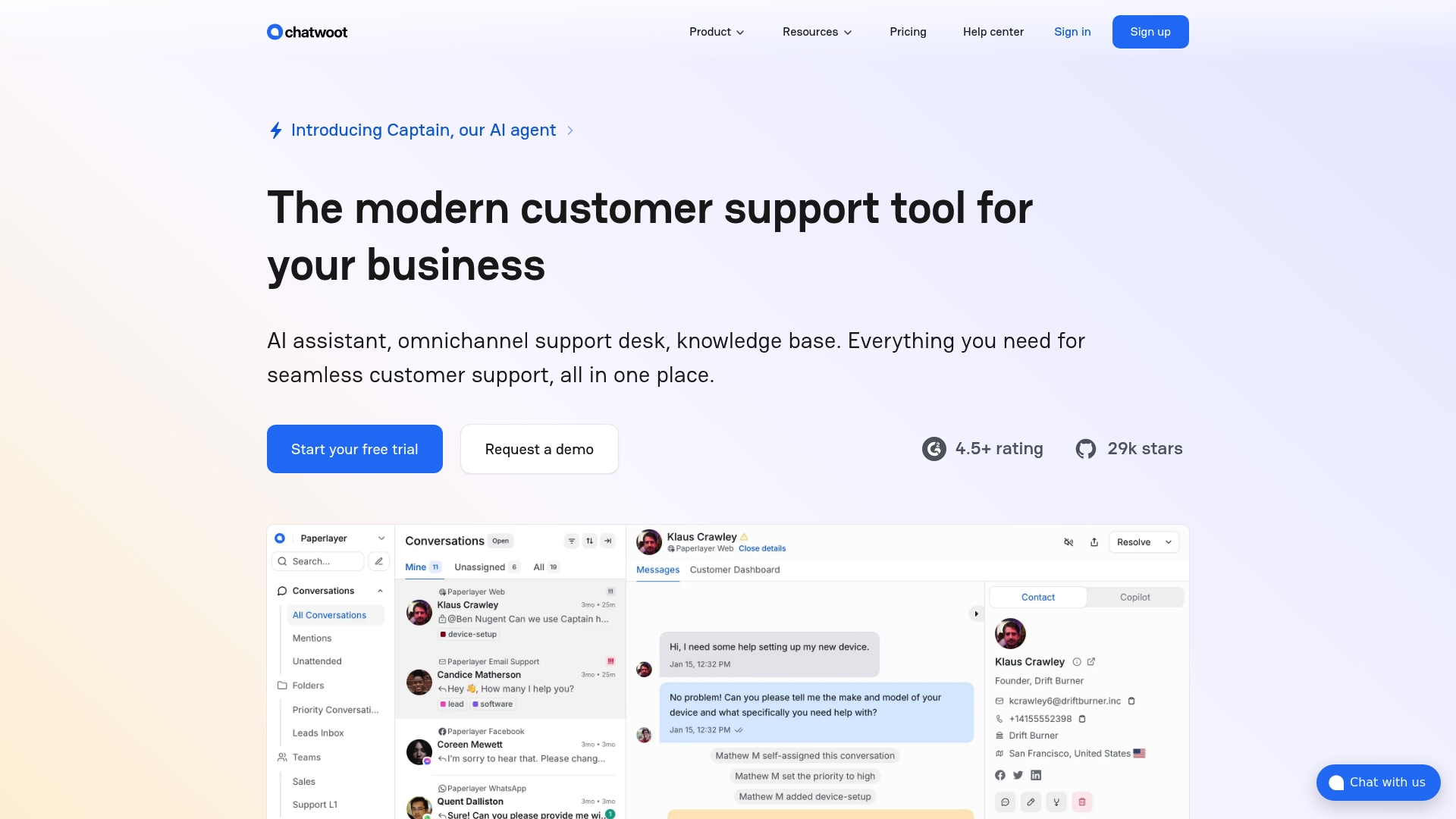
Open source with a built-in AI assistant called Captain plus both cloud-hosted and self-hosted deployment options, a combination that puts data control and automation in the same place. The vendor describes it as rated highly for ease of setup, AI features, and support quality.
Core Features
- Omnichannel support across chat, email, social, and messaging platforms so conversations follow the agent rather than the channel.
- Captain for automated replies, conversation summarization, and translation to reduce repetitive agent work.
- Knowledge base and help center with multi-language support and full API access for custom workflows.
- Extensive customization and self-hosted deployment for teams that need branding, workflow control, or on-premise data custody.
- Team collaboration tools including private notes, tagging, and assignment rules to route and resolve tickets.
Key Differentiator
The combination of being open source and offering optional self-hosted deployment sets Chatwoot apart. That pairing gives support teams technical control over data residency and customization while still providing an integrated AI assistant for automating common interactions.
Pros
- Quick to set up and intuitive for agents, which lowers onboarding time for new support hires.
- Strong AI tooling such as Captain that handles auto-replies, summaries, and translations to reduce repetitive triage.
- Flexible deployment model lets you run on the vendor cloud or self-host to meet compliance or data ownership needs.
- The open source community contributes integrations and fixes, which can accelerate custom feature work compared with closed systems.
- Multi-channel support means fewer platform hops for agents who handle email, chat, and social messages.
Cons
- Chat pop-up engagement features are often judged less effective than some proprietary competitors, which can reduce new conversation starts.
- The ticketing interface can feel less polished and may require additional configuration for new agents to use it efficiently.
- Paid plans start higher than some free alternatives, which raises early-stage budget considerations for small teams.
When It May Not Fit
If you need the slickest possible chat widget for conversion optimization, Chatwoot’s engagement tools may not match best-in-class proprietary options. Also, teams without engineering support will find self-hosting adds operational work and occasional complexity.
Who It's For
Support managers and engineering-led product teams that value control over their support stack, need multi-channel handling, and want to use AI without surrendering data custody. Good for teams that can allocate technical resources for customization or self-hosting.
Real World Use Case
A SaaS company runs Chatwoot self-hosted to centralize support across chat, email, and social. They use Captain to auto-reply to common billing questions and to generate conversation summaries that cut internal handoff time in half.
Pricing
Free tier available for basic functionality. Paid plans advertised starting at $19 per agent/month for Startups, $39 for Business, and $99 for Enterprise, billed annually.
Website: https://chatwoot.com
Customerly
At a Glance
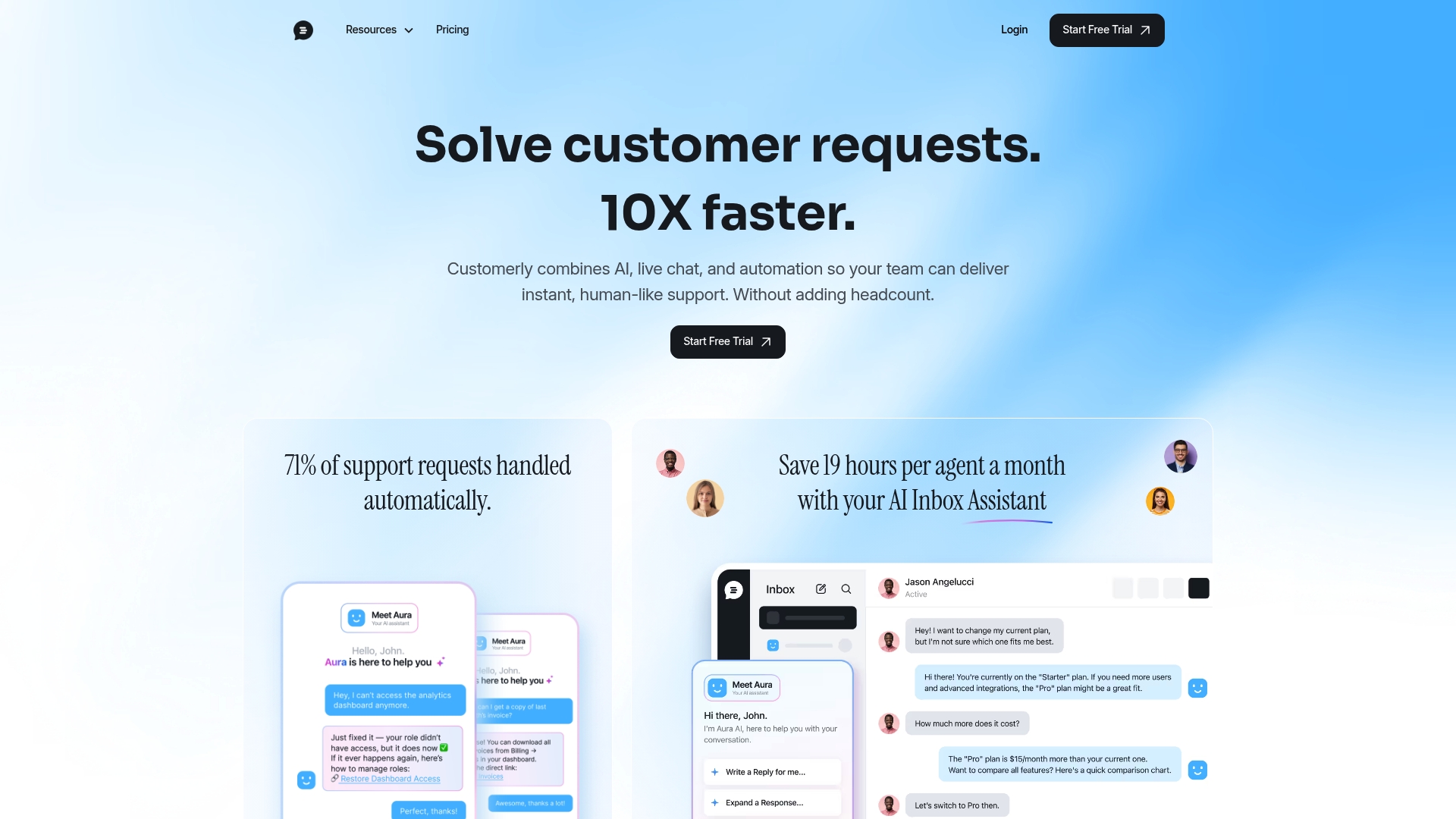
Customerly's marketing materials claim Aura AI resolves 71% of support tickets automatically, a headline figure that positions automation at the center of its pitch. The product bundles live chat, surveys, knowledge base, and marketing automation with EU data storage and GDPR-focused privacy controls.
Core Features
Customerly combines conversational automation and agent tools with self-service and feedback collection.
- AI-powered live chat and bot flows for routing, personalization, and automated replies.
- Help center with AI article matching and multilingual instant translation for global customers.
- Built-in CRM, NPS and CSAT surveys, advanced chatflows, and a shared inbox for team collaboration.
Key Differentiator
The vendor advertises Aura AI as a high-volume ticket resolver, aiming to shift load away from agents through automated conversations and AI article suggestions. That automation-first posture contrasts with Coevy, which emphasizes session replays and code-aware assistant features that tie responses directly to an application’s source code.
Pros
- Faster first response: the AI assistant Aura handles common queries and hands off complex threads, reducing routine agent touchpoints.
- Quick deployment for small teams: setup takes minutes and the interface suits compact support squads without a dedicated ops resource.
- Multilingual coverage: instant translation and language support let you field tickets across regions without separate localization work.
- Integrated feedback loop: NPS, CSAT, and in-app surveys live alongside support tools so product teams get signals without extra exports.
- Flexible automation: chatflows support attributes, conditions, and notifications for onboarding or engagement sequences.
Cons
- Vendor responsiveness: some users report slow or inconsistent vendor support, which is problematic when platform incidents affect customers.
- Billing clarity: users have flagged confusion over interaction-based pricing and AI credits, creating surprise costs during growth spikes.
- Enterprise limitations: Customerly lacks deep customization and on-premises options required by large organizations with strict controls.
When It May Not Fit
If you run a large enterprise that needs on-premises deployment, heavy custom integrations, or advanced SSO and governance, Customerly will feel constrained. Teams that demand a vendor with guaranteed rapid support response for production incidents should budget for that gap or choose a vendor with enterprise SLAs.
Notable Integrations
Customerly connects to common automation and integration layers to move data and trigger workflows.
- Zapier for no-code connectors.
- Public APIs for bespoke integrations.
- Webhooks for real-time event forwarding.
Who It's For
Startups and small to mid-sized SaaS or ecommerce support teams that want to consolidate chat, help center, and basic marketing automation under one roof. Choose this if you prioritize conversation automation and EU data residency over deep enterprise customization.
Real World Use Case
According to the company, one SaaS customer automated 60% of support tickets with Aura, cutting manual handling and improving response times. That reported outcome illustrates how teams reduce repetitive work while preserving human escalation for complex issues.
Pricing
Plans start at $9 per seat per month for basic access, with AI conversations billed around $0.45 per conversation and higher tiers unlocking more automation and analytics. Billing mixes per-seat and usage elements, so forecast inbound interaction volume before committing.
Website: https://customerly.io
Comparing In-App Customer Support Platforms
Choosing a platform for in-app customer support requires balancing features, usability, and implementation needs for each organization's unique requirements. In this analysis, we highlight key distinctions among three viable options—Coevy, Chatwoot, and Customerly—to assist teams in finding their best-fit solution.
Feature Capabilities and AI Integration
Coevy introduces a novel approach by merging session replays with AI-driven reproduction steps, enhancing clarity in bug reporting and resolution processes. When compared, Chatwoot integrates AI features through its Captain assistant, excelling at context management for omnichannel support, while Customerly focuses on high-volume automation with Aura AI optimizing ticket handling. Each product reflects a unique adaptation of AI capabilities to support scenarios.
Accessibility and Customization
For teams prioritizing customization and deployment flexibility, Chatwoot's open-source nature and support for self-hosted solutions enable tailored data custody configurations, an essential criterion for privacy-conscious teams. On the other hand, Coevy and Customerly provide hosted services requiring less configuration but offer fewer deployment customizations. This tradeoff highlights that self-hosting requires technical resources while offering control.
Best Fit
- Coevy: For teams aiming to enhance debugging processes significantly with session replays and AI-assisted reproduction steps.
- Chatwoot: Ideal for organizations that manage multi-channel communication and require granular deployment flexibility and data control.
- Customerly: Suited for smaller teams needing turnkey AI-driven ticket resolution and multilingual functionality without complex setup requirements.
Our Pick
Coevy's session replay integration and AI-generated reproduction steps present a compelling approach for teams whose primary concern is streamlining diagnostics and enhancing collaboration between support and engineering. Its focused feature set aimed at reducing operational friction makes it highly applicable in environments requiring support workflows tightly integrated with existing software platforms. However, teams requiring multi-channel communication strategies or those focusing on rapid setup for automation should consider Chatwoot or Customerly.
In-App Customer Support Software Comparison
Discover how leading customer support platforms compare in key functions to identify the most suitable solution for your business needs.
| Product | Key Differentiator | Best For | Pricing | Limitation |
|---|---|---|---|---|
| Coevy | All-in-one widget with AI-driven codebase insights | Web-first SaaS teams requiring seamless handoffs | Not disclosed | Limited to private beta phase |
| Chatwoot | Open source with self-hosted options | Multi-channel support needing data control | Free tier, paid plans from $19/agent/month | Chat engagement tools less effective |
| Customerly | AI-first automation via Aura assistant | Startups prioritizing automated ticket resolution | Plans from $9/seat/month, AI billed $0.45/conversation | Vendor support inconsistencies |
Discover a Smarter Alternative to Crisp.chat for Support and Feedback
If you find yourself frustrated by the limits of traditional chat tools like Crisp.chat especially when it comes to missing context around bugs or inefficient ticket handoffs Coevy offers a fresh approach tailored for web-first SaaS teams. It goes beyond just chat by embedding user feedback widgets directly in your app combined with session replays and AI-generated reproduction steps that link issues to your actual codebase. This reduces guesswork and repetitive follow-ups that slow down resolving problems.

Experience how Coevy cuts the friction in support workflows with integrated ticketing and AI-powered triaging designed to prioritize the right issues fast. Don’t let vague bug reports waste your engineers’ time. Visit Coevy and see how attaching replay footage and code-aware insights can speed your debugging process within minutes.
Frequently Asked Questions
How does Coevy help reduce bug reporting friction?
Coevy minimizes diagnostic friction by attaching session replays and AI-generated reproduction steps directly to support tickets. This feature allows engineers to see the exact browser state that produced a bug, shortening the time needed to reproduce issues. Utilizing Coevy can help improve your team's efficiency in resolving user-reported issues.
What is the difference between Coevy and Chatwoot regarding deployment options?
Chatwoot offers both cloud-hosted and self-hosted deployment options, giving support teams more control over data and customization. In contrast, Coevy focuses on integrating support directly within the app to streamline the issue identification and resolution process. If your team requires extensive customization and control, Chatwoot may be more suited for that need.
Which platform is better for teams needing comprehensive feedback capture?
Coevy is designed specifically for collecting feedback, session replays, and AI-generated support insights all in one place. This all-in-one widget captures context directly within your web app, reducing the need for extra tools. Consider Coevy if seamless in-app integration is a priority for your product management workflow.
Can I use Coevy if my team primarily requires omnichannel support?
Coevy excels in embedding customer support directly within applications, while platforms like Chatwoot are built for omnichannel handling across chat, email, and social platforms. If omnichannel support is vital, you might want to assess Chatwoot, but remember that Coevy's in-app functionality enhances user interaction right where they engage with your product.
How does Coevy's AI triaging function to improve support efficiency?
Coevy utilizes AI-powered issue triaging and tagging to prioritize work based on context, which helps speed up ticket resolution. This automation reduces manual sorting and lets teams focus on critical issues more quickly. For teams wanting to accelerate their support response, Coevy offers a compelling solution.