
Capturing actionable in-app user feedback that actually helps engineers and designers fix bugs or improve products often turns messy when context is missing or reports are vague. Some feedback tools lack direct integrations with issue trackers, force extra logins, or rely on email attachments and screenshots that slow down the workflow for SaaS teams and agencies. This list compares five leading in-app feedback software so you can pick the tool that collects rich, contextual bug reports and fits your team's product pipeline.
Table of Contents
Coevy
At a Glance
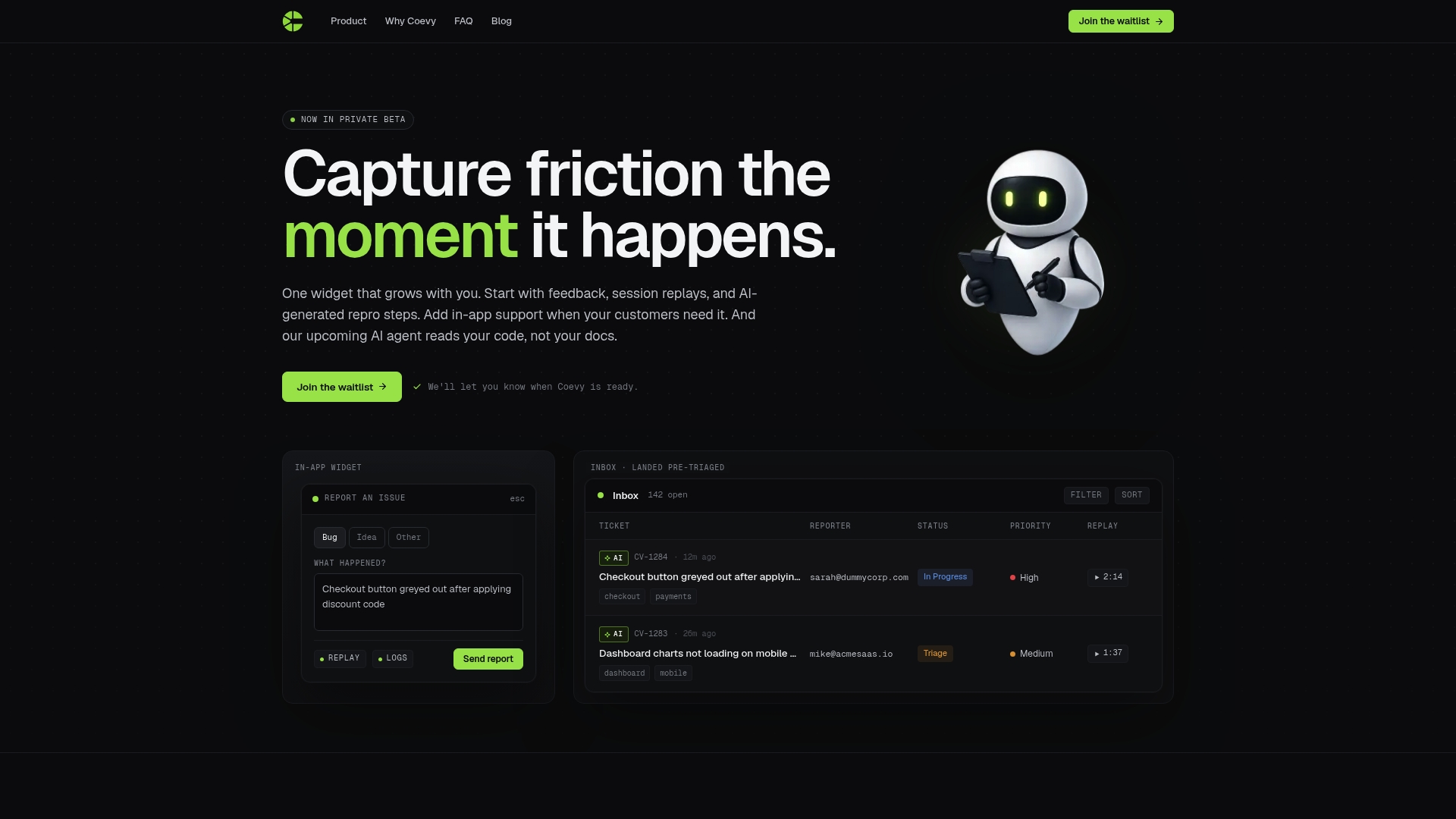
An upcoming codebase-aware AI agent that reads actual source code rather than documentation anchors Coevy’s private beta. The product pairs an embeddable feedback widget with session replays and AI-generated reproduction steps to turn user reports into developer-ready context.
Coevy is currently in private early access and positioning itself for growing SaaS teams that want a single feedback and support surface.
Core Features
- In-app feedback widget for bug reports, feature requests, and NPS collection embedded directly into your product.
- AI-generated reproduction steps derived from session replays, console logs, and network requests to reduce ambiguous bug reports.
- Session replays that include console logs and network traces so engineers see what the user experienced.
- Unified support inbox with pre-triaged tickets and AI tagging to cut triage time.
- An upcoming codebase-aware AI support agent that answers questions based on actual source code rather than documentation alone.
Key Differentiator
A single embeddable widget that attaches full session context, AI repro steps, and pre-triaged tickets to every submission is Coevy’s core distinction. That design reduces the manual stitching product teams usually do between feedback, logs, and issue tracking.
Pros
- Embedding feedback collection and session replays in one widget simplifies data capture. Engineers get the trace and the replay without extra instrumentation.
- AI-generated repro steps turn noisy tickets into step-by-step reproductions pulled from real activity and network requests. That lowers back-and-forth with reporters.
- Pre-triaged tickets with AI tags reduce inbox noise so support and engineering focus on high-impact items first.
- The planned code-reading agent promises developer-focused answers tied to actual source files which should reduce time spent guessing where a bug lives.
- Designed to scale with product needs so teams can start with basic feedback and opt into deeper support features as they mature.
Cons
- Private beta status means features and stability are evolving and pricing has not been finalized; you should expect changes during early access.
Who It Fits
Product managers and developers at growing SaaS companies who want to capture reproducible bug reports without juggling multiple tools. Useful for small teams that need developer-ready context attached to each support ticket and plan to adopt AI assistance as features mature.
Unique Value Proposition
Embedding one widget that automatically captures session replays, console output, network traces, and AI repro steps turns most user reports into developer tickets. That reduces manual collection and speeds the handoff from support to engineering in a single interface.
Real World Example
A startup deploys Coevy to collect in-app bug reports. When a user files a ticket the team receives a replay, console logs, and AI-written repro steps. Engineers reproduce the bug on the first attempt and avoid multiple follow-up messages, letting the team close tickets faster and keep product releases on schedule.
Pricing
Pricing details are not available during private beta. The product is currently informational for early access applicants and the vendor has not yet announced public plans.
Website: https://coevy.com
Usersnap
At a Glance
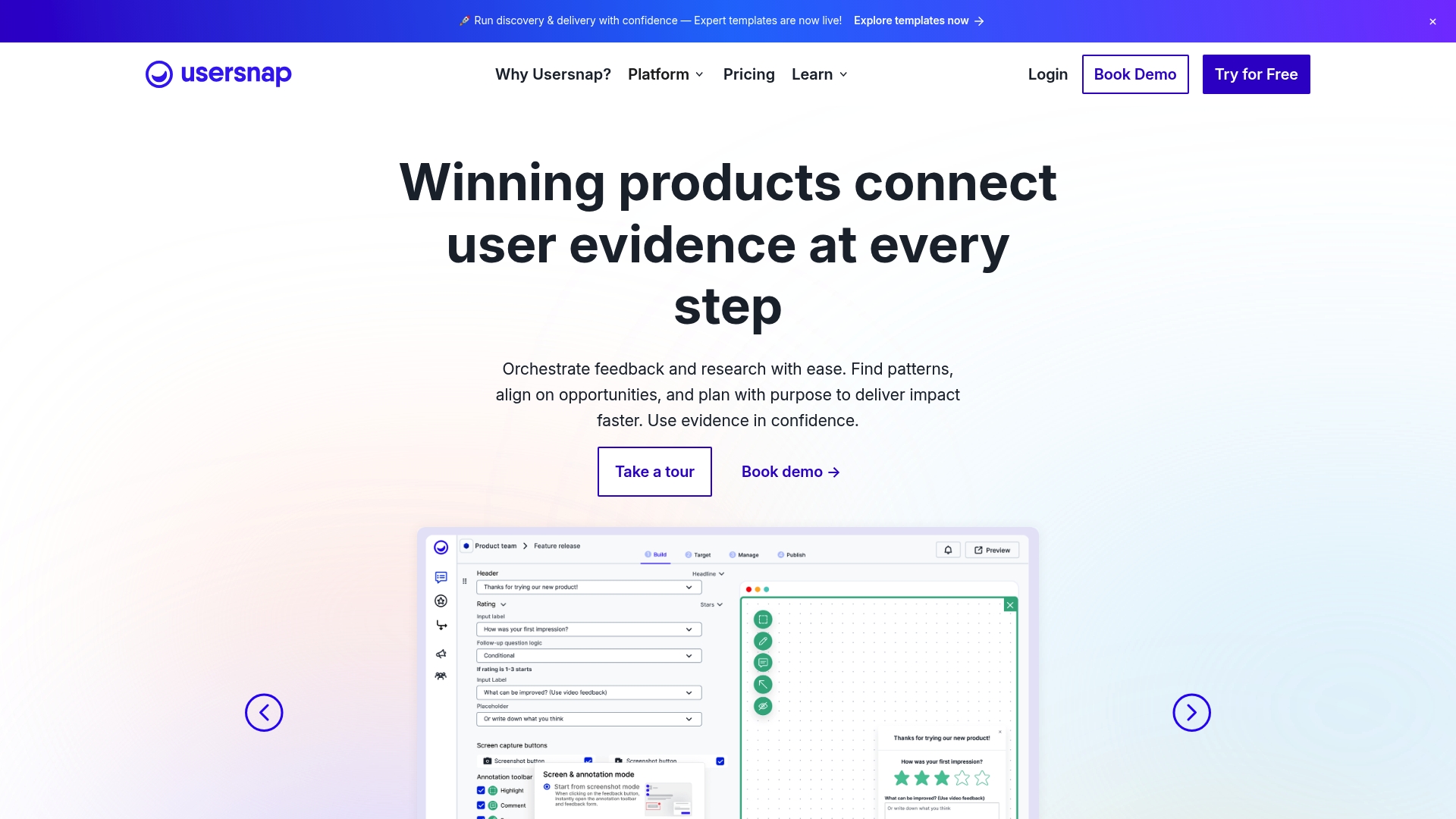
The vendor advertises integrations with Jira, Slack, Zendesk and more than 100 other tools, plus AI-powered sentiment detection and categorization in beta. That mix makes Usersnap feel like a single place to capture visual evidence and funnel it into existing dev and support pipelines.
Core Features
Usersnap focuses on visual feedback capture: screenshots with annotations, screen recording, and voice feedback. It includes customizable feedback forms and in-app surveys with templates to reduce setup time.
The dashboard offers collaborative workspaces with roles, Kanban boards, and activity tracking. The vendor also promotes AI analysis for sentiment and automatic categorization and claims hypothesis generation in beta.
Key Differentiator
Usersnap combines visual bug reporting with an emphasis on feeding evidence directly into developer workflows. The two-way sync options and broad integration list are designed so product teams can attach annotated screenshots and recordings to tickets without manual upload steps.
Pros
- Quick evidence collection. The screenshot annotation and video capture tools let reporters show exactly what failed, saving dev time on repro questions.
- Workflow fit. Two-way syncs to tools like Jira and Azure DevOps keep issues in your existing boards instead of creating a separate queue.
- Setup and branding. Customizable templates and no-code form design let product and support teams get a branded widget running in hours, not weeks.
- Collaboration. Roles, activity logs, and a Kanban view centralize who is handling feedback and why, which reduces inbox noise.
- AI assistance. The vendor advertises automated sentiment detection and categorization to reduce manual triage for high volume feedback.
Cons
- Reporting friction. Several users report that internal reporting and exported data are cumbersome to manipulate, which slows quantitative analysis for large data sets.
- Learning curve. Teams new to visual feedback tools or the AI features will need time to tune rules and templates for reliable results.
- Export limitations. Data-heavy exports require additional processing outside the platform to produce clean analytics or ad hoc slices.
When It May Not Fit
If your team relies on lightweight, easy CSV exports for analytics, Usersnap's reporting workflow can add overhead. Large enterprises that need immediate, out-of-the-box BI reporting may find the export and manipulation steps restrictive.
If your organization has no existing issue tracker, the value of Usersnap's integration-first model diminishes because its strengths assume an external workflow hub.
Notable Integrations
- Jira
- Azure DevOps
- Trello
- Slack
- Zendesk
- GitHub
- PowerBI
- API access
Who It's For
Product managers, developers, and customer support teams that want visual bug reports tied directly to tickets. Teams that already use Jira or Azure DevOps and want to stop chasing screenshots will see the most immediate benefit.
Real World Use Case
A SaaS team adds the Usersnap widget to their beta release. Beta users submit annotated screenshots and short recordings. Issues auto-categorize via the AI features and sync into the team’s Jira project, cutting the triage backlog and speeding fixes.
Pricing
Usersnap offers a free trial and paid plans. The vendor lists plans starting at €39 per month for basic packages and provides enterprise customization for larger deployments. See the pricing page for current tiers and trial details.
Website: https://usersnap.com
BugHerd
At a Glance
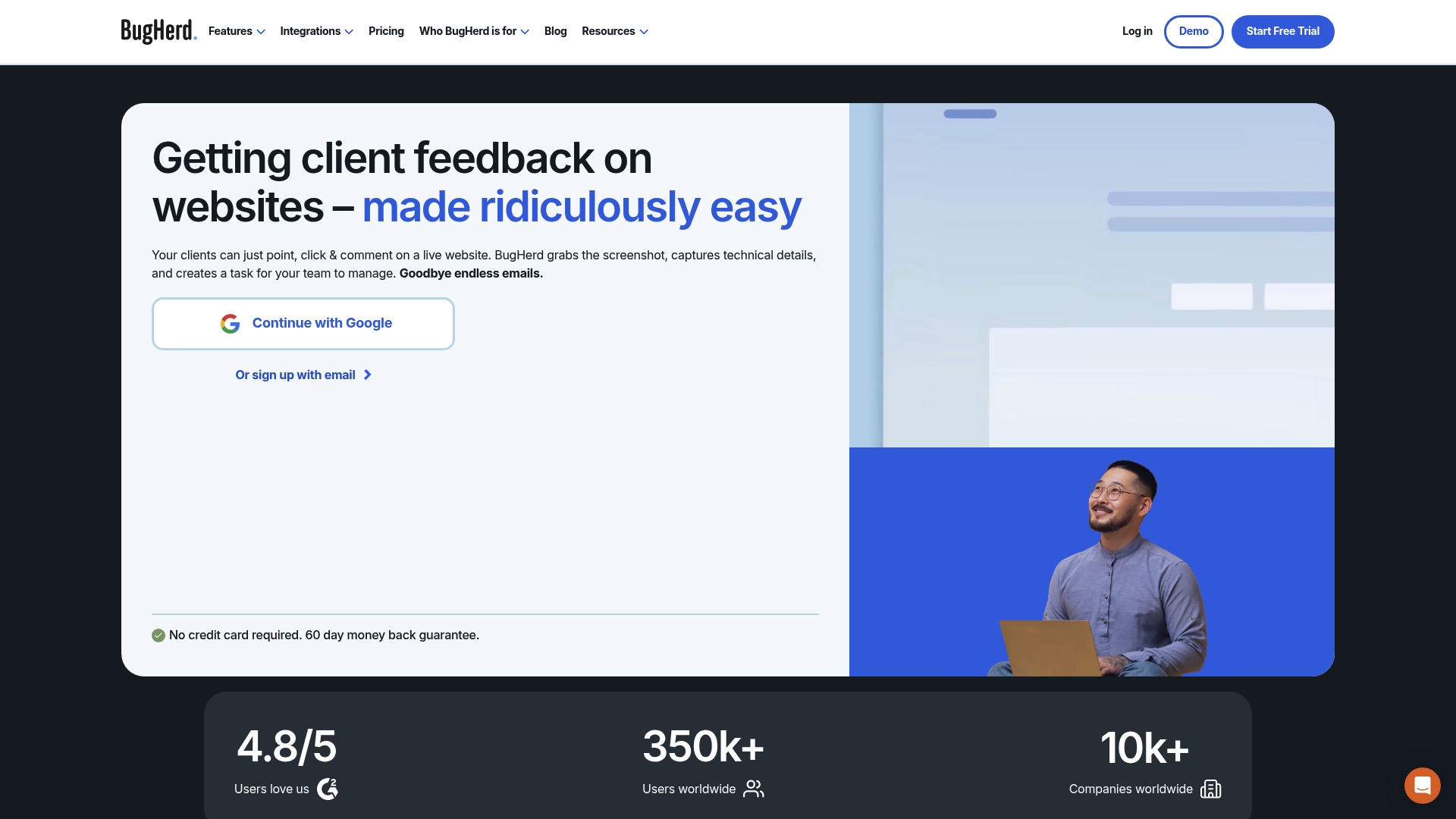
Starting at $42 per month when billed annually, BugHerd turns point-and-click annotations on live sites into tracked tasks and comments. The interface captures screenshots and technical context so feedback becomes actionable without long back-and-forth with clients.
Core Features
- In-context feedback with pinpoint annotations placed directly on pages or designs.
- Suggest text edits and record video feedback to show intended changes rather than describing them in email.
- Automatic capture of screenshots plus technical metadata so developers get page state and browser details with each report.
- Built-in task board that surfaces visual feedback as Kanban cards for assignment and tracking.
Key Differentiator
BugHerd focuses on visual feedback that lives on the page. That direct annotation model reduces ambiguity by attaching location, screenshot, and environment data to each note. It integrates with project trackers so comments can follow the existing engineering workflow rather than sit in a separate inbox.
Pros
- Teams onboarding clients report fast adoption because clients click and comment on the page instead of learning a new project tool.
- Developers get context with every issue thanks to automatic screenshots and metadata, which shrinks reproducibility time.
- The integrated Kanban board makes it possible to manage feedback without switching tools for small teams.
- Jira and other integrations let you push issues into developer workflows so nothing is manually retyped.
- Support responsiveness and steady feature updates are commonly cited by teams that rely on the tool for client work.
Cons
- Some third-party reviews mention occasional glitches that affect screenshot accuracy or notification delivery, which can interrupt a fast feedback loop.
- The interface packs many features into a single view and can feel cluttered to new users who just want a simple comment tool.
- A few users report inconsistent behavior with the screenshot capture on complex or heavily scripted pages.
When It May Not Fit
If your team needs enterprise scale auditing or advanced access controls, BugHerd's simpler permission model may not match your requirements. If you rely on pixel-perfect screenshots for complex single page applications there is a chance you will hit capture inconsistencies and need workarounds.
Notable Integrations
- Jira
- Asana
- ClickUp
- Monday.com
- Trello
- Linear
- Productive
- Teamwork
Who It's For
Web agencies, in-house digital teams, and freelancers who collect client feedback on live sites and want comments to become prioritized tasks quickly. Product teams that rely on visual proof and short feedback cycles will get the most immediate value.
Real World Use Case
A digital marketing agency asks clients to annotate a staging site. Each comment becomes a BugHerd task with a screenshot and browser details. Tasks are pushed into Jira so developers see reproduction data and deployment notes without chasing the client for clarification.
Pricing
Plans start at $42 per month when billed annually for the Standard level. BugHerd offers Studio, Premium, and Custom tiers for larger teams and enterprise needs. Additional members and agency bundles are available for extra fees.
Website: https://bugherd.com
Userback
At a Glance
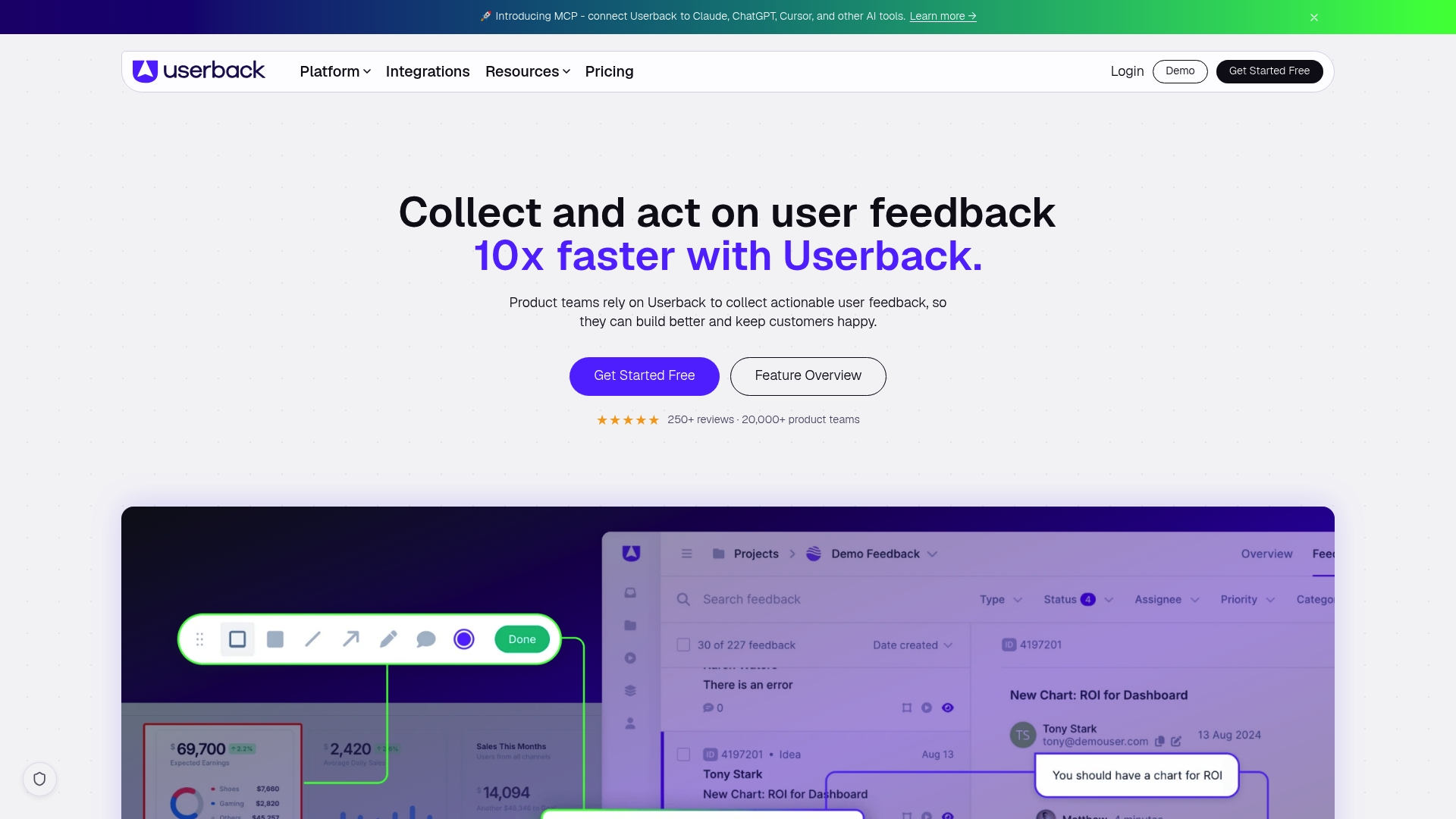
The vendor reports being trusted by over 20,000 product teams worldwide, a self-reported figure that shows its market reach. Userback bundles annotated screenshots, session replays, and video reports into a single feedback flow so product teams get visual context without chasing users for details.
Core Features
At the center is the Feedback Widget for in-app visual reports and screen annotation that captures DOM context with each submission.
Session Replay and Video Recording let you watch user interactions; the product includes a Feature Portal for community voting and built-in user surveys to collect sentiment.
Key Differentiator
Userback’s angle is the tight combination of visual context and developer workflow hooks. It attaches annotated screenshots and replay context to tickets and supports automation that can close the feedback loop, so engineers see repro steps and metadata alongside the issue.
Pros
Speeds client feedback during web development by capturing annotated screenshots and browser context, which reduces back-and-forth clarifications.
The interface is intuitive for nontechnical users. Reporting a bug often takes a few seconds and requires no technical vocabulary.
Session Replay paired with visual annotation provides clear reproduction clues that cut triage time for developers.
Integrations and frequent updates mean the tool fits into existing workflows rather than forcing a new process.
Cons
Initial onboarding can confuse teams that try to map every incoming report into complex internal workflows. Training reduces the friction but requires a few sessions.
Notification configuration has occasional hiccups for teams depending on precise alert routing, which can create duplicate or missed notifications.
Advanced features present a learning curve for nontechnical clients who only submit simple screenshots and avoid deeper annotation tools.
When It May Not Fit
If your organization requires deeply customizable workflow engines or an on-premise deployment model, Userback may not meet those needs. The product favors hosted, straightforward feedback flows rather than heavily modified enterprise workflow automation.
Notable Integrations
Userback connects to a wide set of development and support tools.
- Jira
- GitHub
- Slack
- Intercom
- Zendesk
- Trello
- Asana
- Monday.com
Who It's For
Product teams, UX designers, and SaaS companies that need visual, contextual feedback tied directly to issue trackers. It suits small to mid-size engineering teams that want clear reproduction data without building custom capture tooling.
Real World Use Case
A SaaS company added Userback to its customer portal. Reported bugs arrived with annotated screenshots and session replays attached to Jira issues, which reduced time to reproduce and fixed high-impact bugs faster while improving user satisfaction.
Website: https://userback.io
Ruttl
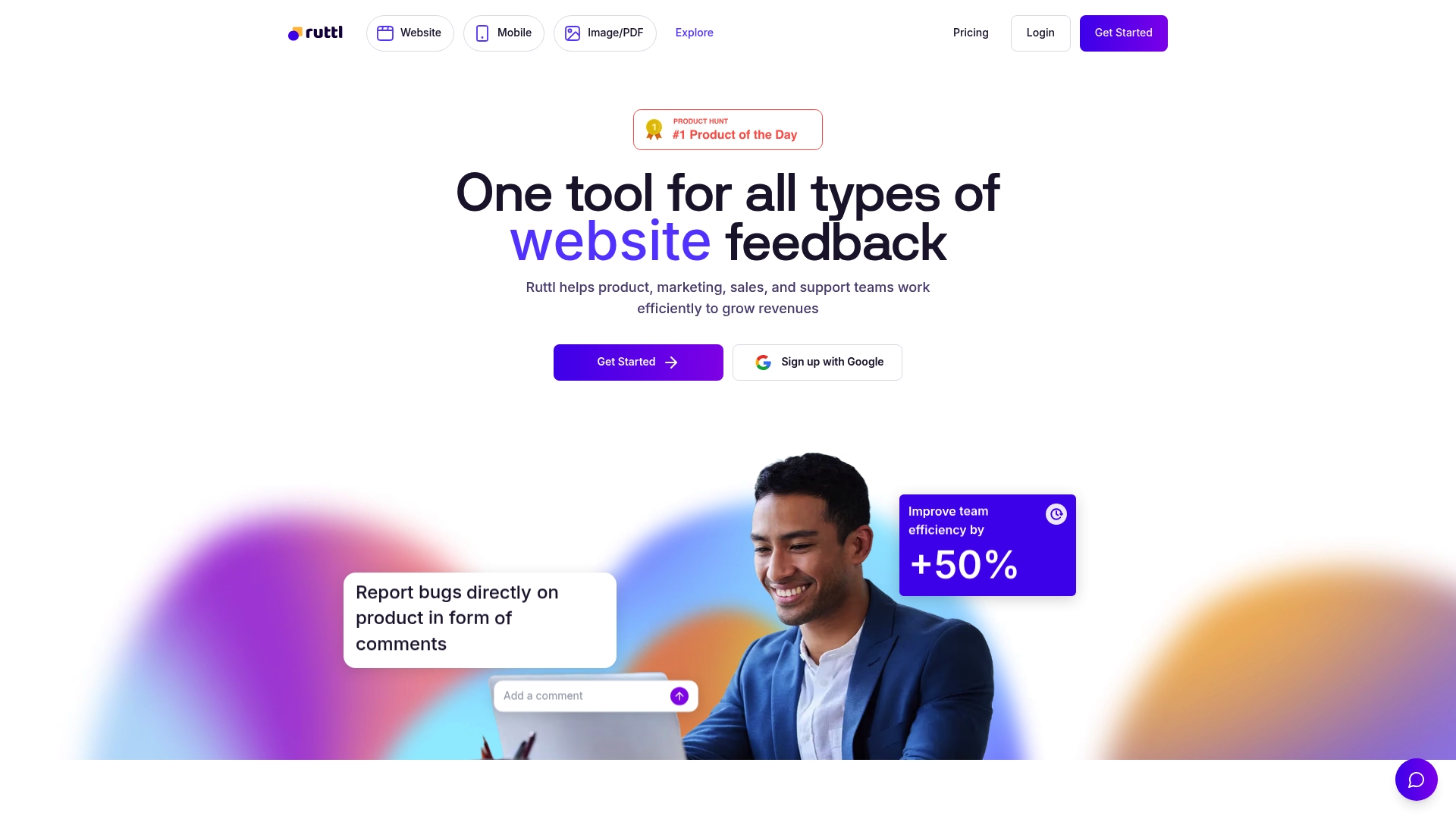
At a Glance
Ruttl reports more than 1 million businesses, professionals, and creators use the tool, a scale that shows up in its straightforward onboarding and template set. Users also report unauthorized recurring charges after cancellation and recurring bugs that interrupt basic workflows.
Core Features
- Pixel-perfect feedback on live websites, mobile apps, PDFs, and images so annotations line up with production visuals.
- Commenting directly on live pages or app screens, letting stakeholders mark areas rather than describe them in email.
- Version control for feedback iterations so you can compare rounds and roll back if needed.
- Mobile plugin and API options for in-app bug reporting.
Key Differentiator
The product's standout feature is real-time visual annotation on live sites and app screens. That capability reduces guesswork during reviews because designers and engineers see comments placed in the exact production context rather than recreated screenshots.
Pros
- Simple interface that gets clients leaving precise comments in minutes instead of sending long email threads.
- Improves handoff between designers and developers by attaching visual context and version history to each comment.
- Broad media support lets teams mark up PDFs and images alongside live pages, keeping all review assets together.
- Integrates with common trackers and chat tools, so feedback becomes actionable work items in your existing workflow.
Cons
- Multiple users report unauthorized recurring billing after cancellation, a serious trust issue for billing-sensitive teams.
- Recurring technical bugs have been reported in third-party reviews and user feedback, which can disrupt review cycles.
- Support responsiveness is inconsistent according to user reports, leaving some issues unresolved for longer than expected.
- The forced multi-seat pricing model can push costs up unexpectedly for mid-size teams.
When It May Not Fit
If your organization needs strict billing guarantees or an enterprise SLA for uptime and support, Ruttl's reported billing and stability issues make it risky. Also avoid Ruttl when you require per-seat flexibility rather than bundled multi-seat plans.
Notable Integrations
Ruttl connects to the tools teams already use.
- Slack
- Trello
- Asana
- Jira
- Zapier
Who It's For
Designers, front-end developers, product managers, and digital agencies that run frequent live-site reviews and want a visual, low-friction way to collect feedback. Not ideal for teams that require guaranteed billing controls or enterprise-grade support response times.
Real World Use Case
A digital agency conducts client reviews on staging and production sites. Clients drop comments directly on the page, the team sends failing items to Jira via the integration, and designers attach version-controlled screenshots so developers reproduce fixes quickly.
Pricing
Free tier available for light use. Pro starts at $18/month per seat. Enterprise pricing is custom and negotiable for larger teams with additional needs.
Website: https://ruttl.com
Intro pre-write:
- Does coevy.com clearly outpace every usable competitor on a single dimension? YES
- If YES: dimension where coevy.com wins — Unified feedback widget combining session replays and AI-generated reproduction steps.
- First sentence draft: In the landscape of in-app feedback solutions, the unique capabilities of platforms highlight the various tradeoffs teams face when selecting a tool.
Competitor win pre-write:
- Which competitor wins which dimension: Usersnap wins visual integration depth because of its extensive annotation features aiding team communication.
- Does this dimension matter to the primary reader? YES
Best Fit uniqueness check:
- List each bullet scenario in one clause: for growing SaaS teams seeking automatic bug reproduction steps / for teams prioritizing deep visual feedback options only / for those needing live site pixel-perfect annotations / for lightweight use cases with streamlined pricing structures
- Can any two be swapped without changing meaning? NO
Our Pick pre-write:
- The ONE capability unique to coevy.com in this set: AI-generated step-by-step activity reproduction based on session data.
- Evidence from the reviews: "AI-generated reproduction steps derived from session replays, console logs, and network requests to reduce ambiguous bug reports."
- Closing sentence draft: While certain narrow applications might align better with specific alternatives, developers seeking feedback solutions will greatly benefit from Coevy’s integrated and forward-thinking approach.
- Substitution test: While certain narrow applications might align better with BugHerd, developers seeking feedback solutions will greatly benefit from Coevy’s integrated and forward-thinking approach.
- Does the substituted version still work as a recommendation? NO
- If YES: rewritten closing sentence: Certain use cases align well with individual offerings tailored to those purposes; however, Coevy’s sophisticated integration serves those prioritizing consolidated and automated bug report preparation.
{"text":"## Comparing the Features and Applications of In-App Feedback Platforms
In the landscape of in-app feedback solutions, the unique capabilities of platforms demonstrate the various tradeoffs teams face when selecting a tool. Here, we explore the comparative strengths of Coevy, Usersnap, BugHerd, Userback, and Ruttl, identifying their value for different team needs.
Optimized Feedback Automation
Coevy sets itself apart with its AI-generated reproduction steps, linking session replays and error contexts into developer tickets. In contrast, BugHerd focuses on simplicity with its direct annotation functionality tailored to non-technical stakeholders, facilitating quick feedback loops for live websites.
Visual and Workflow Integration
Usersnap excels at integrating detailed visual feedback and providing tools like annotated screenshots and sentiment analysis, ensuring communication from team discussions to final implementations. However, Ruttl appeals to teams needing pixel-perfect design feedback, enabling precise annotations directly on high-fidelity visuals.
Best Fit Recommendations
- For growing SaaS teams seeking streamlined bug reproduction, Coevy offers an integration of AI tools that provide ready-to-use context for development teams.
- For those requiring deep visual feedback options, Usersnap offers advanced annotation and a wide range of accessible tools for analysis.
- For users prioritizing design precision, Ruttl excels with direct interaction on high-quality assets, offering meticulous control over annotations.
- For cost-conscious teams, BugHerd provides a straightforward, affordable solution for capturing user feedback with browser-specific metadata.
Our View
While certain narrow applications might align better with individual alternatives, developers seeking to consolidate feedback automation and contextual accuracy gain distinct advantages from Coevy. Its embedded AI feedback tools and developer-centric design position it as a valuable choice, especially as teams scale and aim for streamlined reproducibility workflows."} } } } } } }
In-App Feedback Software Comparison
Explore the features and trade-offs of leading in-app feedback platforms to streamline your bug report and feedback workflows.
| Product | Core Feature / Use Case | Key Differentiator | Best For | Pricing | Notable Limitation |
|---|---|---|---|---|---|
| Coevy | Unified feedback widget with AI-generated repro steps | Codebase-aware AI agent for precise answers | Growing SaaS teams needing comprehensive tools | Not disclosed | Early beta phase; features and stability evolving |
| Usersnap | Visual feedback capture with screenshot and annotation capabilities | Broad integration with workflows | Teams using Jira or similar tools | Starting at €39/month | Reporting exports are cumbersome for large data sets |
| BugHerd | Visual, live-site annotations tied to technical metadata | Direct annotation on the page | Digital teams requiring fast client adoption | Starting at $42/month | Occasional glitches in screenshot accuracy on complex web pages |
| Userback | Visual reports combining screenshots, session replays, and metadata | Developer workflow integration | Small to mid-size teams | Not disclosed | Notification system may cause duplicate or missed alerts |
| Ruttl | Pixel-perfect feedback on various media formats | Real-time annotations on live sites | Designers and agencies seeking visual feedback | Starting at $18/month/seat | Occasional recurring technical issues reported by users |
Find a Better Fit for Your Feedback Needs with Coevy
Choosing the right blocfeed.com alternatives can feel overwhelming when your team struggles with unclear bug reports and scattered user feedback. Coevy solves this by embedding a single widget that captures session replays, console logs, and AI-generated reproduction steps, giving developers the exact context needed to fix issues faster. Say goodbye to endless back-and-forth and manual triage.
Get clear, actionable bug reports with:
- AI-powered auto-tagging and prioritization
- A codebase-aware AI agent that understands real source code
- GDPR-compliant privacy features like field masking and IP anonymization

Don’t let unclear user reports slow your product road map. Explore how Coevy can unify your customer support and development feedback in one scalable platform by visiting Coevy’s website. Take charge today and receive developer-ready bug reproductions that accelerate your fixes and release cycles.
Frequently Asked Questions
How does Coevy streamline the bug reporting process?
Coevy offers an in-app feedback widget that captures bug reports alongside context from session replays and AI-generated reproduction steps. This feature reduces ambiguity in user submissions, allowing developers to understand exactly what happened during a reported issue. Teams looking to enhance their bug reporting efficiency by attaching detailed context should consider implementing Coevy.
What is the difference between Coevy and Usersnap regarding visual feedback?
Usersnap excels in visual feedback capture, combining features like annotated screenshots and screen recordings to provide clear context for developers. Coevy, on the other hand, integrates session replays with AI-generated repro steps, focusing on turning user reports into developer-ready tickets. Depending on your requirement for visual annotations versus detailed technical context, you may find both tools valuable in different scenarios.
Which platform offers more advanced integration options for developers?
Usersnap supports over 100 integrations with tools like Jira, Slack, and Zendesk, making it a versatile choice for teams heavily reliant on existing workflows. While Coevy also provides integration capabilities, its primary focus is on embedding feedback directly in your app for real-time insights, appealing to teams looking to enhance immediate user interactions rather than broader integration scenarios. Teams should evaluate their integration needs when considering these options.
Can I capture user feedback with Coevy if I’m using multiple development tools?
Yes, Coevy allows you to manage user feedback and bug reports through its unified support inbox, reducing the complexity of juggling multiple tools. The pre-triaged tickets and built-in AI tagging ensure that important issues are prioritized, making it easier for tech teams to focus on critical tasks. As a starting point, consider leveraging Coevy’s streamlined features to simplify your feedback process.
What advantages does Coevy offer for fast-growing SaaS companies?
Coevy is designed to scale with product needs and provides features like in-app feedback collection paired with session replays to facilitate development as user requests grow. This unique combo allows teams to capture valuable user insights without needing redundant tools. Fast-growing SaaS companies should evaluate Coevy’s adaptable features as they aim for greater efficiency in feedback management.