Most product teams already know they should collect user feedback. The problem is how they collect it. Email surveys arrive hours after a user hits a confusing screen, response rates hover below 15%, and the replies you do get are vague because context has faded. The benefits of in-app feedback collection fix exactly this. Instead of asking users to recall an experience, you capture their thoughts at the precise moment friction occurs. This article breaks down what those advantages actually look like in practice and how to implement them without burning out your users.
Table of Contents
- Key Takeaways
- 1. Response rates you can actually build strategy around
- 2. Questions that land because they match the user's context
- 3. Insights that explain behavior, not just describe it
- 4. Faster product iteration with less roadmap guesswork
- 5. Higher user trust when you close the feedback loop
- 6. Workflow efficiency gains for your entire product team
- 7. Common pitfalls and how to avoid them
- What I have actually learned from watching teams implement in-app feedback
- See how Coevy puts these benefits to work
- FAQ
Key Takeaways
| Point | Details |
|---|---|
| Response rates jump dramatically | Event-based in-app surveys achieve 25–40% response rates versus 5–15% for email. |
| Context makes feedback richer | Capturing input inside the app reveals the "why" behind user behavior that analytics alone cannot explain. |
| Iteration cycles get faster | Validated, real-time feedback reduces roadmap guesswork and development waste. |
| Workflow integration multiplies value | Connecting feedback to your analytics and support tools turns raw input into routed, tagged, prioritized tasks. |
| Closing the loop is non-negotiable | Users who see their feedback acknowledged are far more likely to participate again. |
1. Response rates you can actually build strategy around
Generic email surveys deliver response rates of 5–15%. That number is too low to draw reliable conclusions. You end up making product decisions based on the opinions of your most vocal users, not a representative sample.
Well-targeted, event-based in-app surveys flip that. Response rates reach 25–40% when a question appears immediately after a user completes a relevant action. That is not a marginal improvement. It is a statistical foundation you can actually trust.
The mechanism matters. Behavioral triggers fire the survey exactly when the user has just experienced the thing you want to know about. Contrast that with untargeted, time-based surveys that interrupt users mid-task and produce response rates below 10%. Timing is everything.
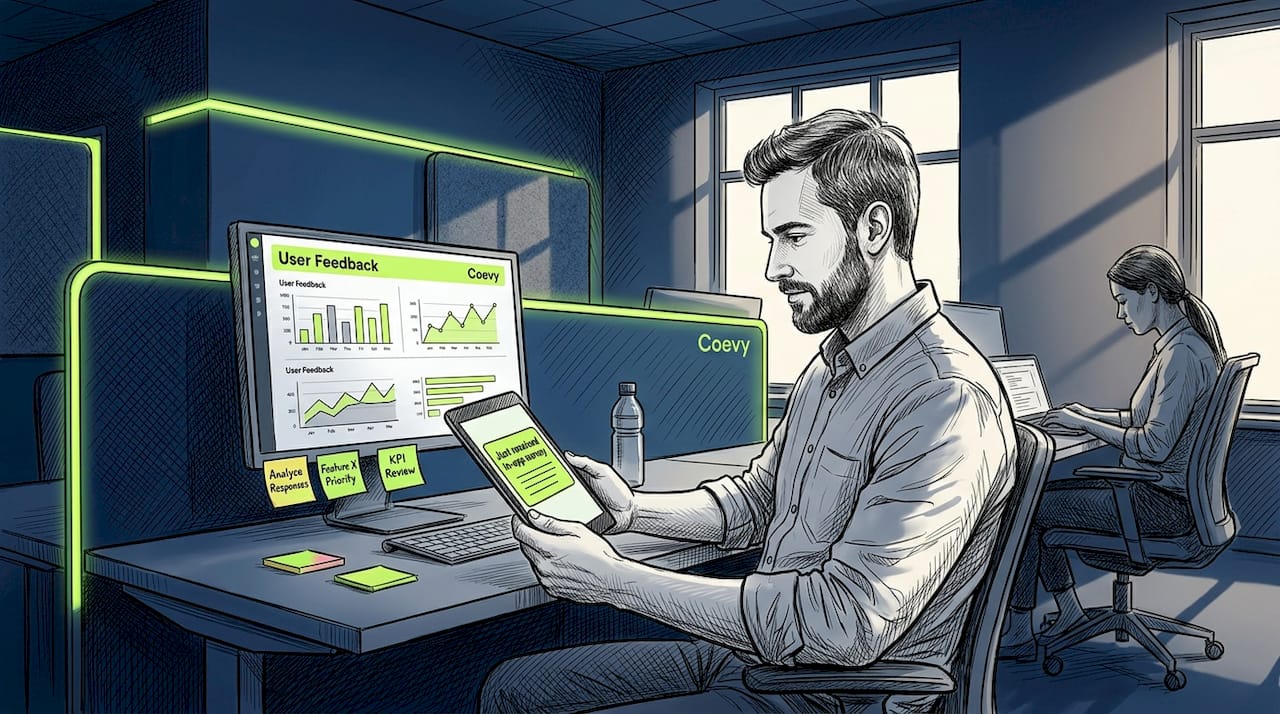
Pro Tip: Suppress surveys for users who have already responded in the last 30 days and for power users deep in a critical workflow. This single step cuts survey fatigue without reducing your data quality.
2. Questions that land because they match the user's context
The biggest challenge in collecting feedback is not choosing the right channel. It is targeting the right user with the right question at the right moment. In-app collection is the only method that solves all three simultaneously.
When a user finishes onboarding, you ask about onboarding. When they export a report for the first time, you ask if the output met their needs. This specificity means users answer about a real, fresh experience. The result is signal, not noise.
You can also segment by user role, plan tier, or behavior pattern. A question shown to users who just churned from a paid feature will tell you more about that feature than a survey sent to your whole list. Contextual targeting is where the real advantages of user feedback start to compound.
3. Insights that explain behavior, not just describe it
Analytics tell you what happened. They do not tell you why. You can see that 40% of users abandon the checkout flow at step three, but the data cannot tell you whether they found the form confusing, hit a technical error, or simply changed their mind.
Combining feedback with behavior analytics fills that gap. A short in-app prompt at the exact abandonment point gives you qualitative context that transforms a funnel metric into a fixable problem.
This is especially powerful for surfacing friction that users never report through support. Most people who hit a confusing UI element just leave. They do not file a ticket. In-app prompts at the right trigger catch these silent failures before they become churn. Here is what that means for the types of insights you gain:
- Interface confusion that users accept as normal rather than report
- Feature expectations that differ significantly from how the feature was designed
- Emotional responses tied to specific workflows, such as frustration at a slow load or relief when a task completes cleanly
- Gaps between what users wanted to do and what the product allowed
4. Faster product iteration with less roadmap guesswork
Feedback-informed roadmaps produce better product-market fit and faster iteration cycles. The reason is simple. When you validate assumptions before building, you stop spending engineering time on features users never wanted.
In-app collection accelerates this because the feedback is continuous, not periodic. You are not waiting for a quarterly NPS survey. You are pulling signal from every meaningful user interaction, every week. Issues surface earlier. Priorities become clearer. The distance between "we heard a problem" and "we shipped a fix" shortens.
| Feedback method | Speed to insight | Depth of context | Iteration impact |
|---|---|---|---|
| Quarterly email survey | Weeks to months | Low (memory decay) | Slow, reactive |
| In-app event-based survey | Hours to days | High (real-time context) | Fast, proactive |
| Support ticket analysis | Days to weeks | Medium (post-issue) | Reactive, issue-driven |
Pro Tip: Tag every in-app response with the user segment and the feature area. When you sit down to prioritize your roadmap, you can filter by "paid users who use feature X" instead of treating all feedback as equal.
5. Higher user trust when you close the feedback loop
Only 6% of brands improved customer experience scores year over year. One underrated reason is that most companies collect feedback and then go silent. Users notice.
Users are 50% less likely to provide feedback again if their previous input received no acknowledgment. That is a compounding problem. Your feedback quality degrades over time because the users most willing to engage stop bothering.
Closing the loop does not require shipping every requested feature. Publicly explaining why a request was deprioritized or declined actually increases user trust more than a vague "we're working on it." Users respect transparency. They disengage from silence. Building a real customer feedback loop is what separates teams that collect data from teams that build loyalty.
6. Workflow efficiency gains for your entire product team
Feedback that lands in a spreadsheet and waits for someone to manually tag and route it is not a system. It is a bottleneck. In-app feedback tools that connect directly to your existing stack change that.
Integrating feedback tools with analytics and communication platforms reduces triage time and improves how fast your team responds. The practical gains include:
- Auto-tagging responses by theme or feature area so product managers can filter without reading every submission
- Routing bug reports to engineering and experience feedback to design without manual handoffs
- Triggering follow-up messages automatically when a user's submitted issue is resolved
- Syncing feedback data to your CRM so support and sales have visibility into what users are saying
Platforms like Coevy take this further by attaching session replay and contextual data automatically to each submission, giving engineers exactly what they need to reproduce a bug without back and forth. You can explore how in-app feedback tools compare across SaaS teams to find the right fit for your stack.
7. Common pitfalls and how to avoid them
Knowing the in-app survey benefits does not protect you from misusing the format. Many teams implement in-app feedback, see initial enthusiasm, and then watch response rates decay because they made avoidable mistakes.
Here are the most common failures and what to do instead:
- Over-surveying the same users. Set frequency caps and suppress surveys for users who have responded recently. One high-quality response per user per month is more valuable than five rushed answers.
- Using time-based triggers instead of event-based ones. A popup that fires 30 seconds after login interrupts rather than informs. Tie every survey to a specific action, such as completing a task or reaching a milestone.
- Asking too many questions at once. Single-question surveys outperform multi-step forms in completion rate. If you need more depth, start with one question and branch conditionally.
- Never visibly acting on what you collect. Failing to act on feedback wastes resources and actively discourages future participation. Build a visible changelog or status board where users can see what their input influenced.
- Placing surveys in high-focus moments. Mid-task interruptions frustrate users. Trigger surveys at natural pause points: after task completion, before session exit, or when a user returns after a gap.
Pro Tip: The biggest bottleneck is not collecting data. It is moving from data to a decision. Assign a feedback reviewer role on your team whose job is to convert weekly submissions into a prioritized action list, not just a report.
Review your customer feedback software options before you build out your stack so you start with a setup that supports these best practices from day one.
What I have actually learned from watching teams implement in-app feedback
I have seen product teams get genuinely excited about in-app collection, set up their first survey, and then stall. Not because the tool failed them. Because they picked the wrong moment to ask or the wrong question to ask in it.
The most common mistake I have seen is treating the first implementation as final. A team will set one behavioral trigger, launch, and walk away. But the moment you chose, say, two minutes after login, might be too early for a new user and too late for a returning one. You have to test the trigger as seriously as you test the question.
The other thing I keep coming back to is this: the teams that build real loyalty through feedback are the ones that respond publicly. Not with a form letter, but with a changelog entry, a community post, or even a direct reply. I have watched a B2B SaaS team go from 20% feedback repeat participation to over 60% in one quarter simply by adding a "you asked, we built" section to their product newsletter. The collection method mattered less than the acknowledgment.
My honest take is that the real-time, AI-powered direction feedback tools are heading in is the right one, but only for teams that have already built the discipline to act on what they collect. The tool amplifies your process. It does not replace it.
— Dizzy
See how Coevy puts these benefits to work
If you are a product team ready to move beyond spreadsheet feedback and email surveys, Coevy was built for exactly this situation.
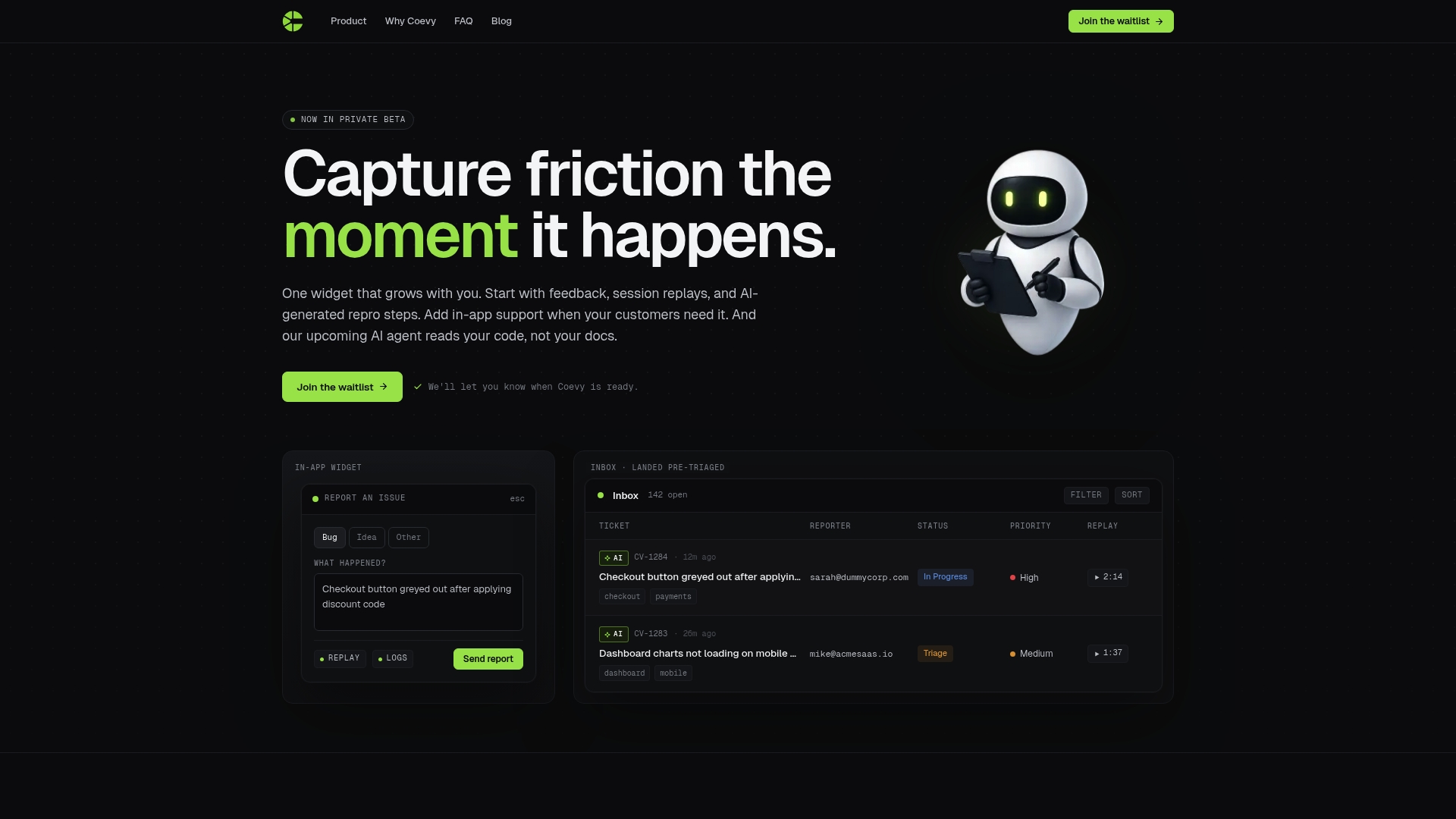
Coevy embeds directly into your web app as a single widget, capturing user feedback, session replays, and bug reports with full context attached automatically. Event-based triggers are no-code to configure, so your team can launch targeted surveys tied to specific user actions without engineering time. AI-powered auto-tagging and prioritization mean feedback routes to the right team member without manual triage. And because Coevy is GDPR-compliant with field masking and IP anonymization built in, you collect the signal you need without privacy risk. Start capturing friction the moment it happens and turn raw user input into decisions your roadmap can actually use.
FAQ
What response rates can in-app surveys achieve?
Well-targeted, event-based in-app surveys typically achieve response rates of 25–40%, compared to 5–15% for email surveys. Behavioral triggers tied to specific user actions are the key driver of that gap.
Why collect in-app user feedback instead of sending email surveys?
In-app feedback captures user input immediately after an experience, eliminating memory decay and increasing response accuracy. Email surveys arrive late, carry low response rates, and lack the contextual targeting that in-app methods provide.
How does in-app feedback improve product iteration?
Continuous, contextual feedback surfaces churn drivers and feature gaps earlier in the cycle, so teams can validate assumptions before committing engineering resources. Feedback-informed roadmaps produce better product-market fit and shorter iteration timelines.
What is the most important best practice for in-app surveys?
Closing the feedback loop visibly is the single highest-leverage practice. Users who see their input acknowledged are significantly more likely to respond again, which sustains the quality and volume of data your team depends on.
Can in-app feedback tools integrate with existing product and support stacks?
Yes. Modern in-app feedback platforms connect with analytics tools, CRMs, and support systems to enable auto-tagging, role-based routing, and automated follow-ups. This integration reduces triage time and makes feedback immediately usable across teams.