AI-generated reproduction steps for bugs are automated, structured instructions that reliably recreate software defects so developers and QA engineers can diagnose root causes without manual guesswork. The industry term for this practice is automated bug reproduction, and it sits at the center of modern debugging workflows. Tools like RepGen and AssertFlip, along with agent-assisted frameworks built on Playwright and Claude Code, have made this process faster and more dependable. Automating bug reproduction reduces time-to-reproduce by 56.8% and improves success rates by 23.35%. That single number explains why QA teams are replacing manual repro notes with AI-driven workflows.
What tools and prerequisites do you need for AI-generated reproduction steps?
Effective automated bug reproduction starts before you write a single prompt. Three prerequisites determine whether your AI output is useful or noise.
Clean environment. The AI needs a baseline that matches the bug report. Without it, you are reproducing configuration drift, not the actual defect. Environment diff checks confirm the test environment matches the reported state before any reproduction attempt begins.

Structured bug reports. Vague reports produce vague steps. Your input should include the affected component, browser or runtime version, user role, and the exact sequence of actions that triggered the failure. Logs, network traces, and screenshots belong in the report, not in a follow-up comment.
The right tooling. The table below compares the most widely used AI bug reproduction tools by capability.
| Tool | Core capability | Best use case |
|---|---|---|
| RepGen | Deep learning bug automation | Reproducing ML model failures |
| AssertFlip | Test inversion for LLM-generated tests | Preventing hallucinated passing tests |
| Playwright with AI agents | Browser action automation | UI regression and end-to-end repro |
| Claude Code | Codebase-aware prompt execution | Code-level root cause tracing |
Each tool solves a different problem. RepGen targets deep learning bugs specifically. AssertFlip, developed at the University of Waterloo, overcomes LLM hallucinations by first generating a passing test for the buggy code, then flipping the assertion to expose the failure. Playwright with AI agents handles browser-level reproduction. Claude Code reads actual source files to generate context-aware steps.
Pro Tip: Run an environment snapshot before every reproduction session. Comparing snapshots across failed and passing runs catches configuration drift that would otherwise look like a code bug.
How to generate effective AI reproduction steps
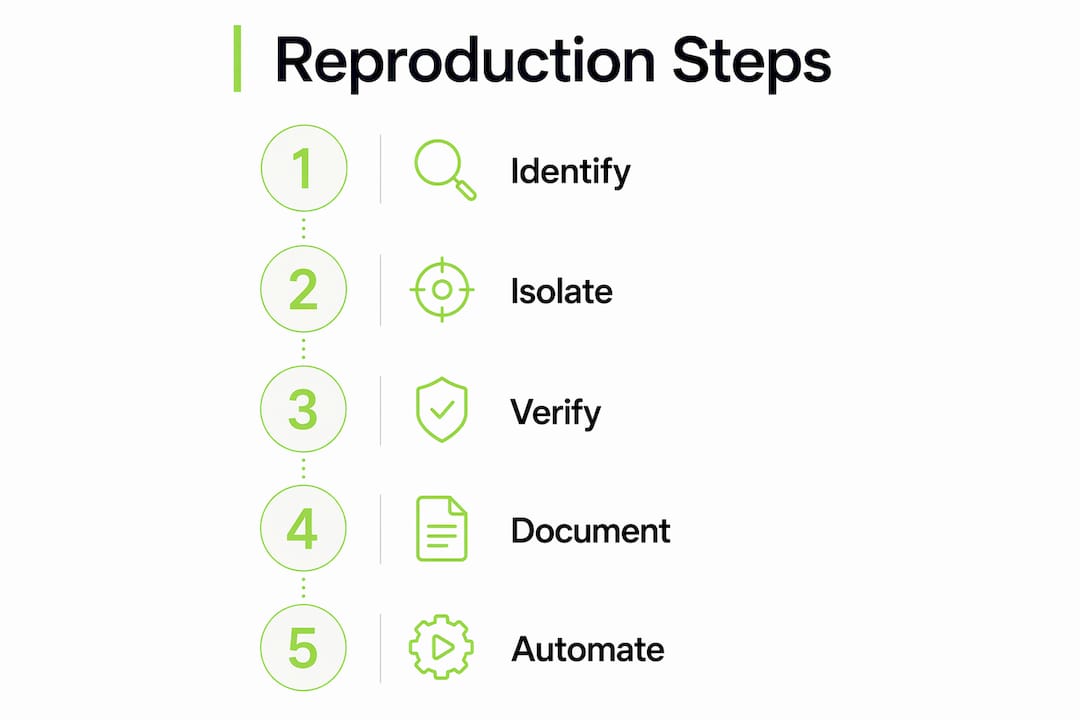
A reliable workflow follows six stages. Skipping any one of them increases the chance of a false positive or an unverifiable result.
- Write a complete bug report first. Include the component name, runtime version, user role, and the exact action sequence. AI cannot invent context it was not given.
- Set a clean baseline. Reset the database, clear session storage, and confirm the environment matches the report. This step prevents config noise from contaminating the reproduction.
- Use a structured prompt template. Specify two phases: primary reproduction (the shortest path to the failure) and variable isolation (changing one factor at a time to confirm the trigger). Single-variable changes are the core discipline here. Without them, you cannot pinpoint the actual cause.
- Limit steps to 5–8 discrete actions. Concise reproduction steps that fit within 5–8 numbered actions keep the scope tight and the output executable. More steps usually mean the prompt included irrelevant context.
- Add negative tests. Ask the AI to generate at least one step that should not trigger the bug. This confirms the reproduction is specific to the reported condition, not a general system failure.
- Apply AssertFlip for test generation. When the AI writes a test, instruct it to first write a test that passes on the buggy code, then invert the assertion. This technique reliably surfaces failures that a straightforward test would miss.
Minimal reproduction paths reduce debugging time by classifying each step as required, probably required, or removable, then validating the minimized path. Apply this classification after the initial AI output to trim unnecessary steps before handing off to the developer.
Pro Tip: Keep each reproduction session under 30 minutes. If the AI has not produced a working repro path in that window, the bug report is missing critical context. Stop, gather more data, and restart.
Understanding how AI generates debugging steps for development teams gives you a clearer picture of where prompt design intersects with code-level analysis.
What are the common challenges with AI-generated bug reproduction?
AI-generated reproduction steps fail in predictable ways. Knowing the failure modes lets you build safeguards before they cost you time.
- Incomplete bug reports as input. Garbage in, garbage out applies directly here. A report missing the user role or the exact trigger action produces steps that reproduce a different failure path entirely.
- Environmental drift. A bug that appeared in production may not reproduce in staging if a dependency version differs by a minor release. State snapshot comparisons catch this before the AI wastes cycles on a non-issue.
- False green tests from mixed repro and fix steps. Separating reproduction from fixing is non-negotiable. When the AI generates a fix alongside the repro test, the test often passes because the fix is already applied, not because the bug was reproduced correctly.
- Hallucinated steps. Large language models occasionally generate steps that look plausible but reference UI elements or API endpoints that do not exist. Human review of every AI output is the only reliable check.
- Premature status updates. Repro automation completion requires a successful test run and a confirmed bug ticket state update. Marking a ticket resolved before both conditions are met loses the failed reproduction data permanently.
Pro Tip: Build a review checklist into your bug tracking workflow. Every AI-generated repro artifact should pass four checks: environment match, step count under 8, negative test present, and human sign-off before the ticket moves to "reproducible."
How do AI reproduction steps integrate into QA workflows?
Embedding automated bug reproduction into your existing QA process requires more than dropping AI output into a ticket. The table below shows where the workflow changes.
| Stage | Traditional approach | AI-augmented approach |
|---|---|---|
| Bug intake | Manual triage and repro attempt | AI generates repro steps from structured report |
| Environment setup | Developer checks manually | Automated env-diff confirms match |
| Test creation | QA writes test case by hand | AI generates test with AssertFlip validation |
| Status tracking | Manual ticket updates | Atomic pipeline updates ticket after test run |
| Root cause analysis | Developer investigates independently | AI acts as interviewer, generating hypotheses |
The most important shift is treating AI as a debugging interviewer, not a fixer. AI generates verifiable hypotheses and test cases. The developer confirms or rejects them. That division of labor keeps human judgment in the loop without slowing the process.
Atomic pipeline rules matter here. Repro pipelines must complete both test execution and ticket state confirmation before marking a reproduction done. Skipping the ticket update step causes failed reproductions to disappear from the record, which corrupts your regression data over time.
AI-powered bug prioritization connects directly to this workflow. Once reproduction steps are confirmed, AI can rank the defect by severity and assign it to the right team without manual triage.
Key Takeaways
AI-generated reproduction steps work best when structured prompts, clean environments, and human verification operate together as a disciplined system.
| Point | Details |
|---|---|
| Start with a complete bug report | Missing context in the input produces unreliable or irrelevant reproduction steps. |
| Use AssertFlip to prevent hallucinations | Inverting a passing test exposes failures that straightforward AI-generated tests miss. |
| Limit steps to 5–8 actions | Concise step sequences keep reproduction paths executable and easy to verify. |
| Separate repro from fix | Mixing reproduction and fix steps produces false green tests that hide unresolved bugs. |
| Treat AI as an interviewer | AI generates hypotheses and tests; human engineers confirm or reject them before closing tickets. |
Why disciplined workflows matter more than the AI tool itself
The teams I see getting the most out of automated bug reproduction are not the ones with the most advanced tools. They are the ones with the most disciplined intake process. A well-structured bug report fed into a basic prompt template consistently outperforms a vague report fed into a sophisticated agentic loop.
The emerging pattern worth watching is the agentic AI loop: an AI agent that reads the codebase, generates a reproduction path, runs the test, checks the environment diff, and posts the result back to the ticket without human intervention at each step. That sounds appealing. The risk is that teams remove human review entirely and trust the output as final. AI outputs need human verification before they become artifacts of record. That principle does not change as the tooling gets more capable.
My practical advice: start with the workflow, not the tool. Define what a valid reproduction artifact looks like for your team. Specify the required fields, the step count limit, the negative test requirement, and the sign-off process. Then pick the AI tool that fits that workflow. Reversing the order, choosing a tool and then building a workflow around its output, is how teams end up with fast but unreliable reproduction pipelines.
The future of this space points toward AI agents that read actual source code rather than documentation. That shift will reduce hallucinated steps significantly. But the fundamental discipline of changing one variable at a time and separating reproduction from fixing will remain the foundation of trustworthy bug reproduction regardless of how capable the underlying model becomes.
— Dizzy
How Coevy captures bugs the moment they happen
Coevy is built for exactly the scenario this article describes: a user hits a bug, and your team needs reproduction steps immediately, not after three rounds of back-and-forth.

Coevy's embedded widget captures session replays, logs, and environment context at the moment of friction, then generates AI-driven reproduction steps automatically. The platform attaches that context directly to the bug ticket, so your QA engineers start with a complete report rather than an empty form. Auto-tagging and prioritization sort the incoming issues without manual triage. If you want to see how Coevy handles bug capture from first click to confirmed reproduction, the platform is worth a close look.
FAQ
What are AI-generated reproduction steps for bugs?
AI-generated reproduction steps are structured, automated instructions that recreate a software defect in a controlled environment. They replace manual repro notes by using AI to analyze bug reports and produce a numbered sequence of discrete actions that reliably trigger the failure.
How does the AssertFlip method prevent false positives?
AssertFlip instructs the AI to write a test that passes on the buggy code first, then inverts the assertion to expose the failure. This approach overcomes the common LLM failure mode of generating tests that pass because of setup mistakes rather than correct behavior.
How many steps should an AI-generated reproduction path include?
Effective reproduction paths contain 5–8 discrete numbered steps. Longer sequences usually indicate the prompt included irrelevant context, and they are harder for developers to execute and verify quickly.
Why must reproduction and fix steps stay separate?
Mixing reproduction and fix steps causes the generated test to pass because the fix is already applied, not because the bug was correctly reproduced. Keeping them separate preserves the integrity of the reproduction artifact and prevents false green results in your test suite.
What is the role of environment diff in automated bug reproduction?
Environment diff compares the test environment against the state described in the bug report before any reproduction attempt. This check prevents teams from spending time reproducing configuration drift that looks like a code defect but is actually a dependency version mismatch.